9. Multimedia Do & Don’ts
How important is multimedia?
Multimedia content is a key display type in the A-State visual language. Prospective students prefer multimedia content that is:
- Authentic
- Concise
- Visual
- Peer-approved
- Purpose-driven
- Mobile-friendly
What makes a photo/video “on-brand” for A-State?
A-State photography should fall in line with the success criteria for the brand:
- Convey the supportive, community-oriented nature of A-State
- Showcase the aspects of A-State that are unmatched by our competitors
- Highlight the value of an A-State education as a soft launching pad that helps students succeed and prepares them for next steps in education or career
- Support a mobile-friendly web experience that considers users with varying bandwidth access
Every effort should be made to ensure photography and video aligns with A-State brand voice. Photography and videography should have an authentic feel, use rich color, and support A-State brand identity and key messages.
All photos used must be properly sourced and cleared for use, ensuring they are either owned by Arkansas State University, licensed for use, or fall under public domain or copyright-free guidelines. Unauthorized or copyrighted images should not be used without proper permissions. Website contributors should use the A-State Photography Portal and avoid using clipart or external stock photography, if possible.
Style Guidelines
General Qualities
All photography, regardless of subject and distance, should share the following qualities:
- Be well-lit – Having adequate brightness and contrast
- Be authentic – Relying on non-posed scenes with genuine expressions
- Have dynamic angles – Leaning into asymmetry and interesting points of view
- Use a journalistic lens - the viewer should feel invested in the subject
Portraits
Highlight the strength and personality of individuals
- Pair these with quotes or bios
- Non busy backgrounds – To keep the attention on the subject’s face
- Choose simple backgrounds when possible – uncluttered walls, foliage
- Shallow depth of field – blur out irrelevant details
- Genuine expression – Ensure faces convey genuine emotion – pride, happiness, determination. Avoid blank expressions and “fake” smiles.
- Cropped just below the shoulders

Situations
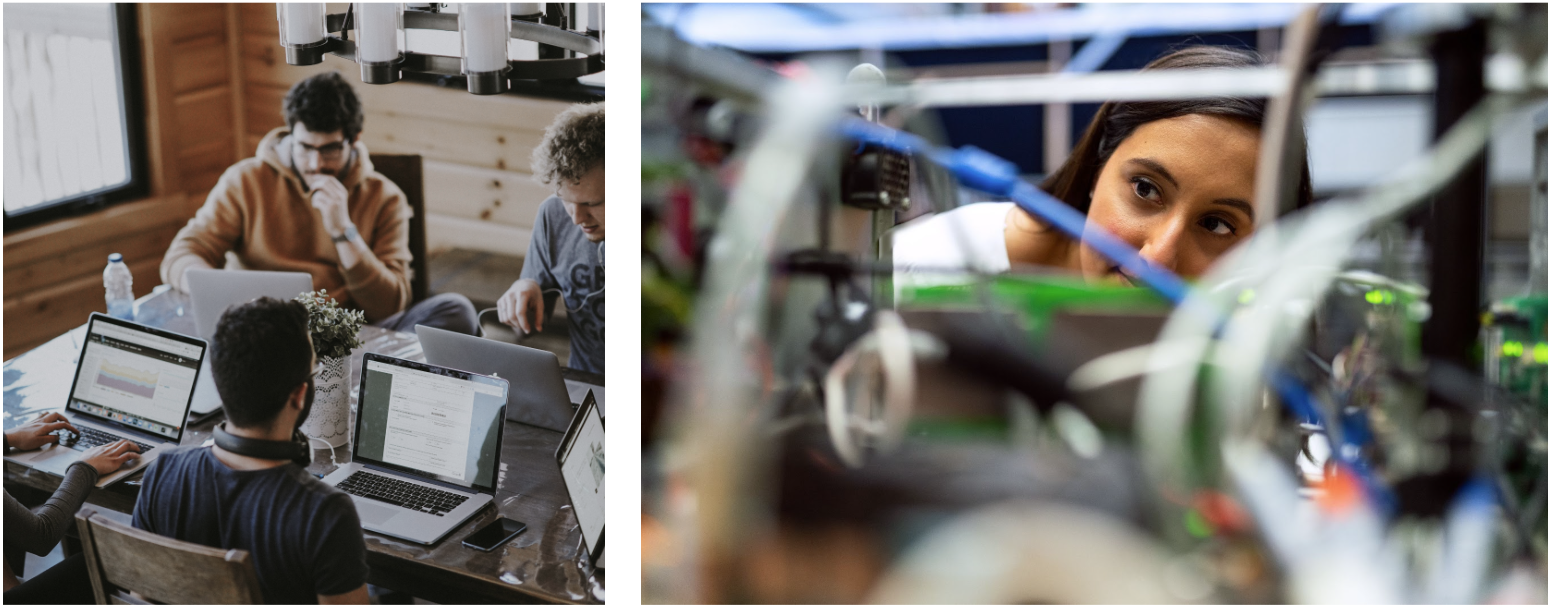
Show off how learning and interaction works at A-State
- Include the environment if it contributes to understanding the subject – for example, a lab, classroom, or street scene
- Invite the viewer into the scene – have a strong focal point and avoid too many backs of people
Environments
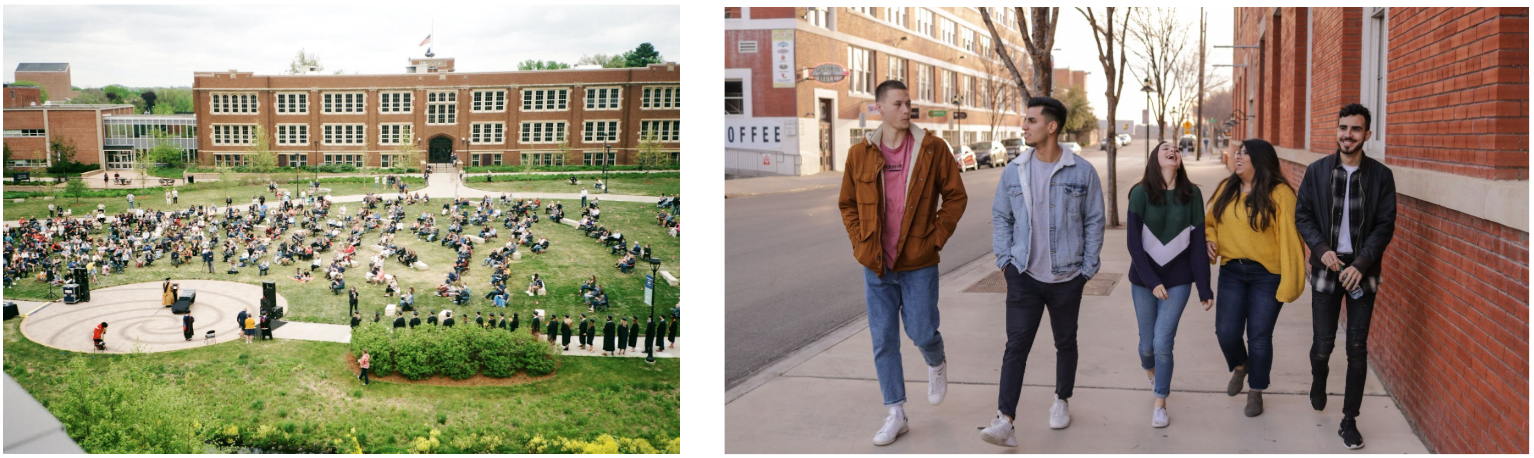
Convey the character of a large space, for tone-setting
- Use occasionally
- Landscape shots of campus that establish the location as well as show off an exciting and bustling campus life
- Local landmarks, street scenes, and hot spots
Objects
Used to symbolically represent subject matter and give a future-focused appearance
- Use occasionally
- Stock is okay– used selectively
- Avoid cliches (examples: a gavel or beaker for “science”, dollar bills for “money”)

Incorrect Usages
| AVOID Abstract, impersonal illustrations in place of custom images. |  |
| AVOID Overly filtered/stylized shots. Especially images that flatten the content using cool-toned filters. |  |
| AVOID Extreme angles and stylized lens techniques (such as fish eye, zoom, and blur). |  |
| AVOID Over-laying distracting graphics/text. | 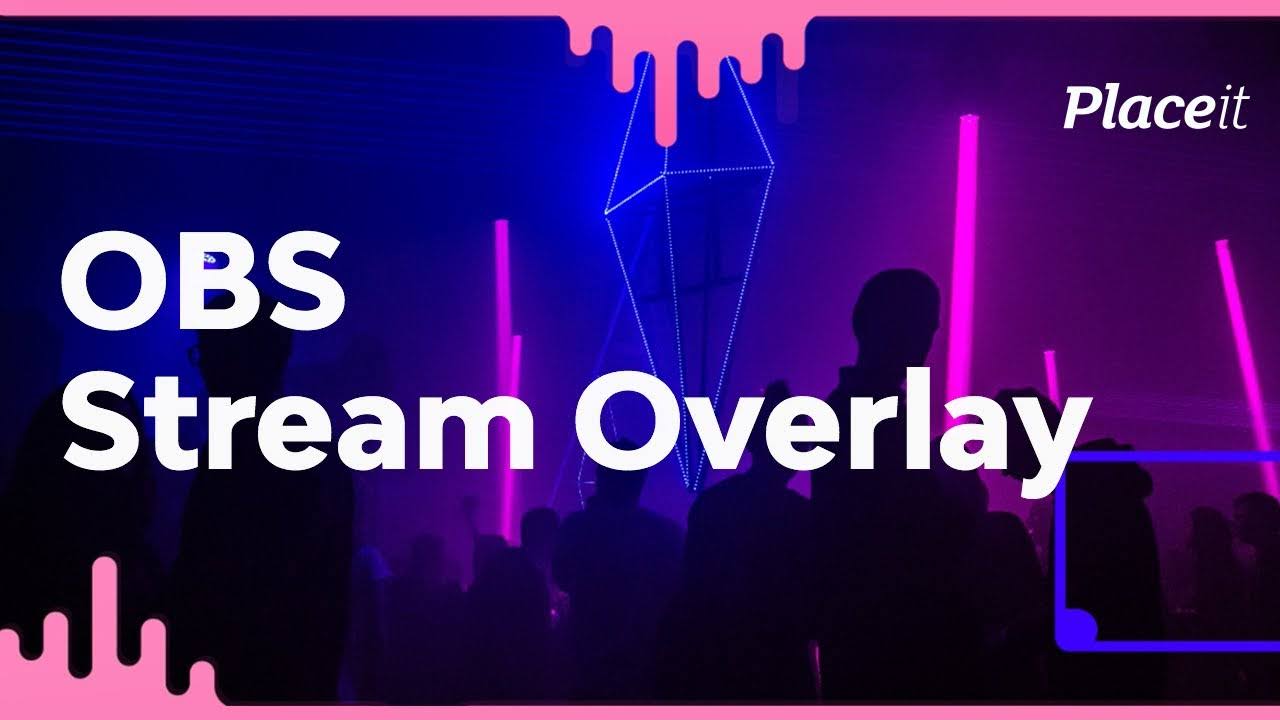 |
Shot Recommendations
Based on the Designed Screens and Sitemap, the following is a list of recommended shots for populating the website:
Campus Photography
Campus photos play an important role in giving students the context of their surroundings. Photographers should capture a good balance of simple, establishing shots and more personal shots displaying bustling student life.
Campuses
- Photos with and without campus signage.
- Large groups of students walking around the campuses:
- Shots capturing the motion on campus: students commuting from place to place.
- Smaller groups of students and individuals with recognizable campus features in the background.
- Exterior shots of important facilities on each campus. Capture a range of facilities that are academically significant and can be used on program-specific pages.
- Campuses in different seasons/decorated for specific holidays.
Amenities
Show off A-State amenities in an engaging way. It may be useful to photograph facilities in a plain, establishing way, but also show them in use. Add human subjects to these shots as well as showing multiple subjects interacting.
- Housing
- Health and Safety
- Offices and Faculty
- Fitness Centers
- Libraries
Local Culture
The campuses aren’t the only part of A-State story. The local area have a large influence over the culture. Photographers should capture the essence of the local culture and show what a beautiful place A-State is. These images can be used on the About and Visit pages.
Student Life
Show off the student life by using an intimate, personal lens. Get up close and personal with students in their natural environment. Student features are not only a great way to highlight a unique story of success, but demonstrate how others can follow in their footsteps. These vignettes can act as a vehicle for showing the impact of certain clubs, programs, mentors, and facilities on campus.
Ideally, the students whose stories are being highlighted are the same ones being photographed for the website.
- The viewer should feel like they’re getting an inside look at this student’s life on campus.
- Photographers should capture a good mix of posed portraits and shots of the student in action. Depending on what is being highlighted, either of these could be useful.
Student stories are a great way to add a personal touch to other information across the site. When gathering stories, keep in mind how they might add substance to the following:
- Pathways of study (e.g. different types of students and applicants)
- Program information (e.g. a story highlighting the Biology program and how a student took advantage of A-State resources)
- Clubs and organizations (e.g. the president of a student organization)
- Faculty (e.g. how a student was inspired and mentored by a faculty member)
- Facilities (e.g. a student who took advantage of a creative space on campus to create a work of art)
- Athletics (e.g. how a student balances their academic and athletic interests)
Faculty and Alumni
When gathering photographs of faculty members and alumni, treat them similarly to students by humanizing them and showing them in a social context. These photos should build upon A-State community image, how do you want to come across to those who don’t know you? Showing a welcoming, diverse cast of characters that allows viewers to create a personal connection.
As well as gathering posed portraits, photographers should show faculty supporting students:
- Tutoring Services
- Academic Advising
- Skills Development Resources
- Disability Services
Build out the community image by showing Alumni stories and the possibilities that await after a A-State education. These can be used in tandem with program information in order to demonstrate how students could use their degree in the future.
Program Highlights
Academic programs are the “products” you offer. As such, we recommend that your Program Detail pages are engaging and visually appealing, highlighting the experiences students will have while studying at A-State.
In addition to one hero image, use at least one more photo per program. More may be needed if a program has more to offer. Images may come in the form of a student or faculty story, a carousel, in the WYSIWYG editor, or any other pattern.
- The Hero image should not be too visually overwhelming since there will be text placed on top of it. Avoid busy computer screens, faces getting overlapped by text, and nondescript placeholder imagery.
Gathering a wide range of generic shots of programs can provide content for other pages across the site. A lot of topics on the site do not yield visually interesting photo opportunities, so photographers should create a repository of program images to accurately represent the student experience. The following topics would benefit from supplemental program imagery:
- Registration
- Applications and Admissions
- Online Programming
- Program Catalogs
- Testing and Placement
- Workforce Development
- Fees and Financial Aid
- Academic Support
News and Events
News stories should be populated with an appropriate image. As these swap out for new stories, ensure that all featured articles and events have an accompanying image. This may be a big lift since there are a lot of existing articles and upcoming events, so employ stock imagery here if necessary.
Image Storage and File Naming
Naming Images
When you upload a new image, it will be uploaded to the A-State media library in the CMS. Naming images clearly allows other users - or maybe even yourself! - to find a relevant image at a later date if they do not have one on hand.
When uploading your image, please follow these naming convention guidelines:
- Briefly describe the image. Try to keep the description under 5 words
- You can eliminate “stop words” such as “in,” “and,” “the,” etc.
- File names should always be lower case
- Use hyphens to separate words. Do not use spaces.
- File names should have only letters or numbers (or hyphens)
- If there are multiple versions of the same image, add the image size at the end
- If you have a particular keyword for the page, trying to insert it into the file name is a plus
Good image titles:
- chemistry-professor-lecture.jpg
- students-collaborating-writing-center-400x400.jpg
- students-collaborating-writing-center-1080x720.jpg
Bad image titles:
- Untitled1.jpg
- IMG_3084.jpg
- Screen Shot 2019-03-08 at 1_08_55 PM.png
Alt text:
- Alt text is used for both accessibility and SEO purposes.
- Describing the image clearly is priority #1. See the Accessibility guidelines for more information.
Image Sizes
Follow these sizing requirements to optimize the designs and display of imagery.
Videos: Best Practices
A-State already has some quality videos on its YouTube channel and across the site but many of the videos are outdated. Whether you’re choosing from existing video assets or creating from scratch, keep the following guidelines top of mind.
Keep it real
Use diverse, user-generated content that is authentic. Staged photos and videos won’t pass the sniff test. Prospective students don’t want to be sold to. They want to be understood and respected. They want to be spoken to like adults. They want to see themselves in someone else.
- Featured A-State students, faculty, & alumni should feel confident, direct, and successful.
- Focus on polished ‘real talk’: overcoming obstacles, and achieving goals
- Keep the visual fabric rich
- Allow groups to bring natural energy to the conversation
- Consider user-generated content (with permission)
Make it snappy
Short. Timely. Layered context. Prospective students are impatient. They want to get as much information as possible as quickly as possible. Value their time by focusing on what’s really important.
- Focus on snackable video content. 1-2 minutes is ideal. No mini-lectures
- Use simple captions to provide additional context and to add a layer of A-State branding and voices
Ensure Accessibility
Accessibility isn’t just a nice-to-have; it’s essential for providing equal access to information and ensuring that all audiences, including those with disabilities, can fully engage with your video content. While automatic captions generated by platforms like YouTube are a starting point, they often fall short in terms of accuracy and clarity. To meet accessibility standards and offer a more inclusive viewing experience, consider the following:
- Accurate, Human-Edited Captions
- Review and correct autocaptions to ensure timing, spelling, and grammar accurately reflect the spoken dialogue.
- Include captions for all speech, as well as relevant non-speech audio elements (e.g., laughter, applause, background music, sound effects). This ensures that viewers who are Deaf or hard of hearing can follow along without missing context.
- Transcripts for Supplemental Access
- Provide a full transcript of the video content— including descriptions of important on-screen actions or visuals not described in the dialogue. This benefits users who rely on screen readers and allows those without the ability to watch video to still access the information.
- Post transcripts alongside the video or make them easily accessible via a link in the description.
- Audio Descriptions for Visual Content
- If your video heavily relies on visuals (such as diagrams, text overlays, or demonstrations) to convey information not spoken aloud, consider adding audio descriptions. These narrations fill in details that blind or low-vision users may otherwise miss.
- Integrate these descriptions into the main audio track or provide a secondary audio track that can be enabled as needed.
- Clear, Legible On-Screen Text
- If using titles, lower-thirds, or text overlays, ensure high contrast between text and background, and choose an easy-to-read font size and style. This benefits all viewers, including those with low vision or dyslexia.
- Screen Reader-Friendly Metadata
- Ensure that any metadata associated with the video (titles, tags, descriptions) is written in a clear and descriptive manner. Screen reader users rely heavily on this information to understand the content before pressing play.
- Compliance with Accessibility Guidelines
- Familiarize yourself with the Web Content Accessibility Guidelines (WCAG) and strive to meet or exceed their recommendations. Adhering to these standards helps ensure your videos are accessible to the widest possible audience.
By thoughtfully implementing these practices, you not only create a more inclusive environment for all current and prospective students, faculty, and staff but also strengthen your overall brand credibility. Accessible video content is an investment that honors Butte College’s commitment to diversity, inclusion, and equal opportunity.
YouTube has SEO, too!
The internet’s second-largest search engine! Beyond hosting your videos on YouTube and embedding them onto your site, YouTube is an extremely powerful search tool.
Leverage your keyword research and insert keywords into appropriate YouTube metadata AND the video itself.
- SAY the keyword in the video
- Include keyword in video title, description, & tags
- Leverage hashtags to drive traffic to videos