AOS MyDen Application Status Portal
Overview of the MyDen application status portal specifically for A-State Online applicants.
Overview
Overview of the MyDen Portal including video and images with descriptions.
Overview
AOS MyDen Overview Pre & Post Admit View
Processor Notes
Instructions and Notes regarding Post Admit applicants
Processor Notes
AOS Post Admit Checklist and Portal Tracker
AOS Post Admit Checklist Items
These items appear at the bottom of the applicant's Slate profile checklist.
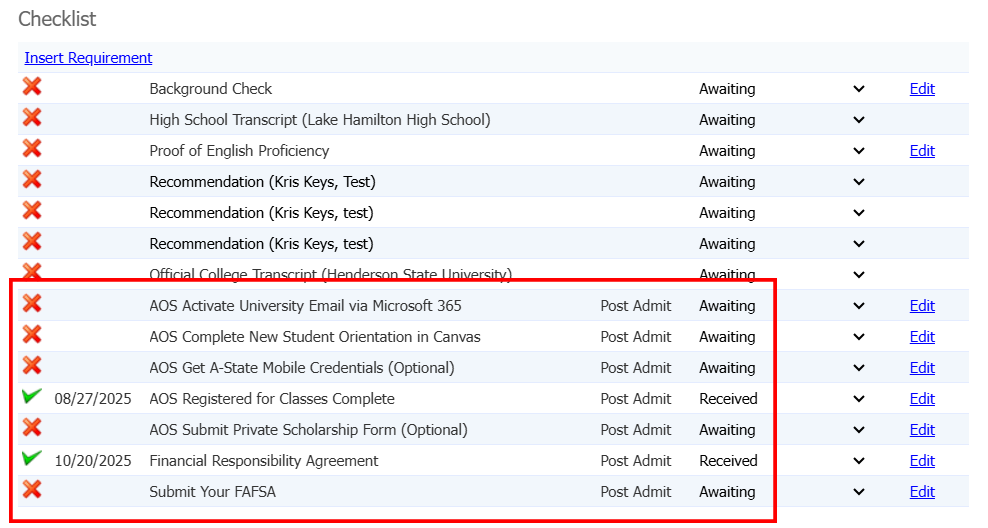
- AOS Post Admit (Group) - ALL AOS including QATAR
- AOS Activate University Email via Microsoft 365
- Complete - University Email exists
- Portal Tracker - Required Item, must complete to complete the Tracker
- AOS Complete New Student Orientation in Canvas
- Complete - Not Set, stays awaiting
- Portal Tracker - Does not count for completion
- AOS Get A-State Mobile Credentials (Optional)
- Complete - Not Set, stays awaiting
- Portal Tracker - Does not count for completion
- AOS Registered for Classes Complete
- Complete - Registered Current Term Field = Yes
- Portal Tracker - Required Item, must complete to complete Tracker
- AOS Activate University Email via Microsoft 365
- AOS Submit Private Scholarship Form (Optional) - ALL AOS excluding QATAR
- Complete - Not Set, stays awaiting
- Portal Tracker - Does not count for completion, only show up on portal
- Financial Responsibility Agreement - ALL AOS excluding QATAR
- Complete - Form Submission
- Portal Tracker - Required Item, must complete to complete Tracker
- Submit Your FAFSA - AOS Domestic Only
- Complete - FAFSA FinAid Year exists
- Portal Tracker - Does not count for completion
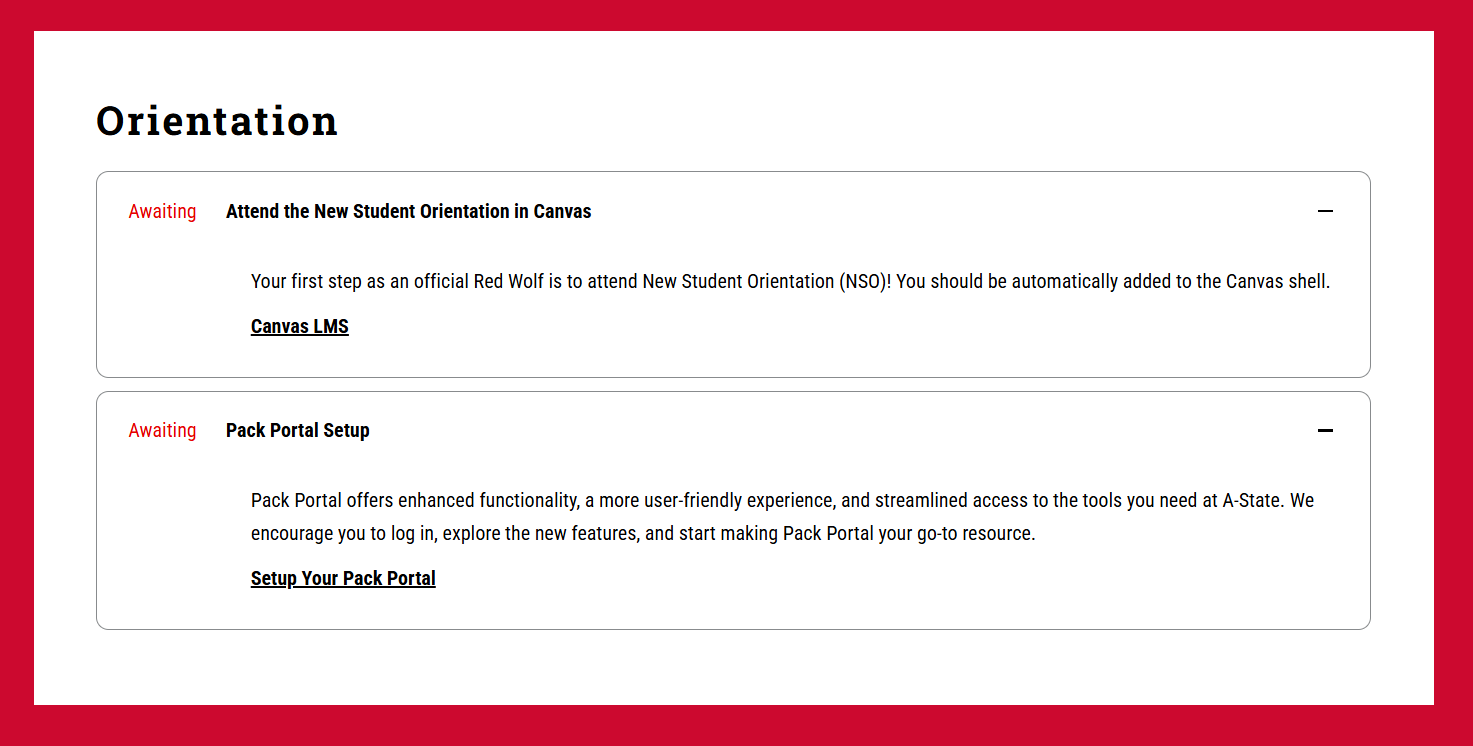
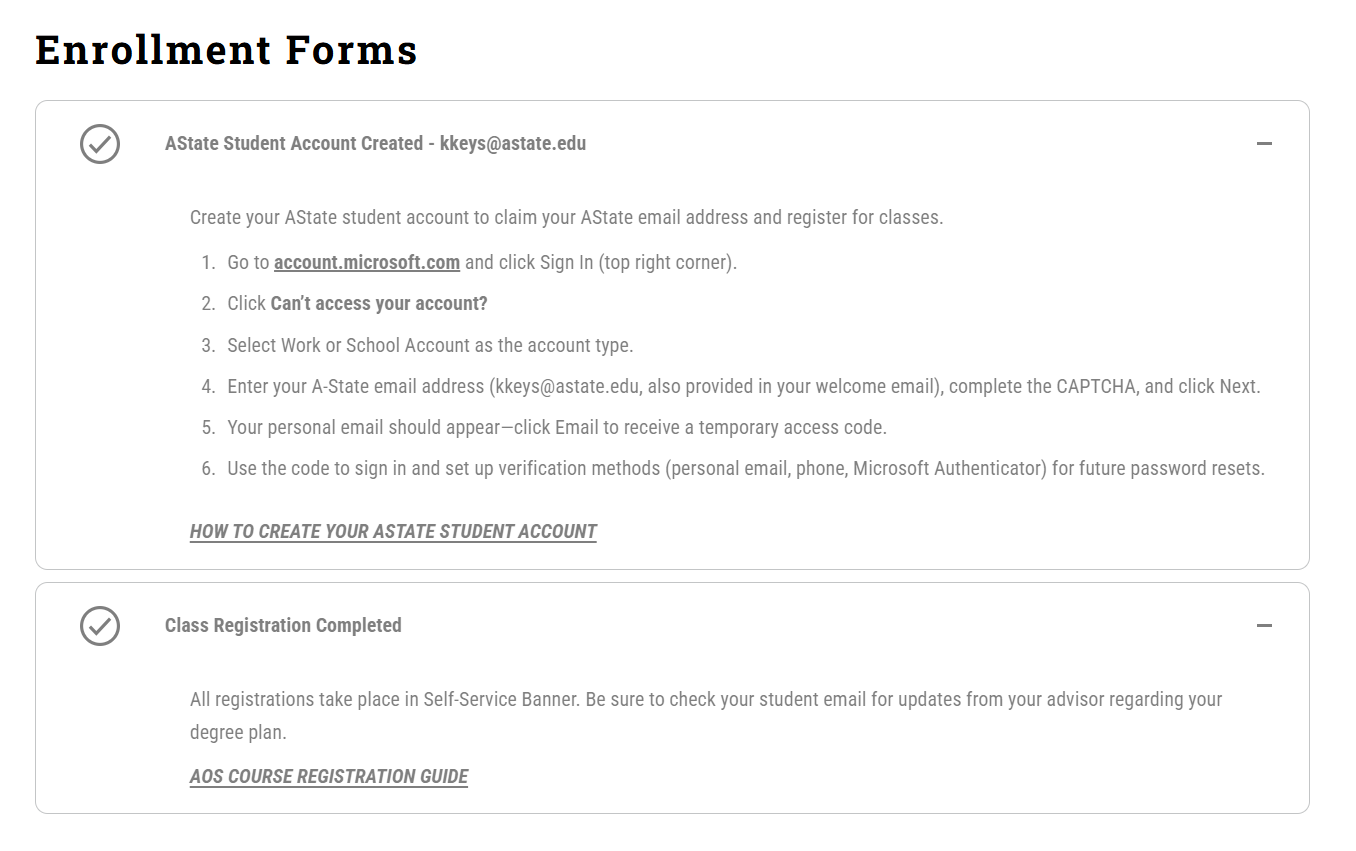
The Portal Tracker displays the different Checklist Items in collapsible elements. Items that can be completed are Checked Marked and greyed out when fulfilled.