# DEGREE WORKS FOR ADVISORS AND FACULTY - RESPONSIVE DASHBOARD
##### Link **to Responsive Dashboard**
#####
[https://dw-prod.astate.elluciancloud.com/JBORO/responsiveDashboard/](https://dw-prod.astate.elluciancloud.com/JBORO/responsiveDashboard/)
---
#### SEARCH
#####
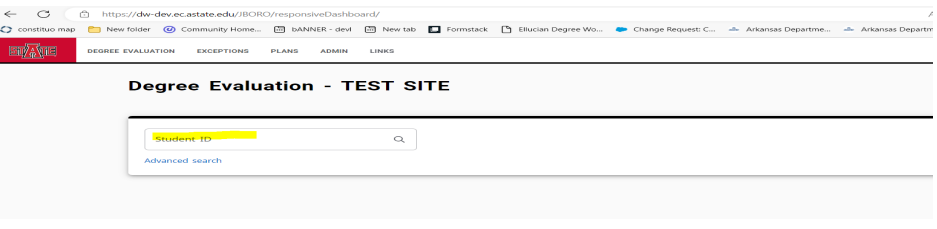
*Search by ID#*
[](https://kb.astate.edu/uploads/images/gallery/2024-10/image-1729713269300.png)
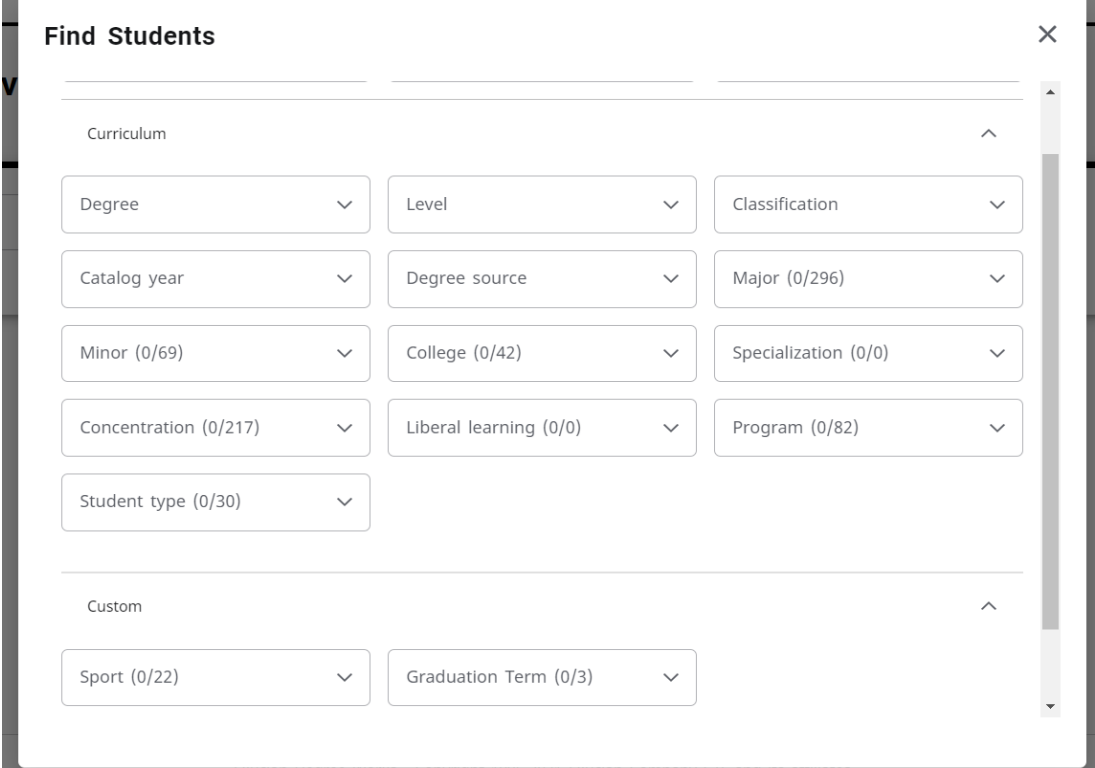
##### *Advanced Search Option: Filter by a criterion*
[](https://kb.astate.edu/uploads/images/gallery/2024-10/image-1729713290723.png)
#### Student Header
#####
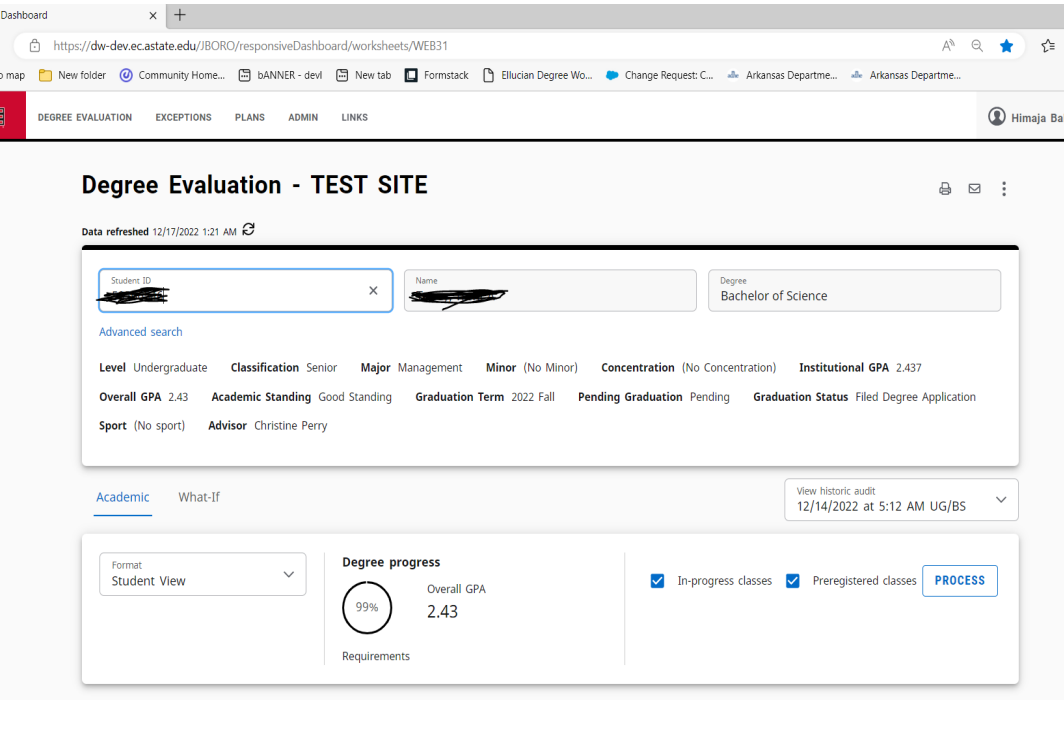
In the Student Header block, important information is displayed from different fields such as the student’s name, ID, classification, academic program information (degree type, college, major, minor,and concentration, if applicable) assigned academic advisor etc.
[](https://kb.astate.edu/uploads/images/gallery/2024-10/image-1729713314902.png)
##### Progress will not equal 100% until all courses are complete and grades have been processed in the system. A graduating senior who has completed all credits and course requirements and is preparing for graduation will reach 98% until the grades are submitted at the end of the term.
#####
*PROCESS*: The date of the last time an audit was run for the student is displayed here. Audits are not updated after students register for classes, have final grades posted, change their major, declare a minor, etc. until you process a new audit. If the last audit date occurred before the last refresh date, a new audit should be processed in order for the most accurate information to be displayed
##### *DATA REFRESHED*: Student data is refreshed in Degree Works from Banner. This displays the last date and time the student’s data was pulled from Banner. Data is refreshed automatically every night. If the data was pulled at 2:00AM and the student registered for classes at 10:00AM that data won’t be reflected in Degree Works until the next refresh.
##### The button next to the date and time can be used to
refresh a single student manually. This should be used sparingly as it slows down both Degree Works and Banner when use
####
Degree Requirements
#####
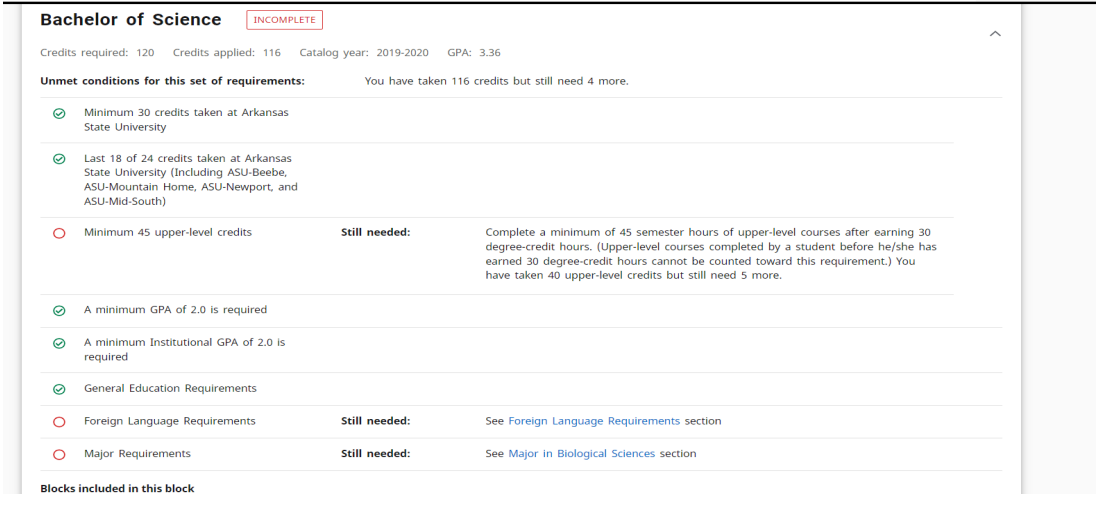
In the new dashboard, requirements are not color coded, but they are displayed in a check box format
that state whether the requirement has been fulfilled or not. Each block header also displays an
Incomplete, In-Progress, Complete label based on the status of the requirements.
The audit is still divided by blocks, but now users can collapse and expand sections for quick navigation
and use the arrows within each block to collapse and expand a single block.
[](https://kb.astate.edu/uploads/images/gallery/2024-10/image-1729713336184.png)
##### The Degree, GENED Requirements, Major, Minor and Concentration (if applicable), Electives (if
applicable), In-progress and/or. blocks are all listed in the same order as before. Other blocks may display depending on the degree that the student is pursuing (Example: Foreign Language requirements)
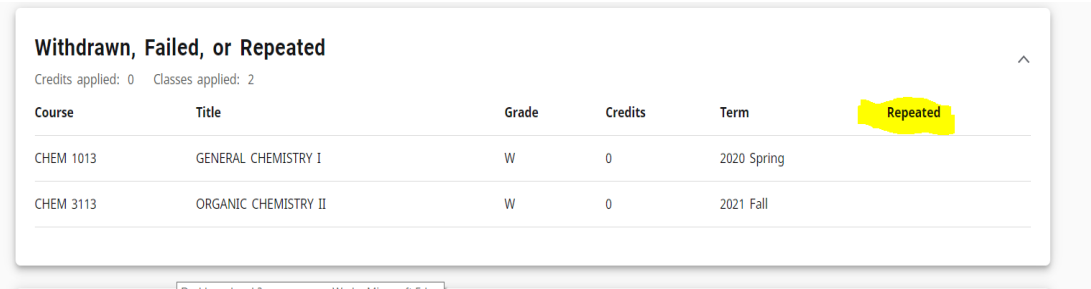
##### In the new dashboard, a Repeated column that indicates a notation of (R) next to a course if the course has been repeated
[](https://kb.astate.edu/uploads/images/gallery/2024-10/image-1729713358246.png)
#### *Legend*
##### In the new dashboard, the checkbox icons are now circles but the colors are similar. Requirements completed will show in green, requirements not complete will show in red, and requirements with classes in-progress will show in blue.
[](https://kb.astate.edu/uploads/images/gallery/2024-10/image-1729713369103.png)
### **What-If and Look Ahead**
#####
Previously, the What-if function that applies the students’ courses to a different major, minor, concentration, etc. and the Look Ahead function that allows for potential courses to be reviewed against the degree plan to see where the course(s) would fall into a student’s plan, were separate.
#####
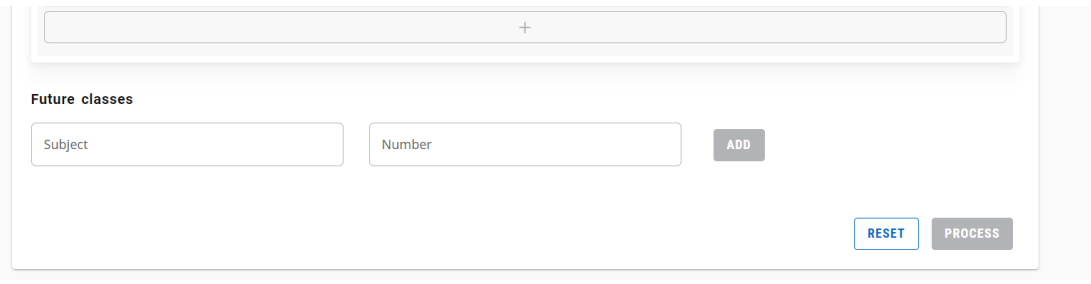
In the new dashboard, the Look Ahead function is now labeled Future Classes and is combined with the What-if function to improve efficiency in the user interface.
#####
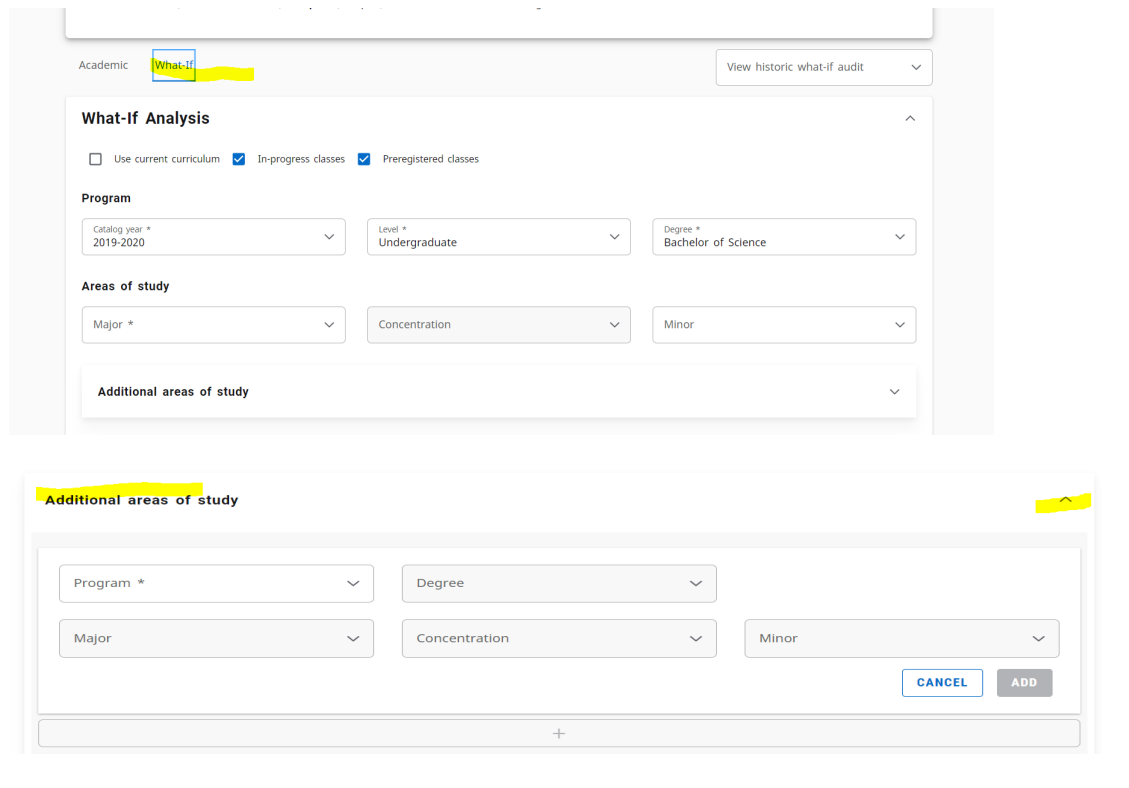
The user must still select the catalog year, degree type and major (some majors also require a concentration and/or a minor) but now the user has the option to include or not include In-progress and Preregistered classes.
#####
The Additional areas of study feature also gives the option to add another major, minor, etc. when using the What-if function.
[](https://kb.astate.edu/uploads/images/gallery/2024-10/image-1729713385777.png)
[](https://kb.astate.edu/uploads/images/gallery/2024-10/image-1729713401833.png)