# Billing & Authorized Users
University policy state that tuition and fees are due and payable no later than the 11th class day of the term (5th day of class for summer term).
# Types of Bills
---
#### E-Bill
Tuition billing statements (e-bills) are made available online in myBill every Friday during the term. Notifications are sent to the student's email address and to any authorized user on file each week when the bill is uploaded. Each bill can be printed and is on the University letterhead.
It is the student's responsibility to view bills and to monitor their student account.
---
#### Paper Bill
Paper bills are only sent once at the end of the term to the address on file. This is the final bill sent to students for the term and marks the 60 day period before the account is sent to collections.
If you have any questions, please contact the Treasurer's Office at or 870-972-2285.
# Authorized Users
---
#### What is an Authorized User?
An authorized user is someone the student gives access to myBill. An authorized user can:
- View bills
- View tax forms
- Make payments
- Enroll in payment plans
- View student account activity (charges and payments)
The student is the only person that can setup, give access, and remove authorized users. It is the student's responsibility to ensure the information is correct and up to date.
***\*\*Please note that being setup as an authorized user does not permit the Treasurer's Office employees to disclose financial information to said authorized user. A Release of Confidential Student Financial Record Information form is to be submitted to our office by the student with proper identification.***
---
#### Authorized User Login
Please go to [https://epay.astate.edu/C20019\_tsa/web/login.jsp](https://epay.astate.edu/C20019_tsa/web/login.jsp) to login as an Authorized User.
---
#### Release of Information
In order for the Treasurer's Office to discuss account information with anyone other than the student, the student must sign a [Release of Confidential Student Financial Record Information.pdf](https://kb.astate.edu/attachments/789) form. The form must be completed within our office or signed by a Notary.
If you have any questions, please contact the Treasurer's Office at or 870-972-2285.
# How To Setup an Authorized User
---
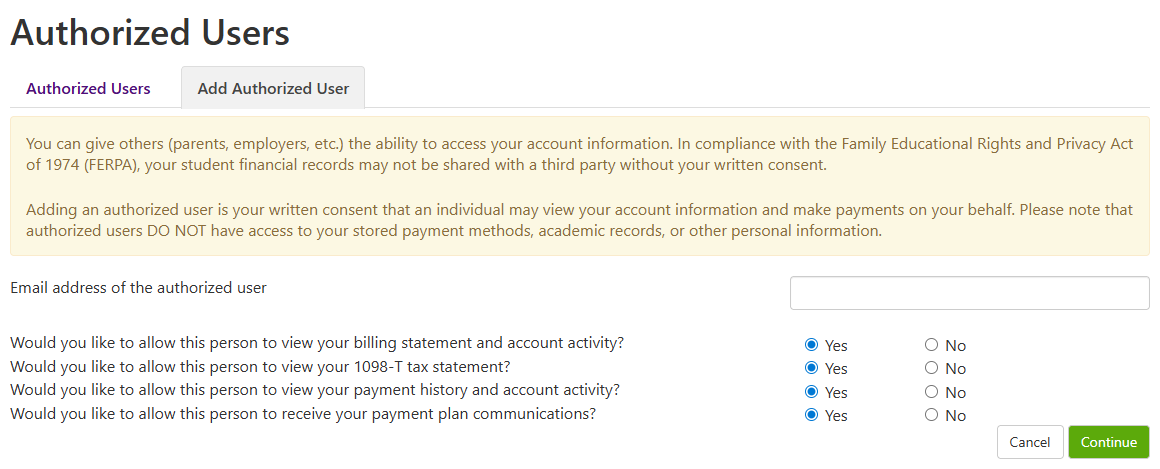
Students can give themselves and others (parents, employers, etc.) the ability to access their financial account information. In compliance with the Family Educational Rights and Privacy Act of 1974 (FERPA), your student financial records may not be shared with a third party without your written consent. Adding an authorized user, an individual may view your financial account information and make payments on your behalf.
---
1\. Login to [Pack Portal](https://pack.astate.edu/)
[](https://kb.astate.edu/uploads/images/gallery/2025-10/image-1761753338831.png)
2\. Click on the myBill button within the myBill widget in your Dashboard
[](https://kb.astate.edu/uploads/images/gallery/2025-10/image-1761753434981.png)
3\. Under My Profile, click on Authorized Users
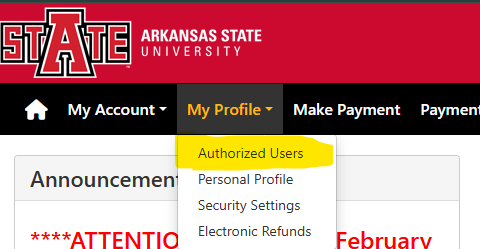 **OR** 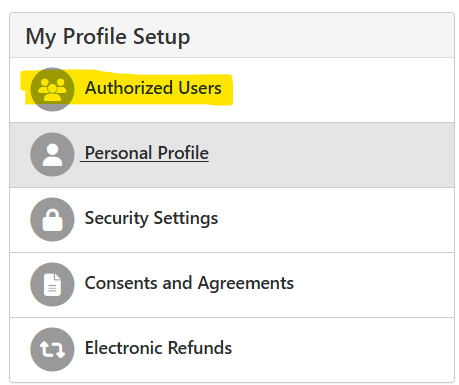
4\. Click on Add Authorized User tab
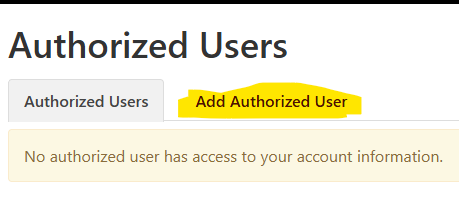
5\. Enter your personal email or parent/guardian's email address, answer each question, and click Continue.
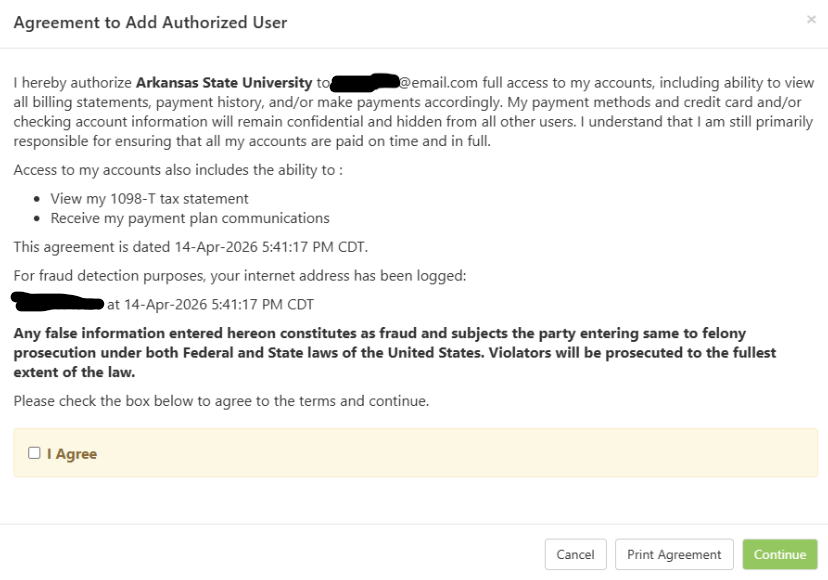
6\. Read through the agreement, select Agree, and click Continue.
[](https://kb.astate.edu/uploads/images/gallery/2026-05/C4Mimage.png)
7\. An email with a temporary password will go out to the email address you are setting up as an Authorized User. The email is temporary, so be sure to inform the Authorized User to go in and setup their password as the temporary will expire in 48hrs.
If you have any questions, please contact the Treasurer's Office at 870-972-2285 or .
# Tuition and Fee Adjustment Appeal through Student Accounts
---
Students must be officially withdrawn from the class(es) or must not have received credit (any letter grade) for the class(es) for which they are requesting a tuition and fee adjustment. If the student has not officially withdrawn or has received credit, they will be referred to appeal to the Admissions & Credits Appeal Committee for an after the fact withdrawal.
#### Admissions & Credits Appeal Committee
Website: [https://kb.astate.edu/books/general-student-information/page/appeals-committee ](https://kb.astate.edu/books/general-student-information/page/appeals-committee)
#### **Valid Tuition and Fee Adjustment Appeal Situations**