The current **AStateSecure** wireless network will be retired at **noon** on **Saturday, Oct. 3**, and will no longer be available after that time.
--- #### Connecting to AStateConnect **AStateConnect** is the Wi-Fi network you will use while on campus. You log in with your A-State email address and password. --- 1. Open the **Settings** app on your iOS device.  2\. Tap **Wifi**. 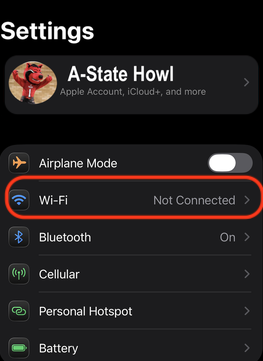 3\. Tap **AStateConnect** 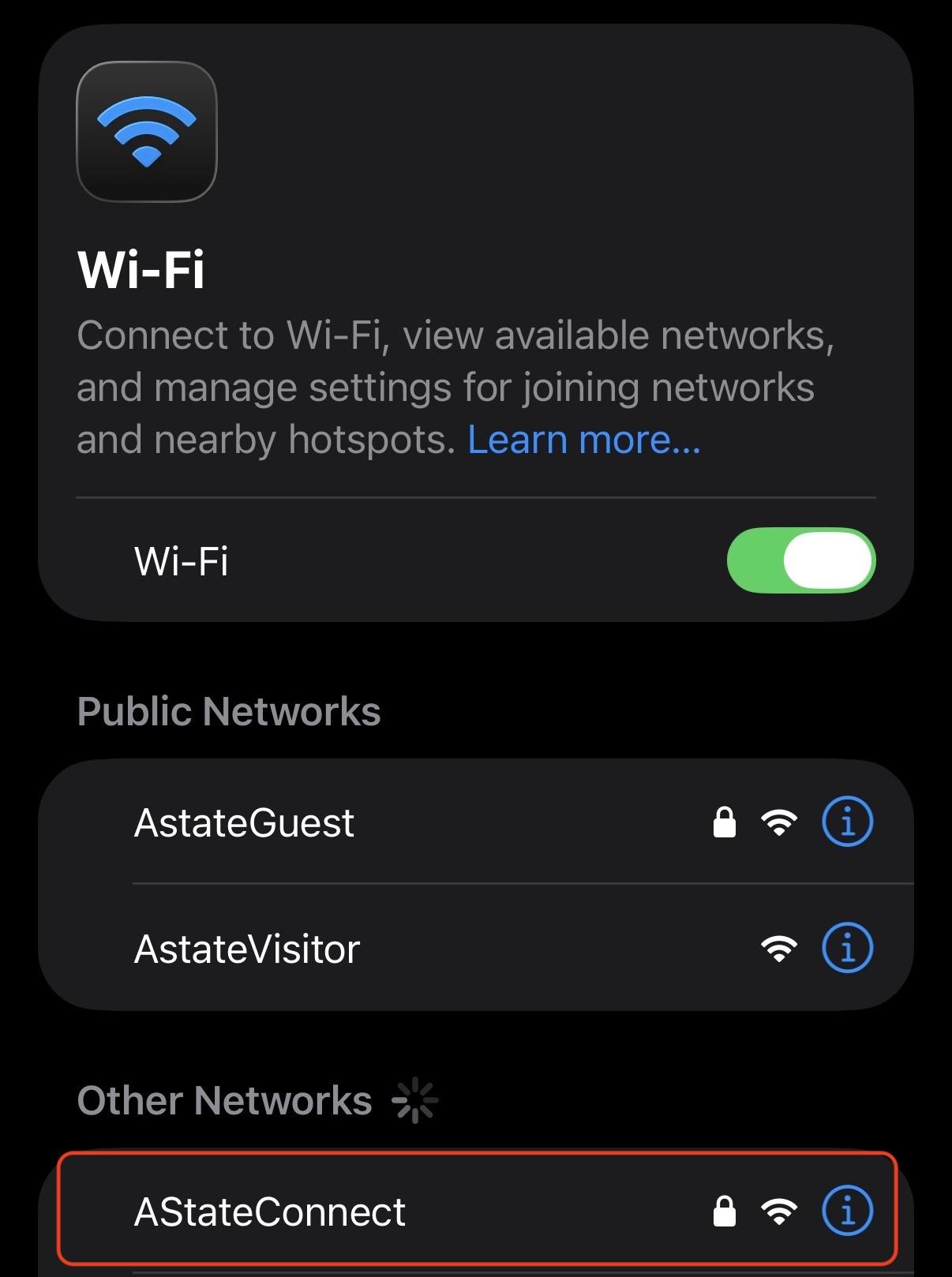 4\. Sign in with your full A-State email and password 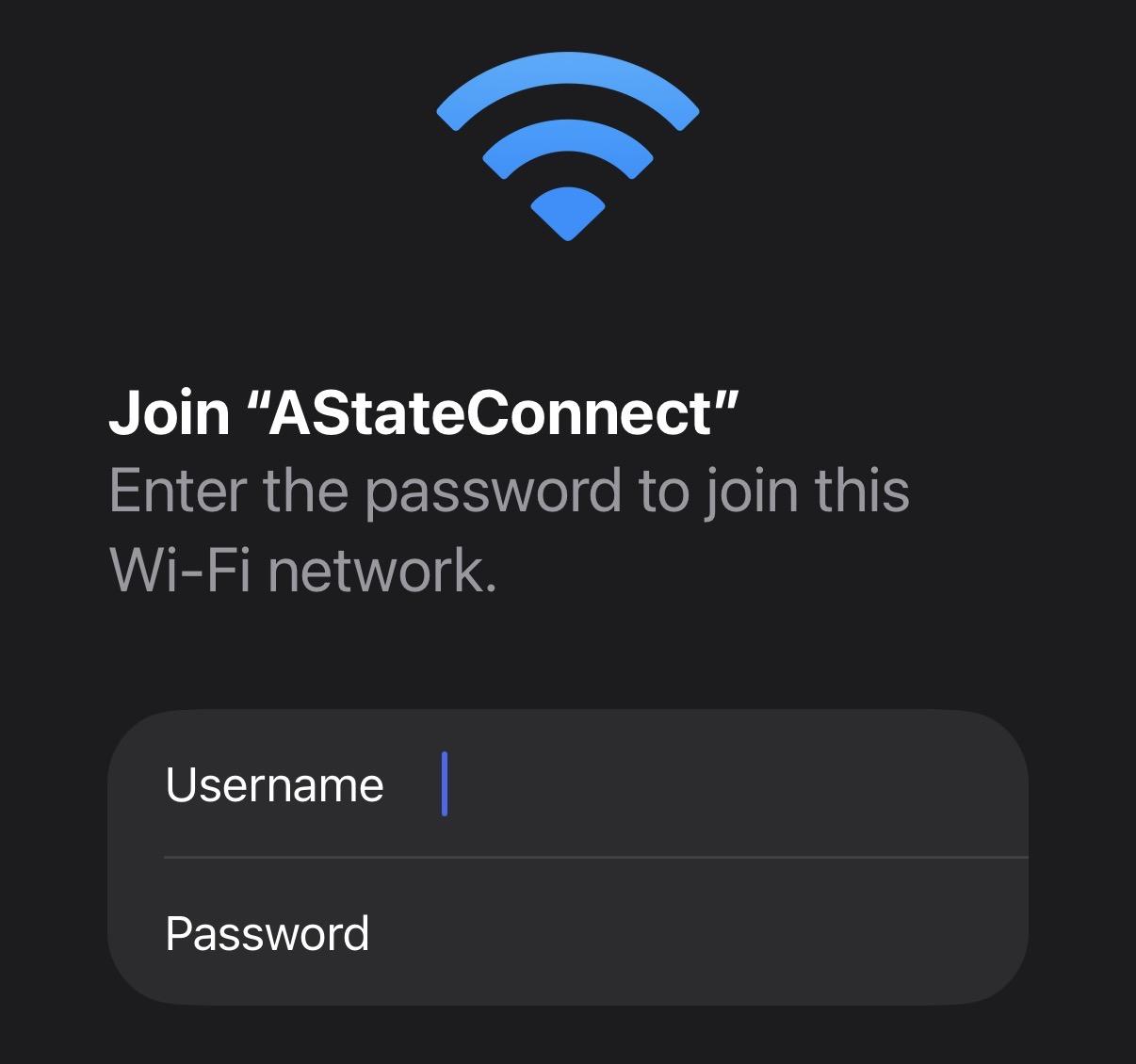 5. Tap **Trust** on the Certificate prompt 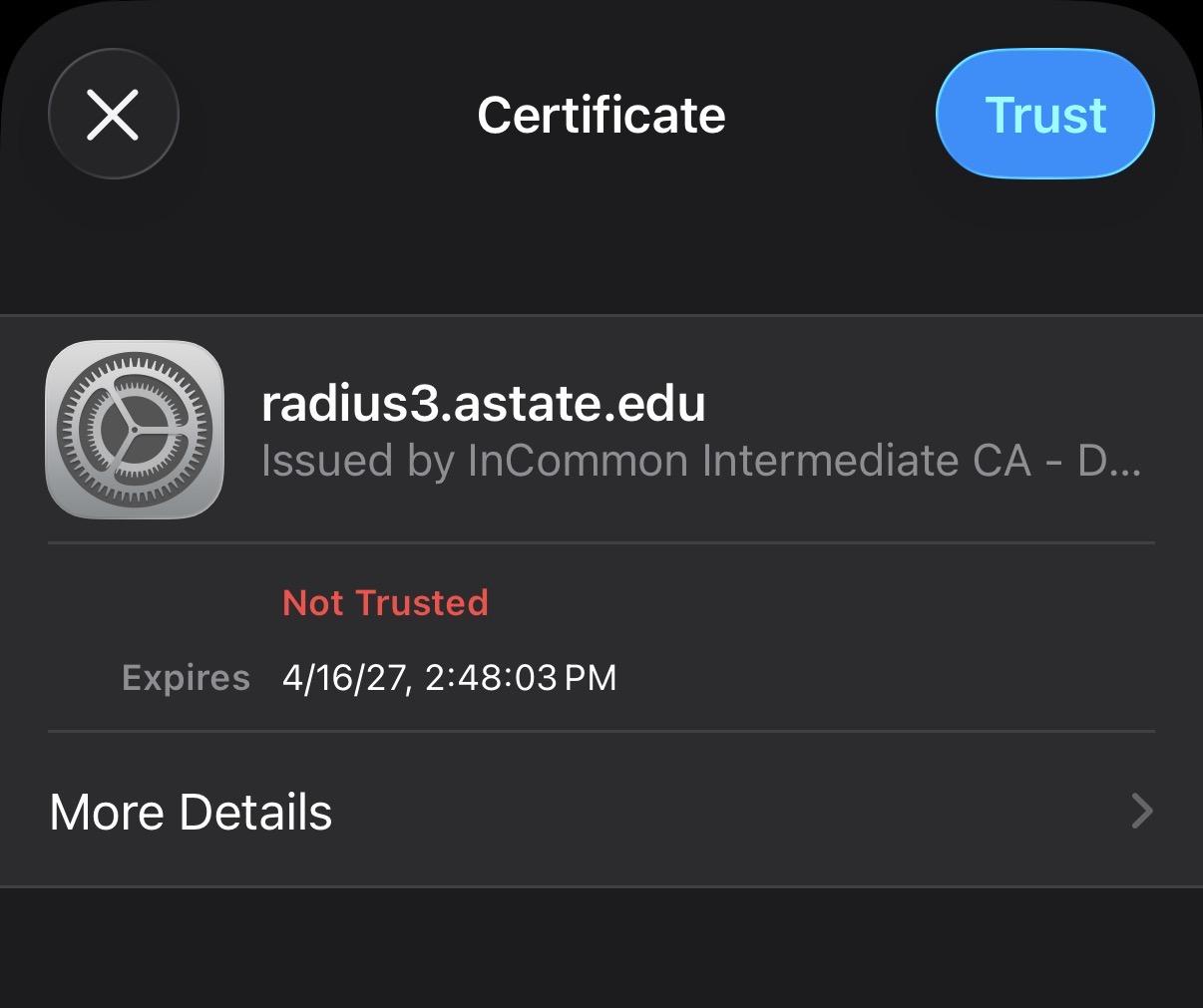 Your device should now be signed into the **AStateConnect** network. --- #### Connecting to Home@AState --- 1. Open your devices **Settings** app 2. Tap on the **Wi-Fi**  2\. Tap **Home@AState**. 3\. Enter the password provided via A-State student email. 4\. Click **Join**. Your device should now be signed into the **Home@AState** network.If you have not received your **Home@AState** password, you can use this **[GUIDE](https://kb.astate.edu/books/campus-wireless/page/how-to-request-a-home-at-astate-wi-fi-password)** for help requesting a new password.
---For further assistance, contact the ITS Help Desk at 870-972-3933 or stop by IT Support Services (