Submitting a Request to Delete a Section
-
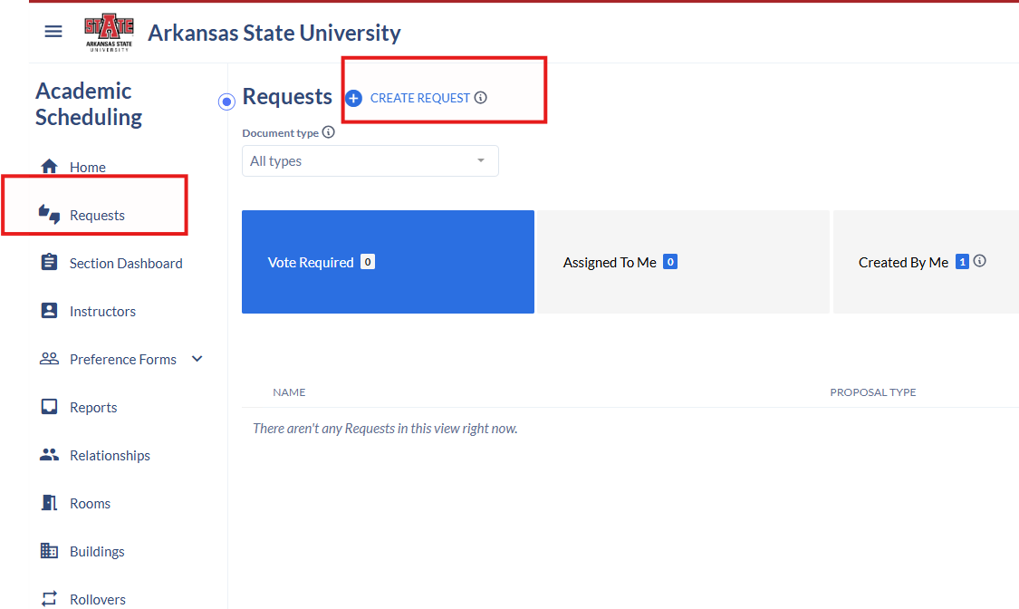
Select Requests → Create Request.

-
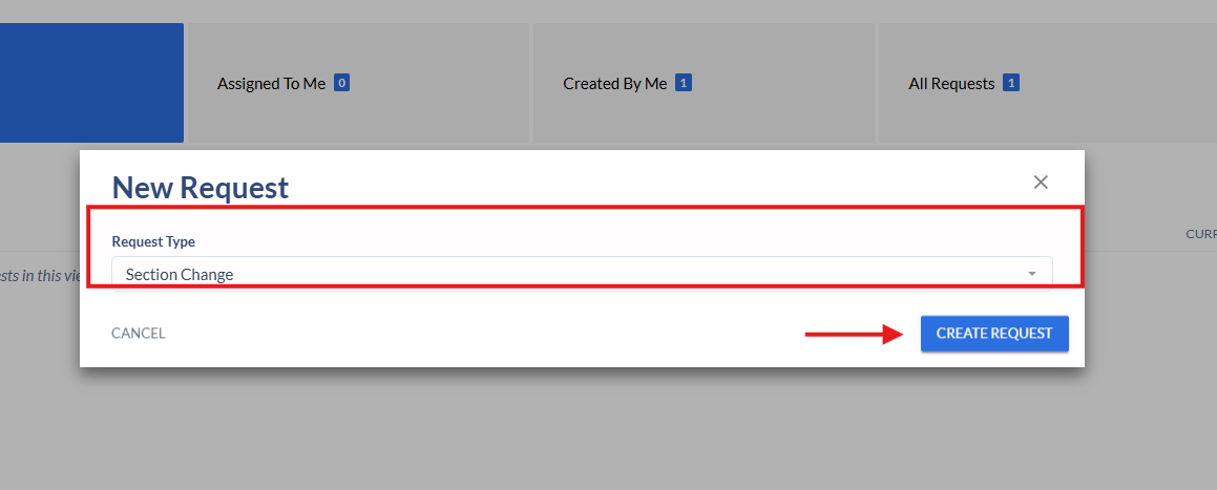
Choose Section Change and select Create Request.

-
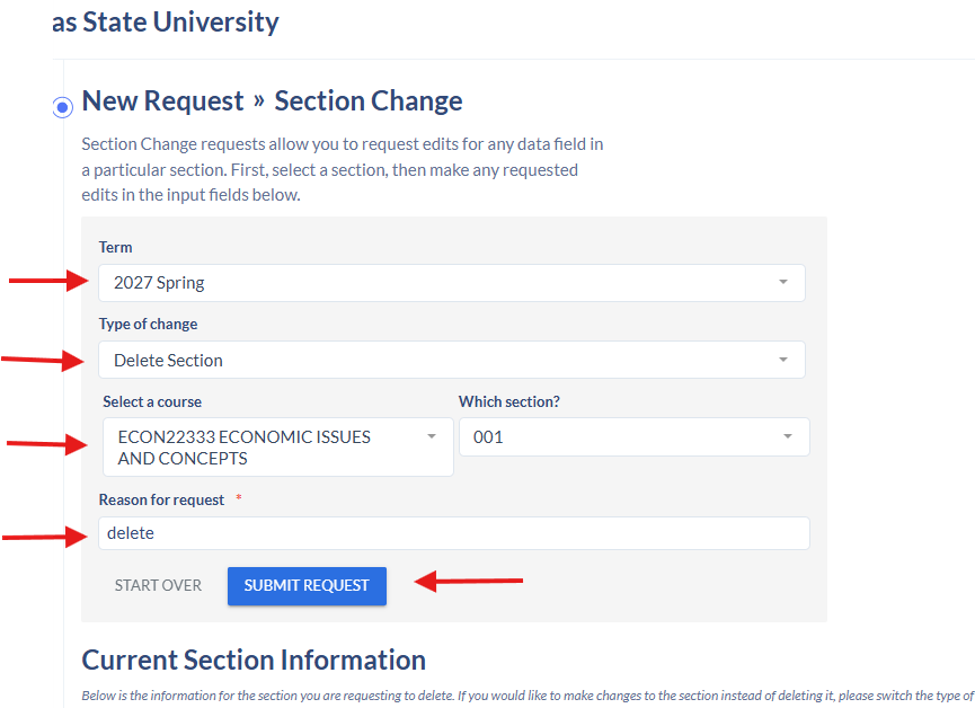
Select the appropriate term.
-
Choose Delete Section.
-
Enter the course and section.
-
Provide a reason for the request (enter the word delete).
-
Submit the request.