# How To Add Documents
##### This page will review how to add documents such as PDFs, Spreadsheets, and Word Docs, to the Knowledge Base. Please follow the steps below to learn more.
---
1. Go to [kb.astate.edu](https://kb.astate.edu/kb.astate.edu) and click **Log in.**
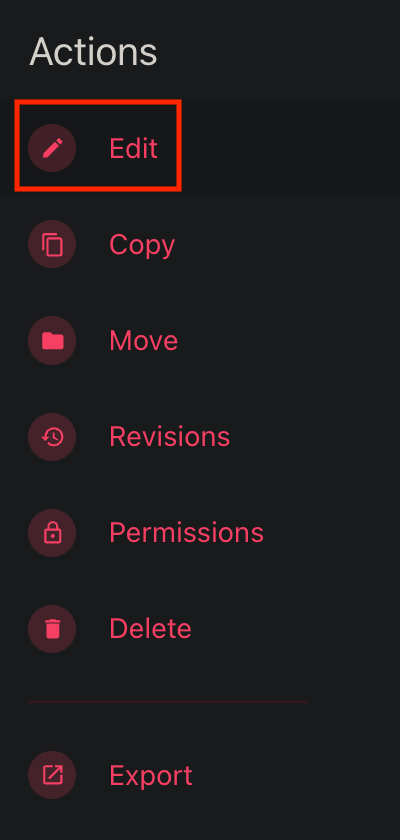
2. From there, navigate to the page that you would like to add a document to and click the **Edit** option under the **Actions** menu.
[](https://kb.astate.edu/uploads/images/gallery/2025-06/image-1750103606663.png)
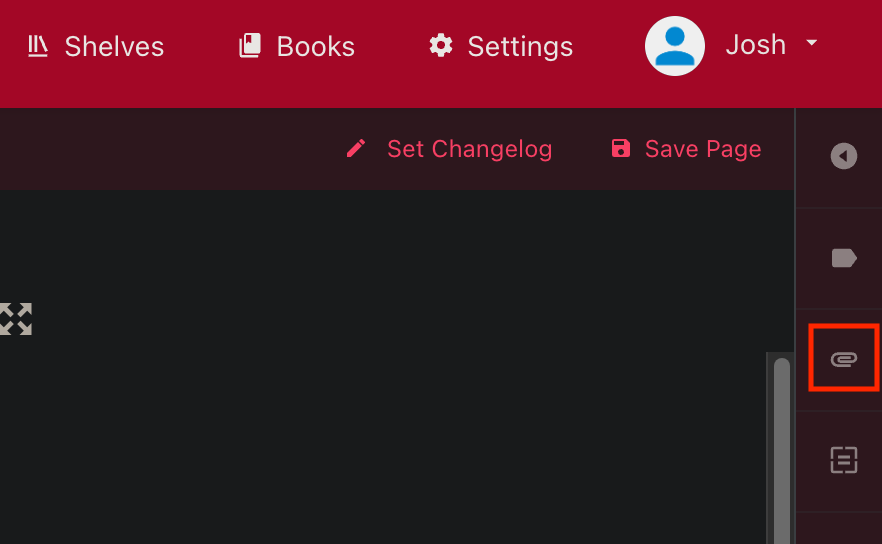
3\. Click on the paper clip icon to open the **Attachments** screen.
[](https://kb.astate.edu/uploads/images/gallery/2025-06/image-1750103721138.png)
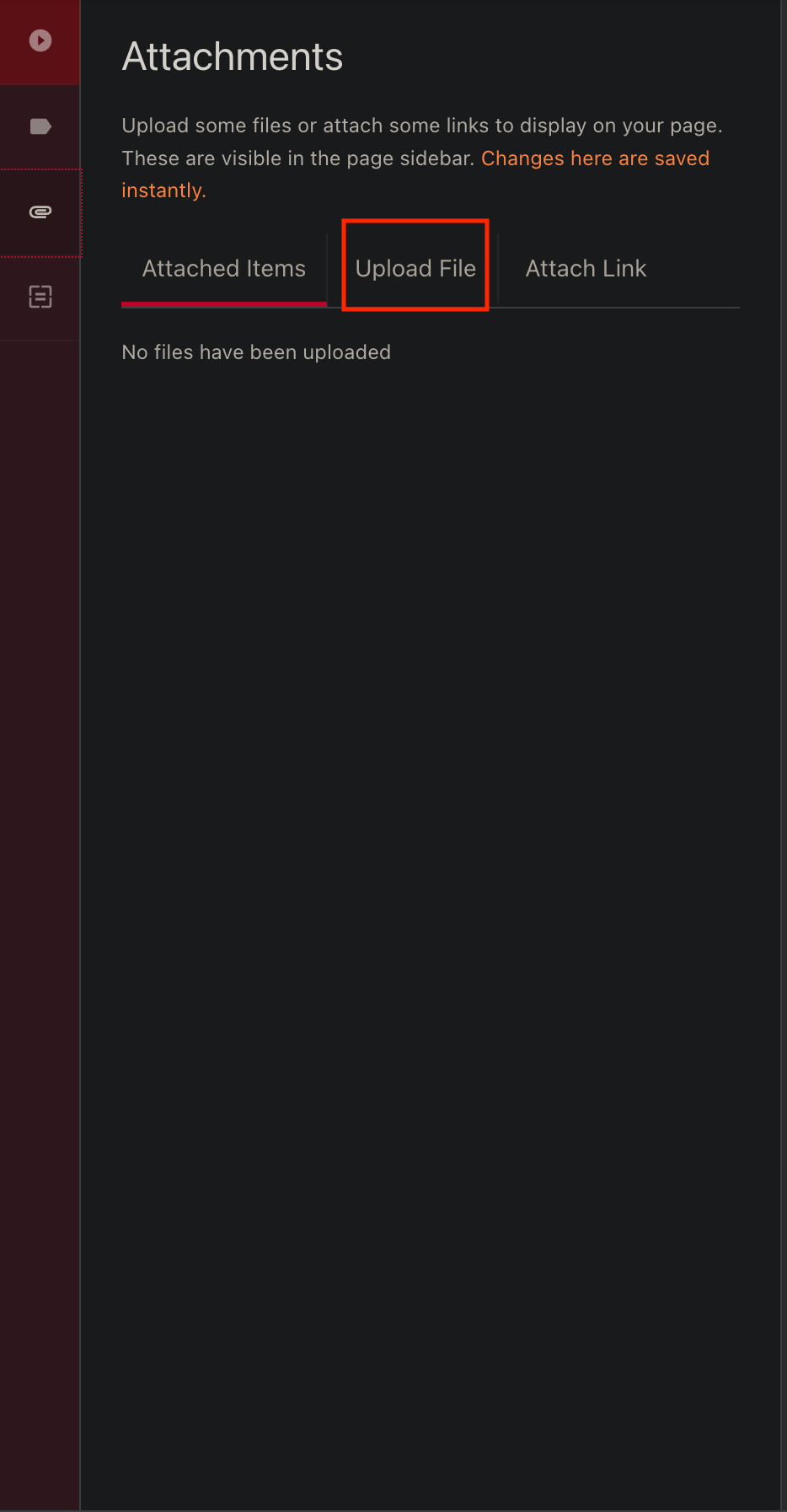
4\. Click on the **Upload File** tab**.**
[](https://kb.astate.edu/uploads/images/gallery/2025-06/image-1750103887674.png)
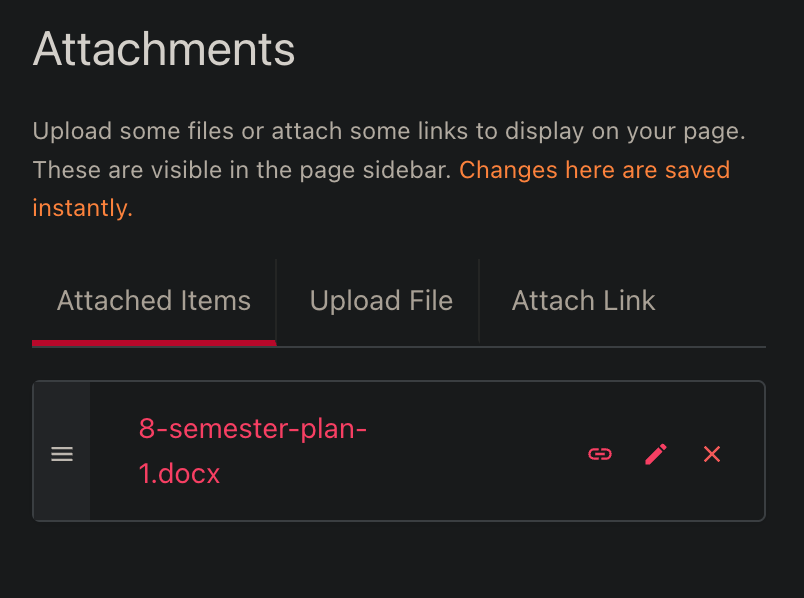
5\. Once a file has been selected, click on the **Attached Items** tab to show the files that are now attached.
[](https://kb.astate.edu/uploads/images/gallery/2025-06/image-1750104042304.png)
6\. After checking the file is correct, select the small chain icon to link the document as a clickable link to the page. ***\*Please note that this will place the link wherever your cursor is placed on the screen\****
[](https://kb.astate.edu/uploads/images/gallery/2025-06/image-1750104219850.png)
Your document is now linked to your page as a clickable link. Please remember to save your page.
[](https://kb.astate.edu/uploads/images/gallery/2025-06/image-1750104413213.png)