# Approving a login with Microsoft Authenticator
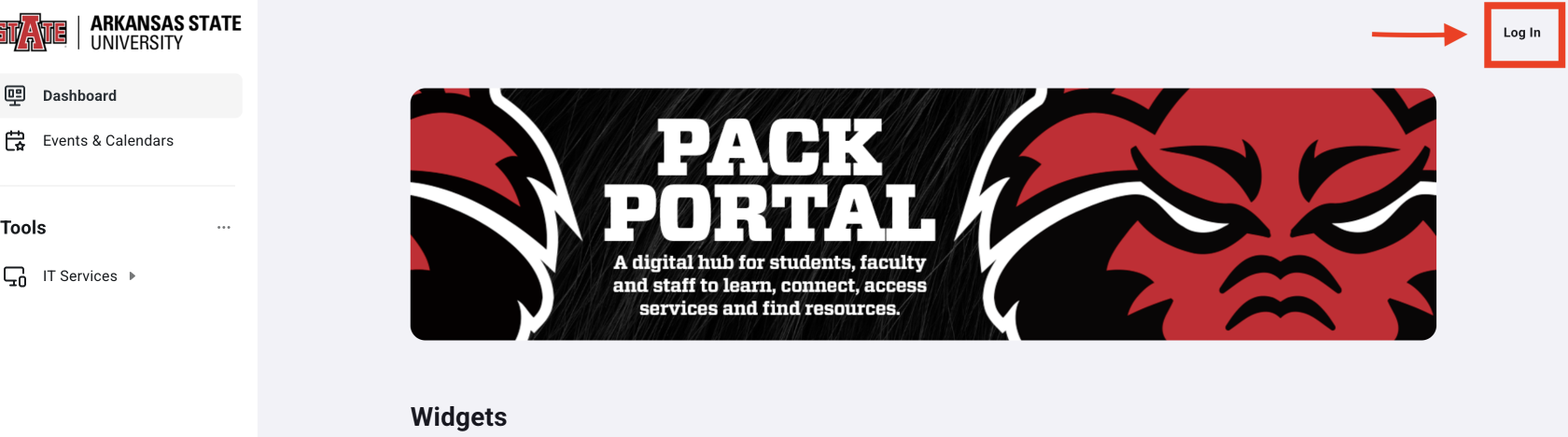
- Open a web browser and go to the [Pack Portal](https://pack.astate.edu) and select **Log In** in the top right corner
- This can also be completed through Canvas, Outlook, and Banner 9
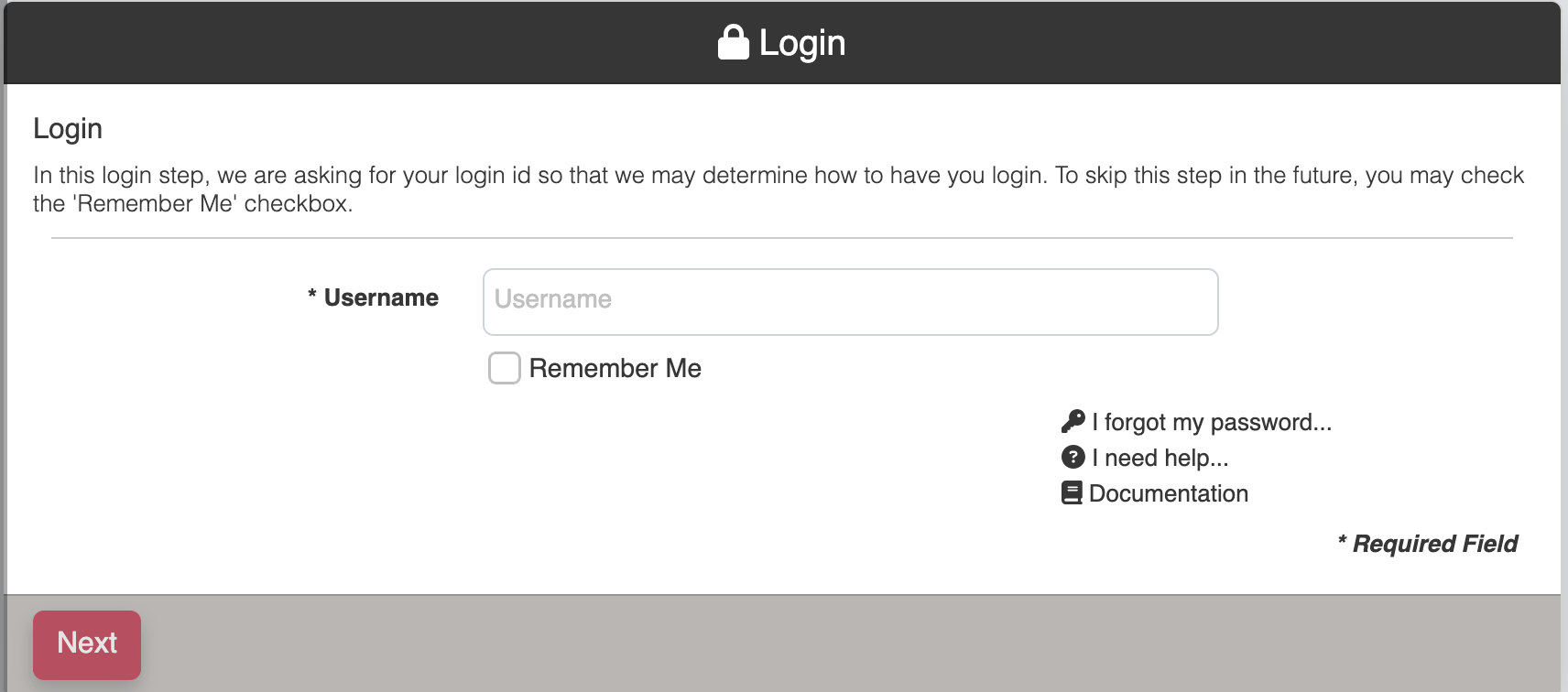
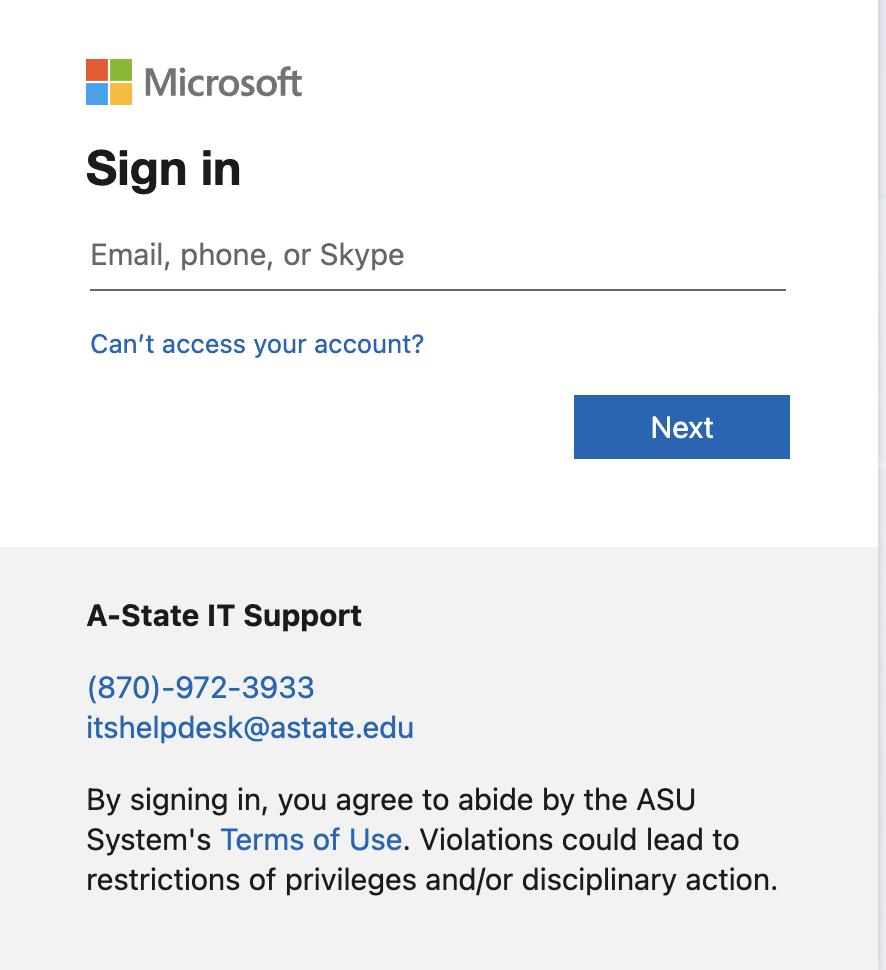
- Enter your A-State email dress and click **Next**
****
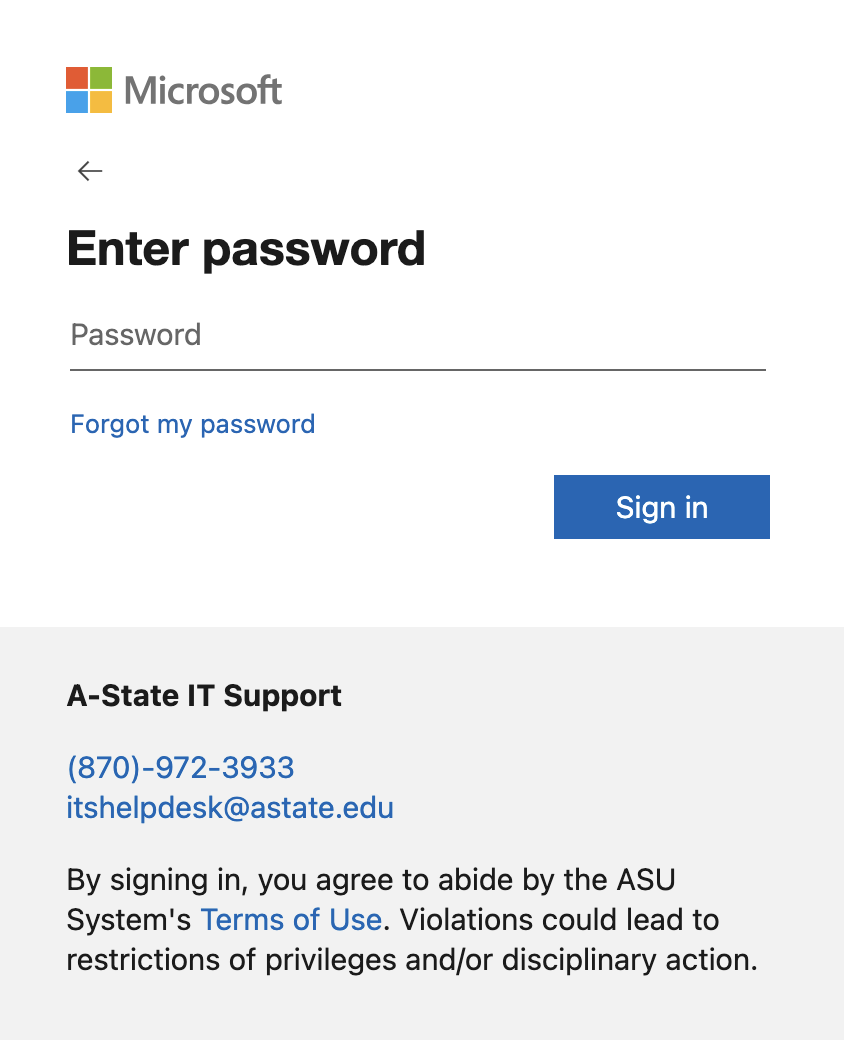
- Enter your **A-State credentials** for Microsoft on the next prompts and click **Sign in**
- A randomly generated code will display on the screen

- Enter the number in your **Microsoft Authenticator** app on your mobile device
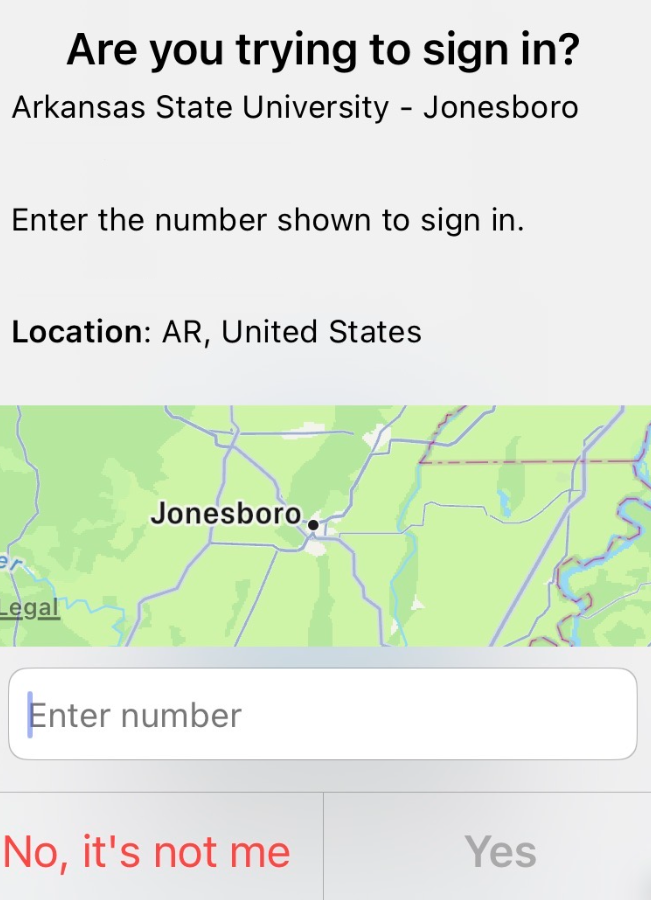
- After authenticating, the screen will refresh on the Pack Portal and you have successfully logged in using **Microsoft Authenticator**
**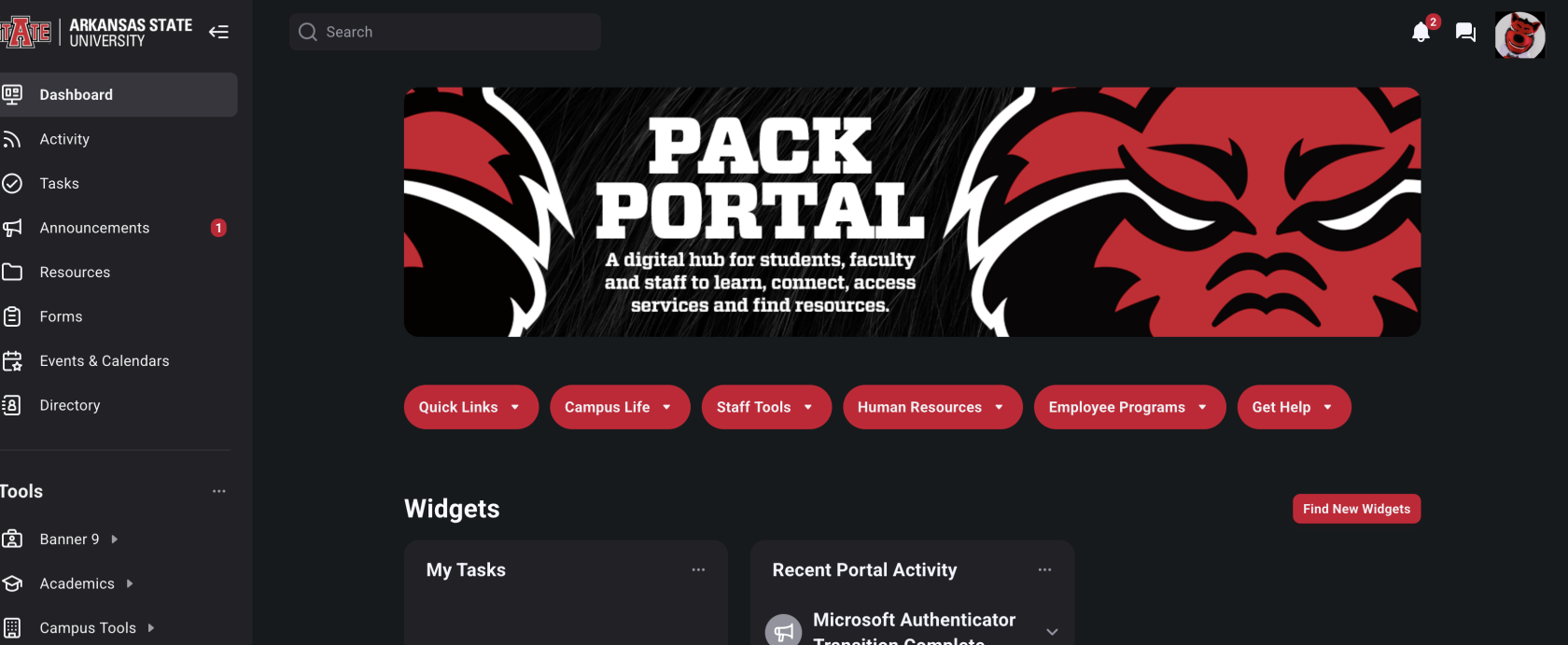**
For further assistance, contact the ITS Help Desk at 870-972-3933 or stop by the IT Support Services (). It is located on the bottom floor of the Dean B. Ellis Library, Room 149.