# Logging in to Nuventive

Nuventive is accessed through A-State’s centralized **Pack Portal**. This page walks you through how to locate Nuventive within the portal and what to do if you encounter login issues.

---

## Video Tutorial

**Watch: Logging In to Nuventive**  
This short video walks you through the login process step-by-step.

<iframe allowfullscreen="allowfullscreen" frameborder="0" height="402" id="bkmrk--4" sandbox="allow-downloads allow-forms allow-same-origin allow-scripts allow-top-navigation allow-pointer-lock allow-popups allow-modals allow-orientation-lock allow-popups-to-escape-sandbox allow-presentation allow-top-navigation-by-user-activation" src="https://cdnapisec.kaltura.com/p/2389961/sp/238996100/embedIframeJs/uiconf_id/42346681/partner_id/2389961?iframeembed=true&playerId=kaltura_player&entry_id=1_f7nbq8iz&flashvars%5BstreamerType%5D=auto&flashvars%5BlocalizationCode%5D=en&flashvars%5BsideBarContainer.plugin%5D=true&flashvars%5BsideBarContainer.position%5D=left&flashvars%5BsideBarContainer.clickToClose%5D=true&flashvars%5Bchapters.plugin%5D=true&flashvars%5Bchapters.layout%5D=vertical&flashvars%5Bchapters.thumbnailRotator%5D=false&flashvars%5BstreamSelector.plugin%5D=true&flashvars%5BEmbedPlayer.SpinnerTarget%5D=videoHolder&flashvars%5BdualScreen.plugin%5D=true&flashvars%5Bhotspots.plugin%5D=1&flashvars%5BKaltura.addCrossoriginToIframe%5D=true&&wid=1_f6fjzsg9" title="Log-in to Nuventive" width="608"></iframe>

---

## **Steps to Log In **<span style="outline-color: #206ea7; font-style: normal; font-variant-ligatures: normal; font-variant-caps: normal; font-size: 14px; font-family: -apple-system, BlinkMacSystemFont, 'Segoe UI', Oxygen, Ubuntu, Roboto, Cantarell, 'Fira Sans', 'Droid Sans', 'Helvetica Neue', sans-serif;">[![image-1756913178687.png](https://kb.astate.edu/uploads/images/gallery/2025-09/scaled-1680-/image-1756913178687.png)](https://kb.astate.edu/uploads/images/gallery/2025-09/image-1756913178687.png)</span>****

1. 1. **Go to [pack.astate.edu](https://pack.astate.edu)**  
        This is the university’s main hub for accessing campus tools.
    2. **Log in using your A-State credentials**  
        Enter your username and password through the university’s single sign-on system.  
        [![image-1756913126967.png](https://kb.astate.edu/uploads/images/gallery/2025-09/scaled-1680-/image-1756913126967.png)](https://kb.astate.edu/uploads/images/gallery/2025-09/image-1756913126967.png)
    3. **Find Nuventive in the left-hand menu**
        
        
        - Click **Campus Tools** under the **Tools** section in the left-hand navigation.
        - If Nuventive isn’t immediately visible, click **“Show More”** to expand the list.
        - Select **Nuventive** from the expanded menu.
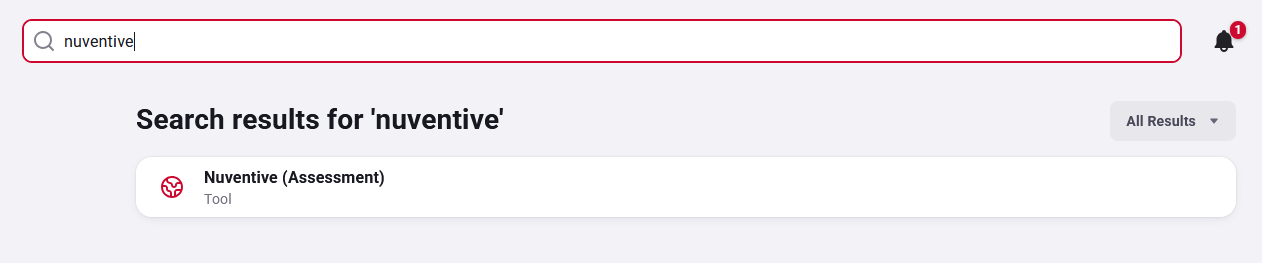
    4. **Alternatively, use the search bar**  
        Type “Nuventive” in the search box at the top of the Pack Portal to quickly locate the tile.  
        [![Search for Nuventive.png](https://kb.astate.edu/uploads/images/gallery/2025-09/scaled-1680-/search-for-nuventive.png)](https://kb.astate.edu/uploads/images/gallery/2025-09/search-for-nuventive.png)


---

## **Troubleshooting Access**

- **Error Message in Nuventive?**
    
    [![image-1756914293358.png](https://kb.astate.edu/uploads/images/gallery/2025-09/scaled-1680-/image-1756914293358.png)](https://kb.astate.edu/uploads/images/gallery/2025-09/image-1756914293358.png)
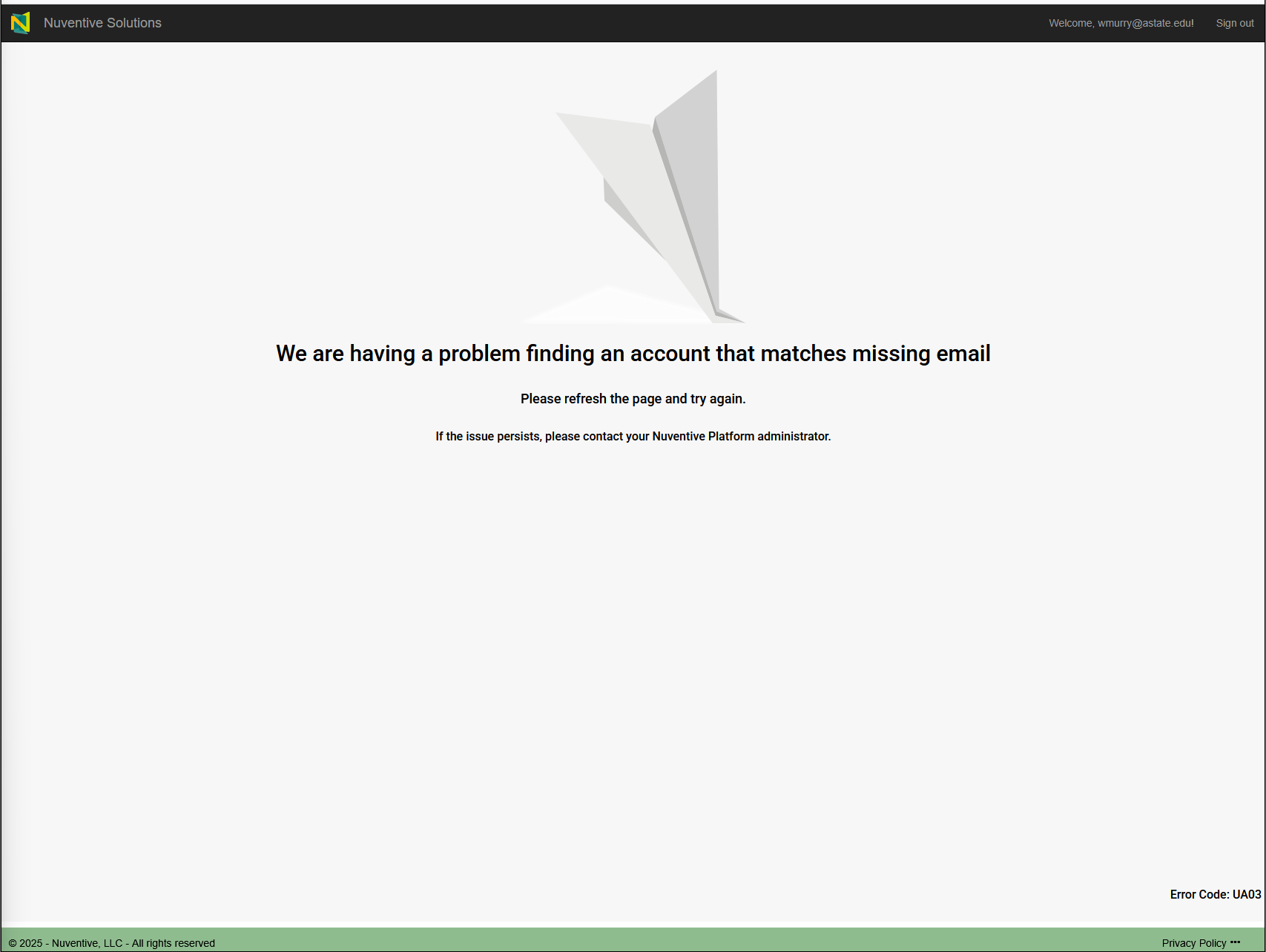
    
    Contact the **Office of Accreditation &amp; Assessment**:
    
    
    - Phone: (870) 972-2989
    - Location: Room 610, Dean B. Ellis Library
    - Email: **<klee@astate.edu>**
- **Issues Logging into Pack Portal?**  
    Contact the **ITS Help Desk**:
    
    
    - Phone: (870) 972-3933
    - Email: **<itshelpdesk@AState.edu>**

---

**[➡️ Next](https://kb.astate.edu/books/nuventive/page/adding-or-deleting-users)**