# Third Party Billing

If you have any questions, please contact the Third Party Billing Team at thirdparty@astate.edu or 870-972-2285.

# About Third Party Billing

---

#### <span style="text-decoration: underline;">Agencies</span>

All agencies will be billed for the total due after discounts, waivers, exemptions and aid have been applied.

- Americorps
- Arkansas Rehabilitation
- Arkansas Rehabilitation for the Blind
- Baxter Regional Medical Center
- Central Arkansas Planning and Developing District, Inc
- Central Arkansas Veteran Healthcare
- Department of Human Services
- Department of the Army
- Fordyce Scholarship
- Hamm Scholarship
- SERCO/Arkansas Workforce Center West Memphis
- Mississippi Country Arkansas Economic Opportunity Commission, Inc
- Missouri Rehabilitation
- NUCOR
- Riceland Foods
- ROTC
- State of Missouri, Department of Elementary &amp; Secondary Education, Division of Vocational Rehabilitation
- Sturgis Foundation
- Tennessee Rehabilitation
- Veteran's Administration
- Workforce

*Note: This list does not include every agency that is billed by A-State Jonesboro.*

---

#### <span style="text-decoration: underline;">Sponsor Agreements</span>

A-State will accept tuition assistance (sponsor) agreements in lieu of payments at the time of registration. However, students will be responsible for all amounts owed if the sponsoring agency does not remit payment in full.

---

#### <span style="text-decoration: underline;">Third Party Billing Authorization Form</span>

Students must complete the Third Party Billing Authorization Form each term in order for A-State to bill third parties for student charges. Completing this form does not guarantee authorization from a third party sponsor. Students must turn in an authorization from their third party sponsor in addition to the Third Party Billing Authorization Form.

**Steps to Follow:**

1. Complete the Treasurer's Office [Third Party Billing Authorization Form](https://secure.touchnet.net:443/C20019_ustores/web/product_detail.jsp?PRODUCTID=1772)
2. Email the authorization from your third party sponsor to <thirdparty@astate.edu>. If you are an A-State Online student, please copy <onlinebilling@astate.edu> on the email.

# How to Fill out the Third Party Authorization Form

---

This How To is to assist with filling out the Third Party Billing Authorization Form. This form is to be submitted at the beginning of each semester you are expecting to receive a third party payment.

<span style="color: #ff0000;">\*\*Please Note: If your Third Party Billing Sponsor is NOT requesting an invoice directly from the University before payment will be made, then the payment is not considered Third Party. This form is only for qualifying Third Party Billing Sponsor payments.</span>

---

1\. Go to the [Third Party Billing Authorization Form](https://secure.touchnet.net:443/C20019_ustores/web/product_detail.jsp?PRODUCTID=1772).

[![image-1773099030753.png](https://kb.astate.edu/uploads/images/gallery/2026-03/scaled-1680-/image-1773099030753.png)](https://kb.astate.edu/uploads/images/gallery/2026-03/image-1773099030753.png)
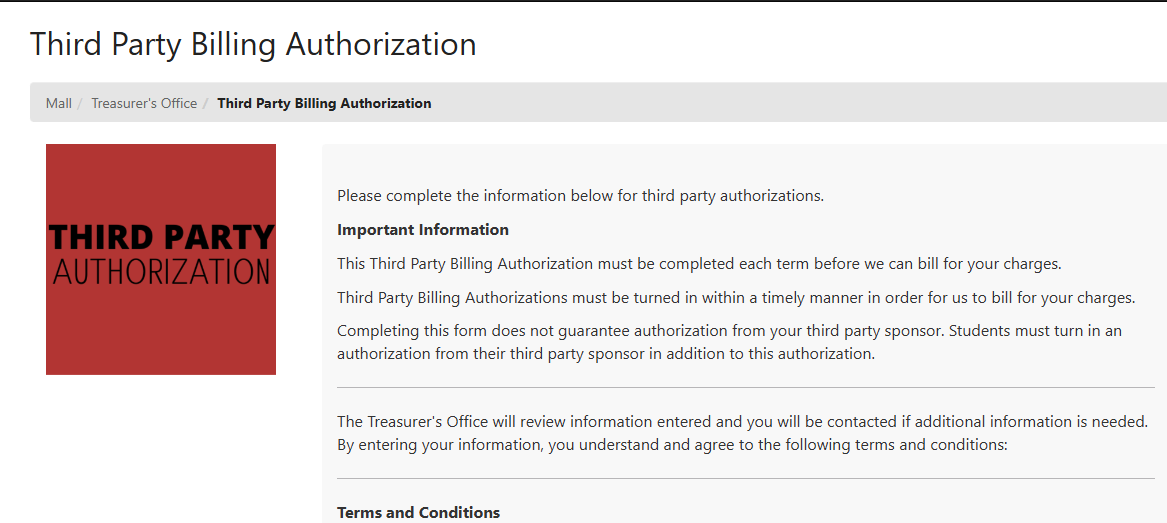
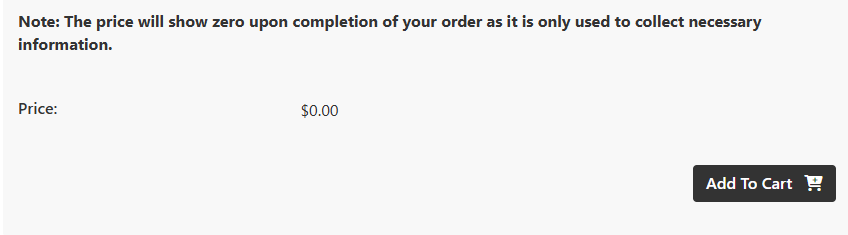
2\. Read through the information, scroll down, and click Add to Cart.

[![image-1773099090869.png](https://kb.astate.edu/uploads/images/gallery/2026-03/scaled-1680-/image-1773099090869.png)](https://kb.astate.edu/uploads/images/gallery/2026-03/image-1773099090869.png)
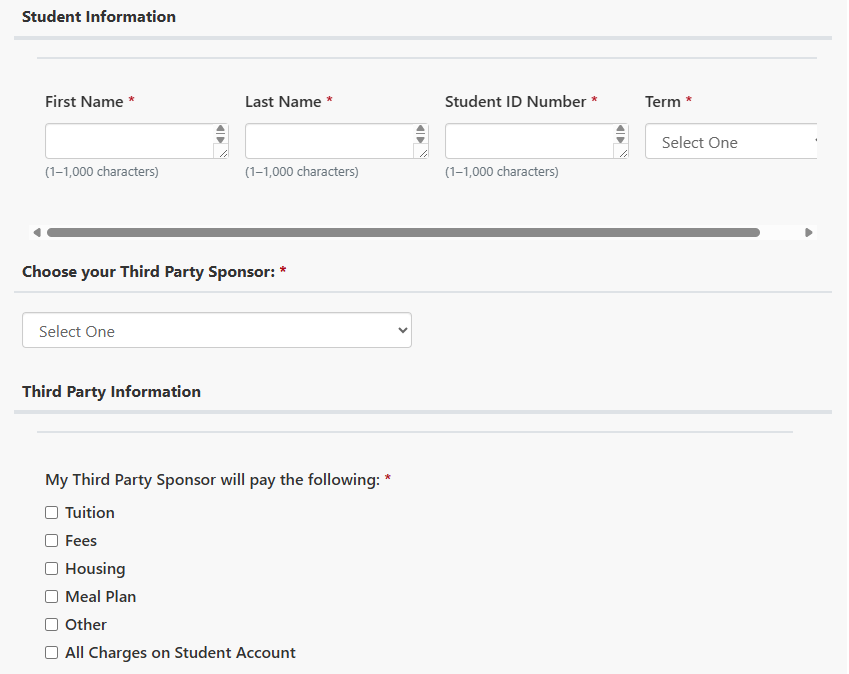
3\. Scroll down.

[![image.png](https://kb.astate.edu/uploads/images/gallery/2026-08/scaled-1680-/TWJimage.png)](https://kb.astate.edu/uploads/images/gallery/2026-08/TWJimage.png)
[![image.png](https://kb.astate.edu/uploads/images/gallery/2026-08/scaled-1680-/VZZimage.png)](https://kb.astate.edu/uploads/images/gallery/2026-08/VZZimage.png)
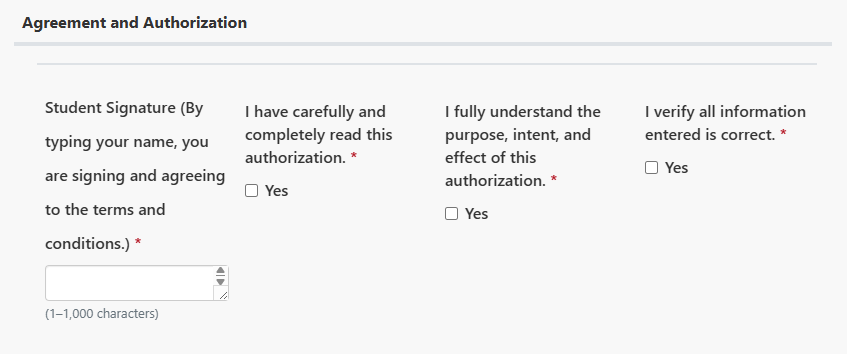
4\. Fill in the required information.

a. Please be specific when <span style="text-decoration: underline;">Choosing your Third Party Sponsor</span> in the drop down. Please note that some will have you provide further information pertaining to the sponsor.  
 i. Example: Military - Which branch? Air Force, Army, Coast Guard, Marines, Navy, Veteran Affairs - Choose from drop down selection.  
 ii. Example: Rehabilitation Services - What city is the Service Location? Arkansas Rehab-Little Rock or Arkansas Rehab-Jonesboro, etc.

5\. Click on Continue when done.

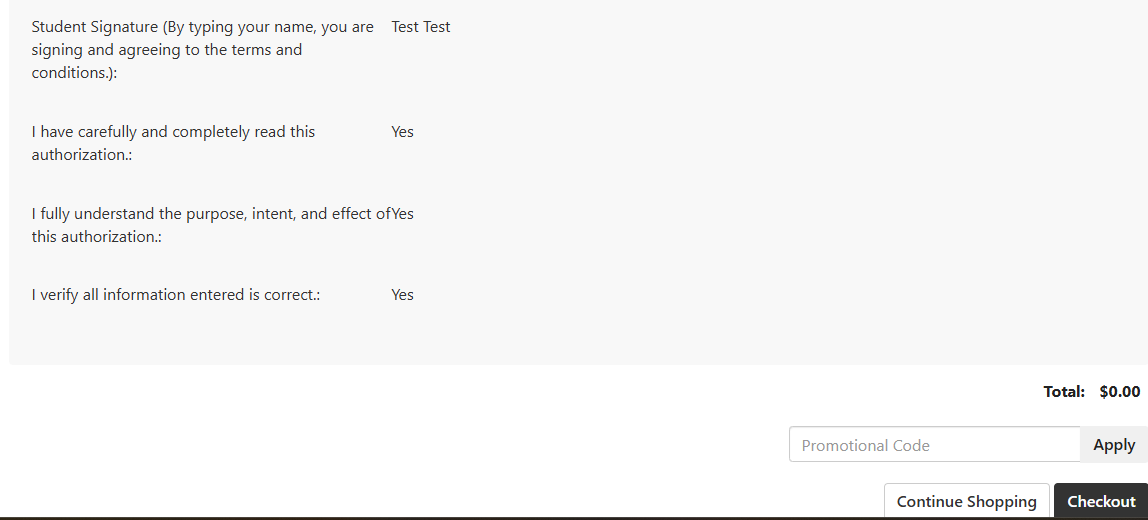
6\. It will show you what you entered. Please verify you entered information correct.

7\. Scroll down and click Checkout

[![image-1773100016548.png](https://kb.astate.edu/uploads/images/gallery/2026-03/scaled-1680-/image-1773100016548.png)](https://kb.astate.edu/uploads/images/gallery/2026-03/image-1773100016548.png)
8\. You can setup a Login if you choose or Checkout as a Guest.  
 a. If you create a Login, then remember it as it is not tied to your Pack Portal nor Self Service account. You will need to remember for the next time you attempt to check out in our Marketplace system.  
 b. If you check out as a Guest, then be sure you enter the correct email address so you receive a copy of the form.

9\. Click on Submit Order.

[![image-1773100266007.png](https://kb.astate.edu/uploads/images/gallery/2026-03/scaled-1680-/image-1773100266007.png)](https://kb.astate.edu/uploads/images/gallery/2026-03/image-1773100266007.png)
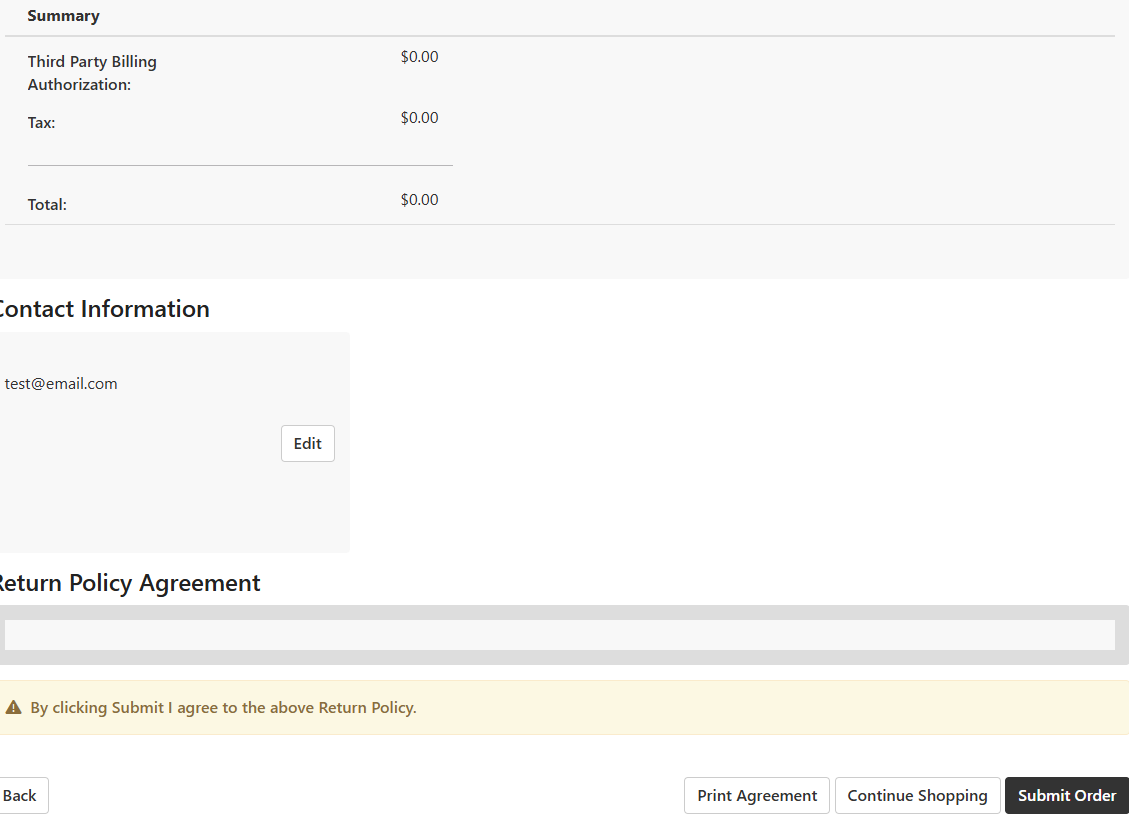
10\. Once submitted, a copy will be sent to you and another copy to our Third Party Billing Processors automatically.

<p class="callout info">If you have any questions about Third Party Billing, then please contact the Treasurer's Office at 870-972-2285 or <thirdparty@astate.edu>. </p>