How To Make a Payment in myBill
This How To is to guide you through the steps of making a payment towards your student account balance.
1. Login to Pack Portal

2. Click on the myBill button within the myBill widget in your Dashboard

3. Click on the green Make Payment button on the myBill homepage

4. Enter in the amount you are paying for each term you want to make a payment towards. You will see the total generate at the bottom right.
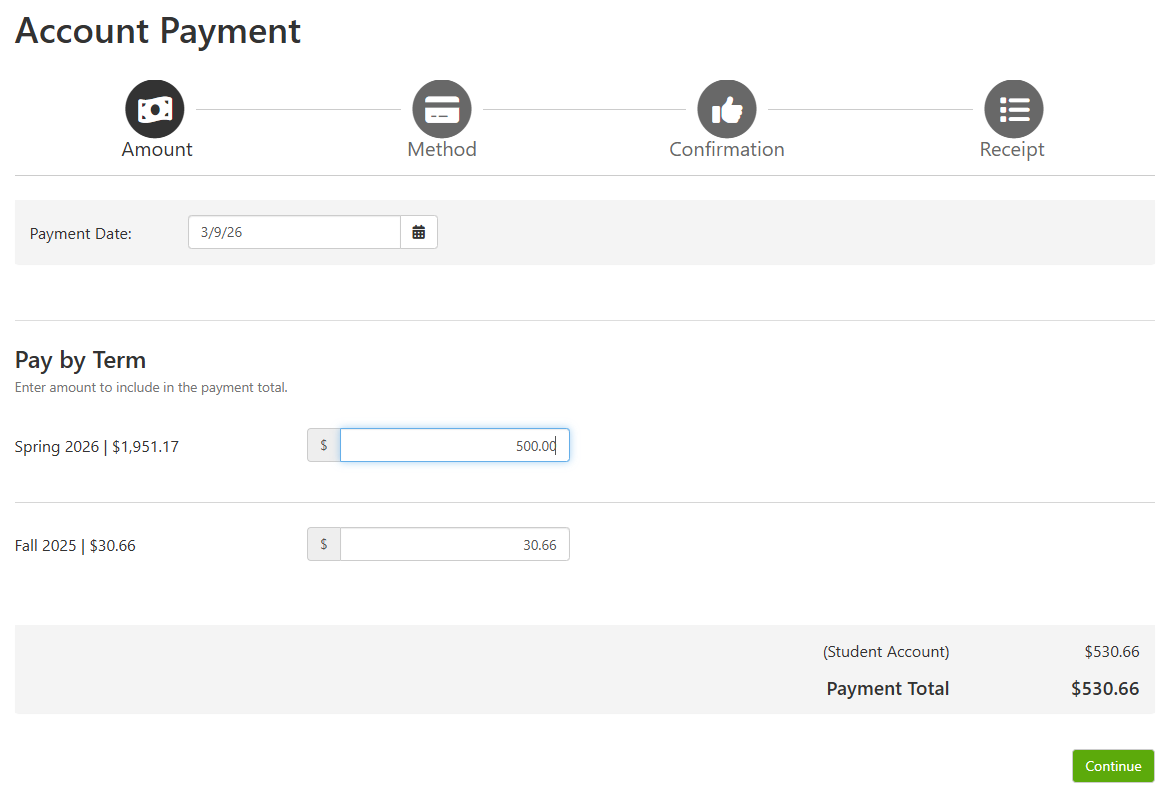
5. Click Continue
6. Select your payment method.
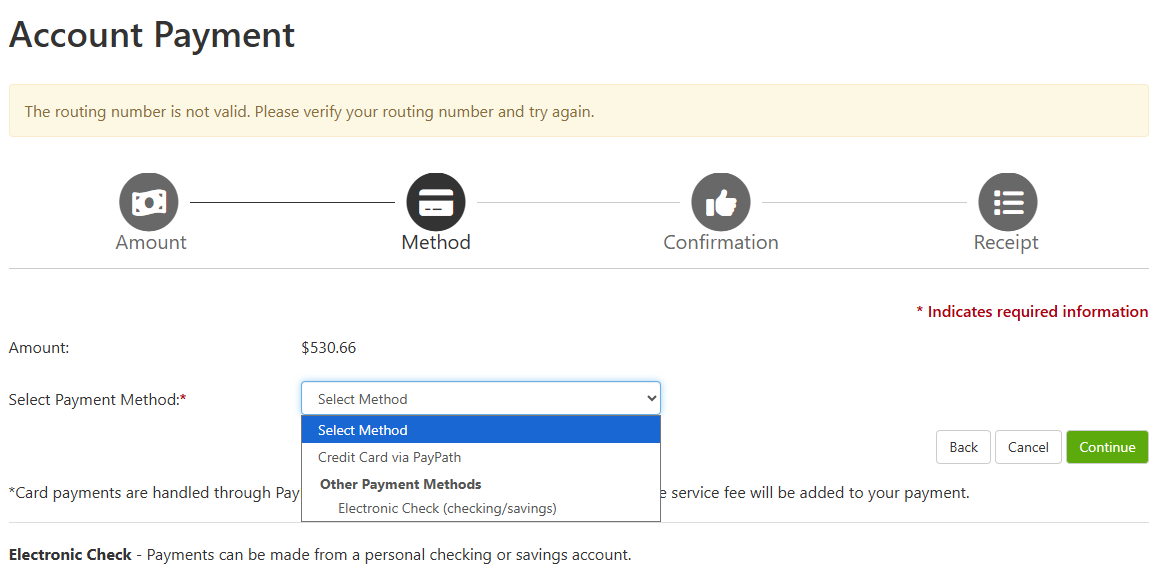
7. Click Continue
8. Follow the prompts to enter your information for an Electronic Check, Card, or Bank Wire.
Please note that Card payments are assessed an additional service fee; Domestic cards = 3.09% and International cards = 4.34%.
Electronic Check (web-check) are not assessed a service fee. You will need to ensure that you have the correct routing and bank account number and select the correct account type, i.e. savings versus checking type.
The Billing Information asked for during the 'make payment' process is the billing name and address on the card or bank account being used for payment.
If you have any questions, then please reach out to the Treasurer's Office at 870-972-2285 or sasbillpayment@astate.edu.