# How To Make a Payment in myBill
---
This How To is to guide you through the steps of making a payment towards your student account balance.
---
1\. Login to [Pack Portal](https://pack.astate.edu/)
[](https://kb.astate.edu/uploads/images/gallery/2025-10/image-1761753338831.png)
2\. Click on the myBill button within the myBill widget in your Dashboard
[](https://kb.astate.edu/uploads/images/gallery/2025-10/image-1761753434981.png)
3\. Click on the green Make Payment button on the myBill homepage
[](https://kb.astate.edu/uploads/images/gallery/2026-03/image-1773095006407.png)
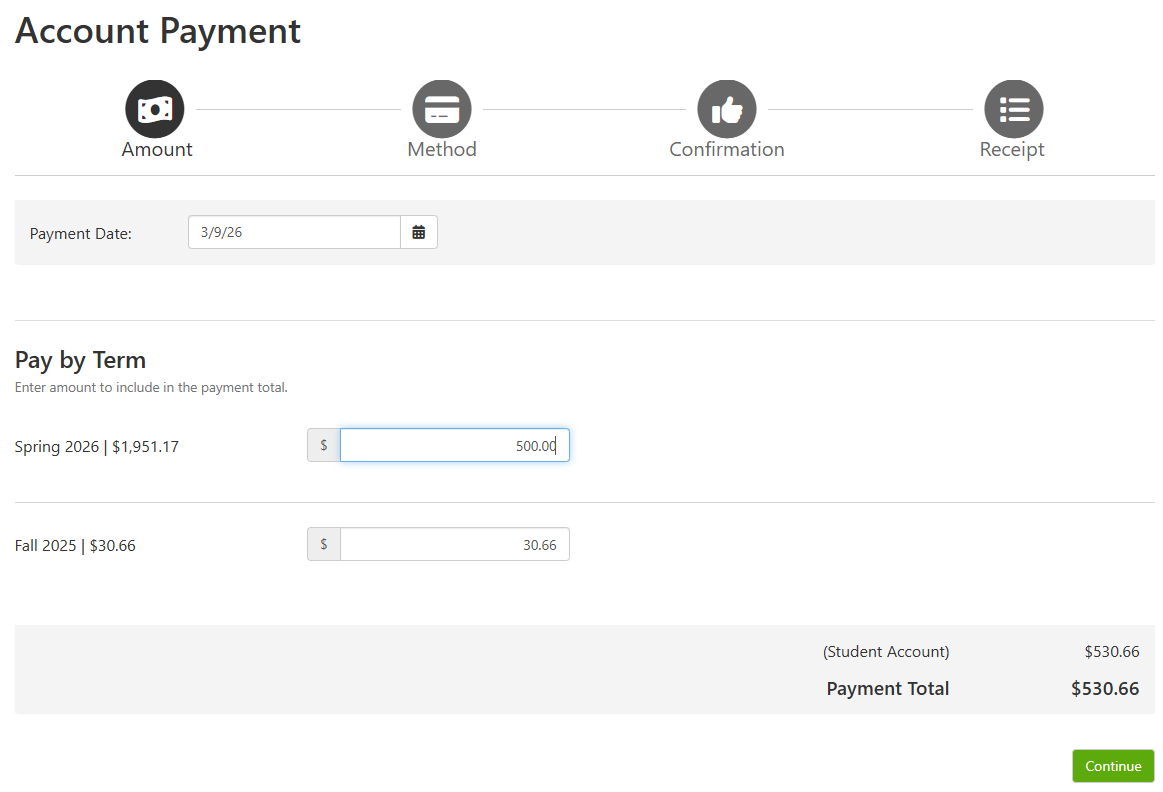
4\. Enter in the amount you are paying for each term you want to make a payment towards. You will see the total generate at the bottom right.
[](https://kb.astate.edu/uploads/images/gallery/2026-03/image-1773095151446.png)
5\. Click Continue
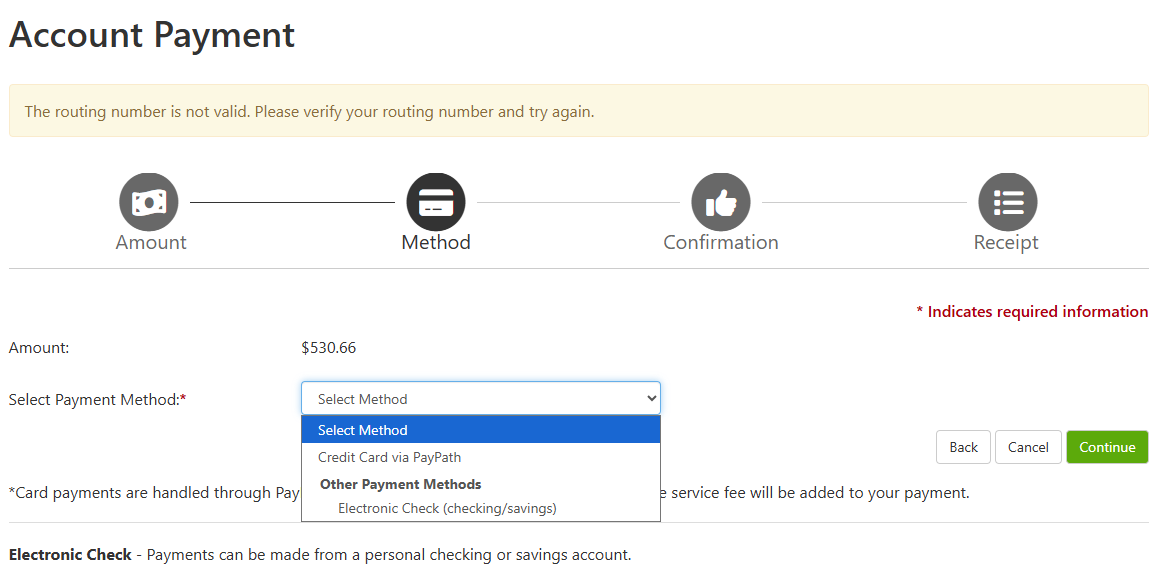
6\. Select your payment method.
[](https://kb.astate.edu/uploads/images/gallery/2026-03/image-1773095300632.png)
7\. Click Continue
8\. Follow the prompts to enter your information for an Electronic Check, Card, or Bank Wire.
*Please note that Card payments are assessed an additional service fee; Domestic cards = 3.09% and International cards = 4.34%.*
*Electronic Check (web-check) are not assessed a service fee. You will need to ensure that you have the correct routing and bank account number and select the correct account type, i.e. savings versus checking type.*
*The Billing Information asked for during the 'make payment' process is the billing name and address on the card or bank account being used for payment.*
If you have any questions, then please reach out to the Treasurer's Office at 870-972-2285 or .