Slate for Students
Slate - Password Reset
The following are instructions for resetting your Slate password.
All first time CAS (Centralized Application Service) applicants must complete these steps to finalize you A-State application. Do not select First-Time User when logging in.
Veterinary Medicine CAS Applicant Notice - Your VMCAS Supplemental application should already be listed on your application selection screen after you log in. If you do not see the supplemental application please contact vetmed@astate.edu and avoid trying to create a new application.
Step 1
Step 2
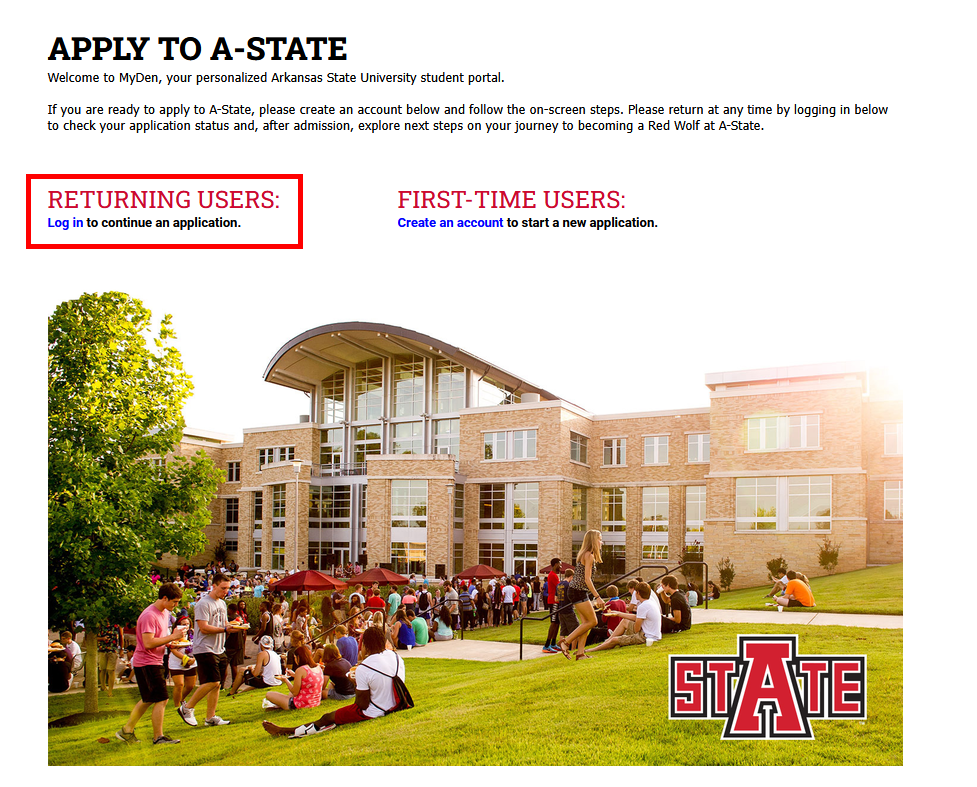
Click Returning Users: Log in
Step 3
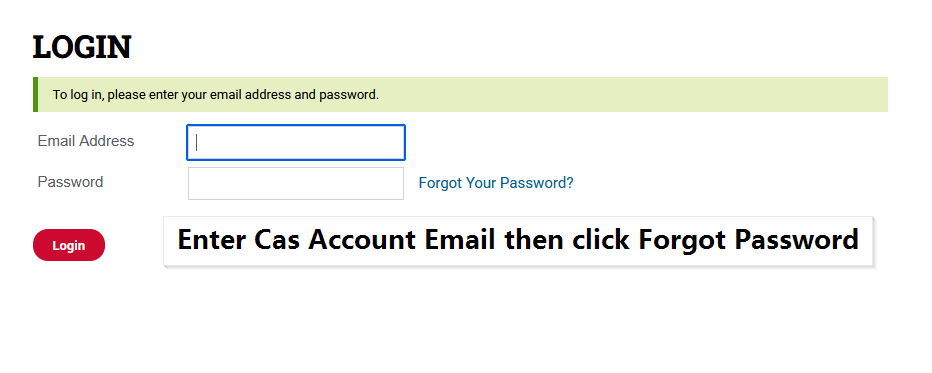
Enter your Slate Account email and click "Forgot your Password?"
CAS - Applicants will use you CAS Account email address.
Step 4
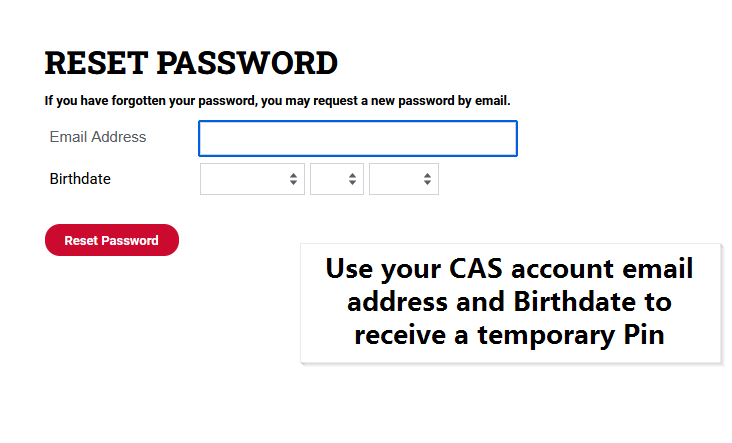
Enter you Email again and Birth Date and click "Reset Password" to receive an email with a temporary pin.
Step 5
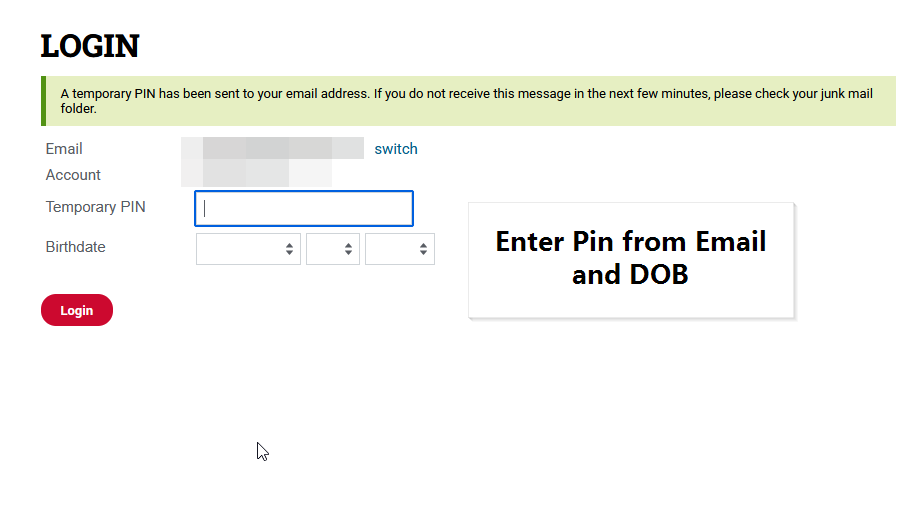
Enter the Pin and Birth Date and click "Login"
Step 6
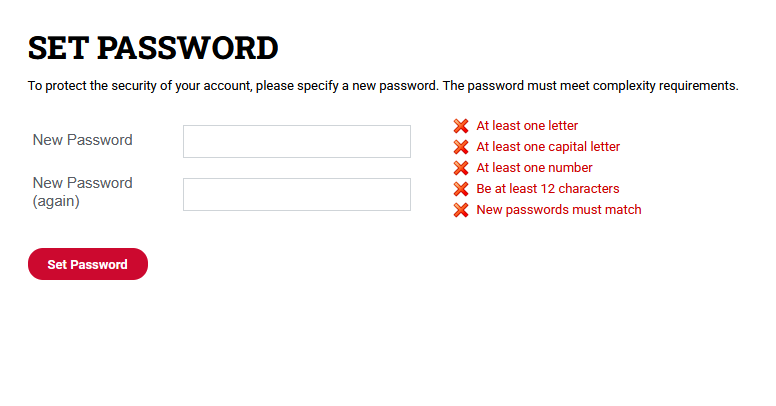
Create new password and click "Set Password"