
How to print your online 1098T form for Current Students who consented for the online form
This 'How To' covers how Current Students can access their 1098T form online via their myBill account for saving and/or printing if they have consented to receive the form online prior to disbursement of said forms.
***If you have not consented for the online form, then you will not have a form in your myBill account as it was mailed to the Billing Address you have on file at the time the form is issued.
Step 1: Login to your Pack Portal Account
Step 2: Click on the myBill button in the myBill widget in your Dashboard
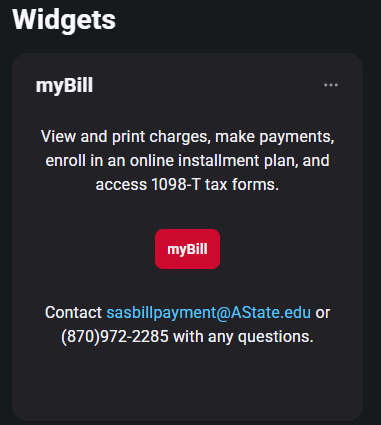
Step 3: Under the Statements section on myBill homepage, click on the 'View Statements' to view your latest 1098T form

Step 4: Click 'View' for the Tax Year you need to view.
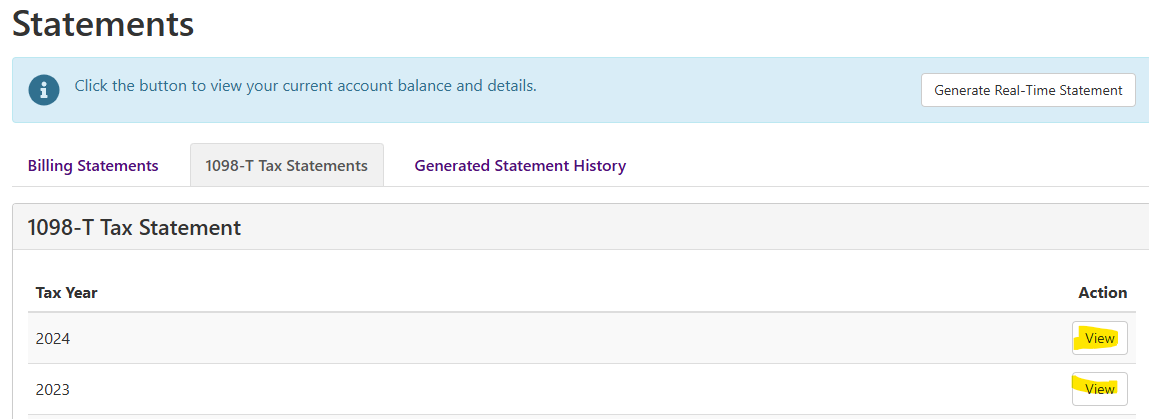
Step 5: The form will popup as a PDF and you can save and/or print it from. ***Please be sure you have your popup blocker turned off and use an up to date PDF viewer to access the form.