
How to print your 1098T form for current students
This 'How To' covers how to access your 1098T form online via your myBill account for saving and/or printing.
Step 1: Login to your Pack Portal Account
Step 2: Click on the myBill button in the myBill widget in your Dashboard
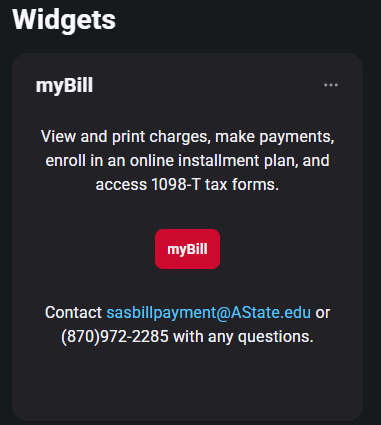
Step 3: Under the Statements section on myBill homepage, click on the 'View Statements' to view your latest 1098T form

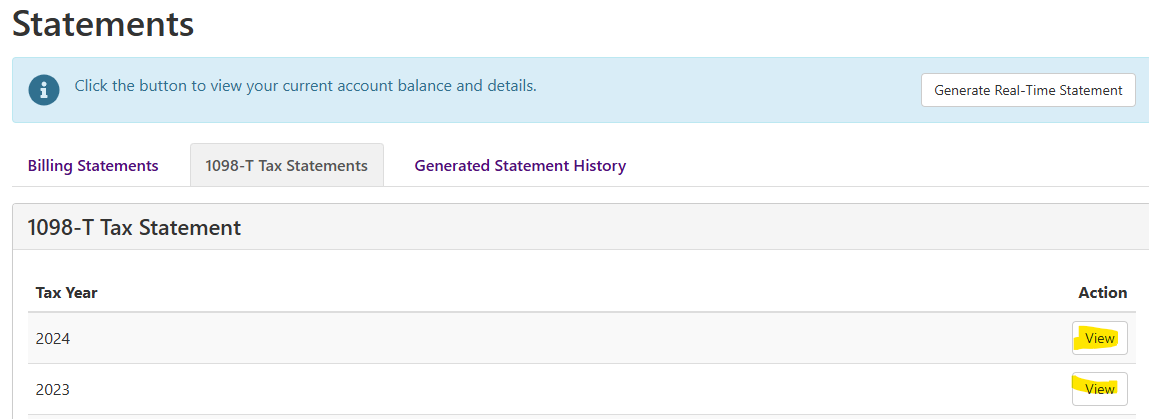
Step 4: Click 'View' for the Tax Year you need to view.
Step 5: The form will popup as a PDF. ***Please be sure you have your popup blocker turned off and use an up to date PDF viewer to access the form.