
12. Glossary & Key Terms
We’re going to define the terminology that you will see throughout our documentation. This can be a handy guide to refer back to while acquainting yourself with the process of creating & managing content on the site.
General Terminology
Audience
The people for whom the content on a page is for. A page can have multiple audiences, but the more specific a page’s audience, the easier it will be to write the content for that page.
Example: prospective students
Pattern
A piece of structured content that can be put in a page’s body.
Example: 2-column pattern
The system by which a user gets around a site.
Site Structure
Parent page
In the site’s structure, the page that is hierarchically directly above the current page.
Child page
In the site’s structure, the page that is hierarchically directly below the current page.
Sibling page
In the site’s structure, the page that is hierarchically at the same level as the current page.
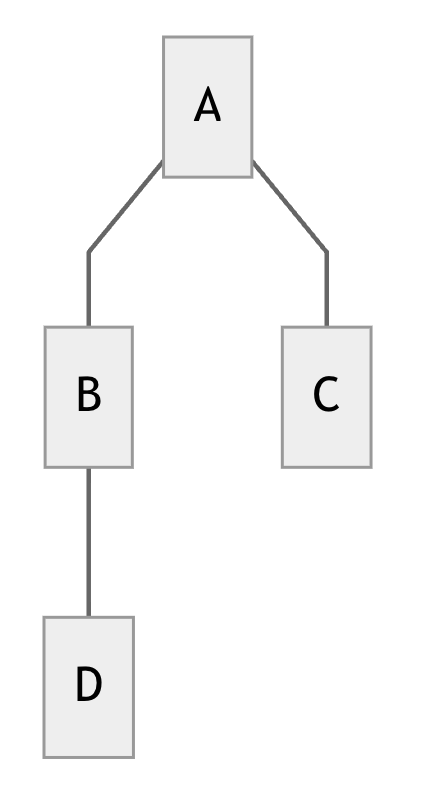 |
In the diagram to the left, consider page B as the current page. This means that: Page A is the parent page of B, Page C is a sibling page of B, and Page D is a child page of B. |