
How to Apply to a 100% Online Program
1. You can apply directly at this link.
You will see the below image once you select your citizen type and choose “100% Online”.
*picture of student union and options for returning users and first-time users*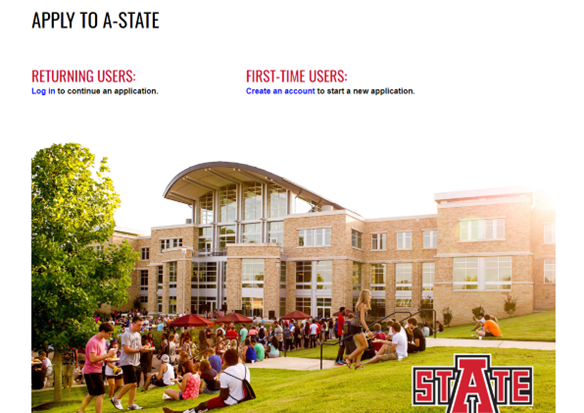
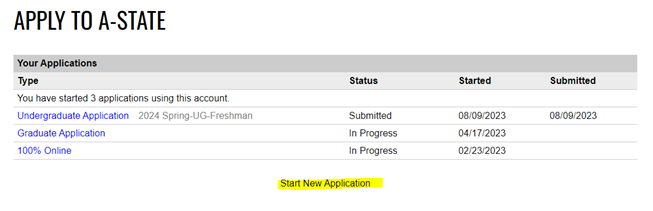
2. You will then select “Start New Application” and choose “100% Online”
*picture of application types and option to "Start New Application"*
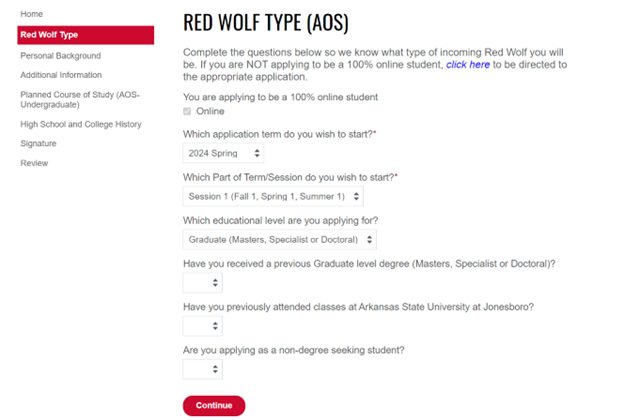
3. Once you have the new application open, you can begin answering the questions. The application will guide you along as you select “Continue” is each section.
*picture of application questions*
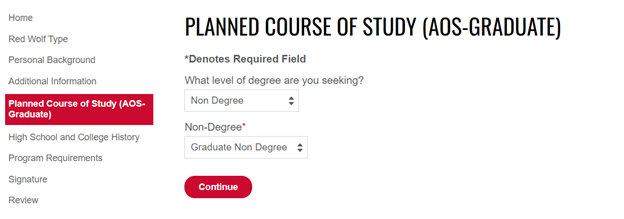
4. You can choose your program of study and the application will adjust with needed information.
*picture of planned course of study options on application*
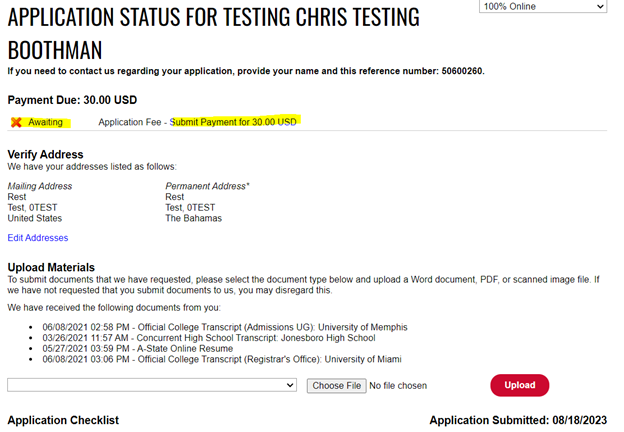
5. Once you submit your application, you will come to your MyDen Status Page. This will be where you pay the application fee and keep up with your application as it progresses.
*picture of MyDen status page showing application fee is awaiting payment*
6. Now you will need to request for each school you have attended previously to send an official transcript to A-State. These can be sent electronically to astateonline@astate.edu or mailed to PO Box 2520 State University, AR 72467.
7. Once your application is complete and has been reviewed, you will receive an email from admissions to log in and check your status.