AOS Post Admit Checklist and Portal Tracker
AOS Post Admit Checklist Items
These items appear at the bottom of the applicant's Slate profile checklist.
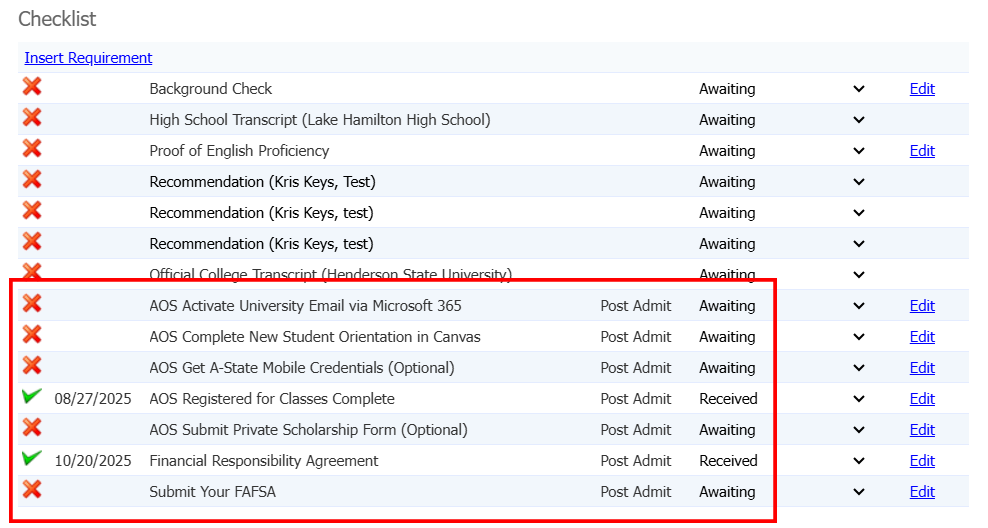
- AOS Post Admit (Group) - ALL AOS including QATAR
- AOS Activate University Email via Microsoft 365
- Complete - University Email exists
- Portal Tracker - Required Item, must complete to complete the Tracker
- AOS Complete New Student Orientation in Canvas
- Complete - Not Set, stays awaiting
- Portal Tracker - Does not count for completion
- AOS Get A-State Mobile Credentials (Optional)
- Complete - Not Set, stays awaiting
- Portal Tracker - Does not count for completion
- AOS Registered for Classes Complete
- Complete - Registered Current Term Field = Yes
- Portal Tracker - Required Item, must complete to complete Tracker
- AOS Activate University Email via Microsoft 365
- AOS Submit Private Scholarship Form (Optional) - ALL AOS excluding QATAR
- Complete - Not Set, stays awaiting
- Portal Tracker - Does not count for completion, only show up on portal
- Financial Responsibility Agreement - ALL AOS excluding QATAR
- Complete - Form Submission
- Portal Tracker - Required Item, must complete to complete Tracker
- Submit Your FAFSA - AOS Domestic Only
- Complete - FAFSA FinAid Year exists
- Portal Tracker - Does not count for completion
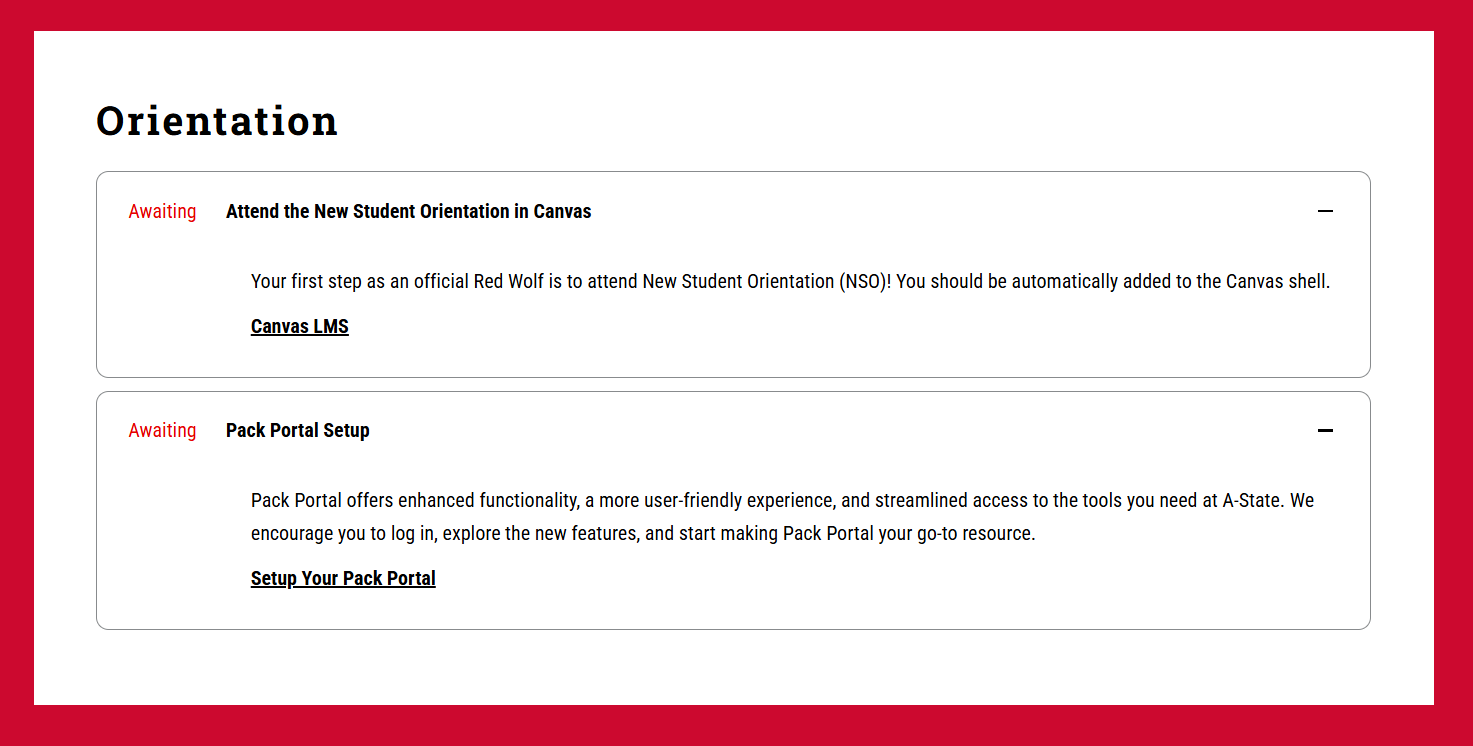
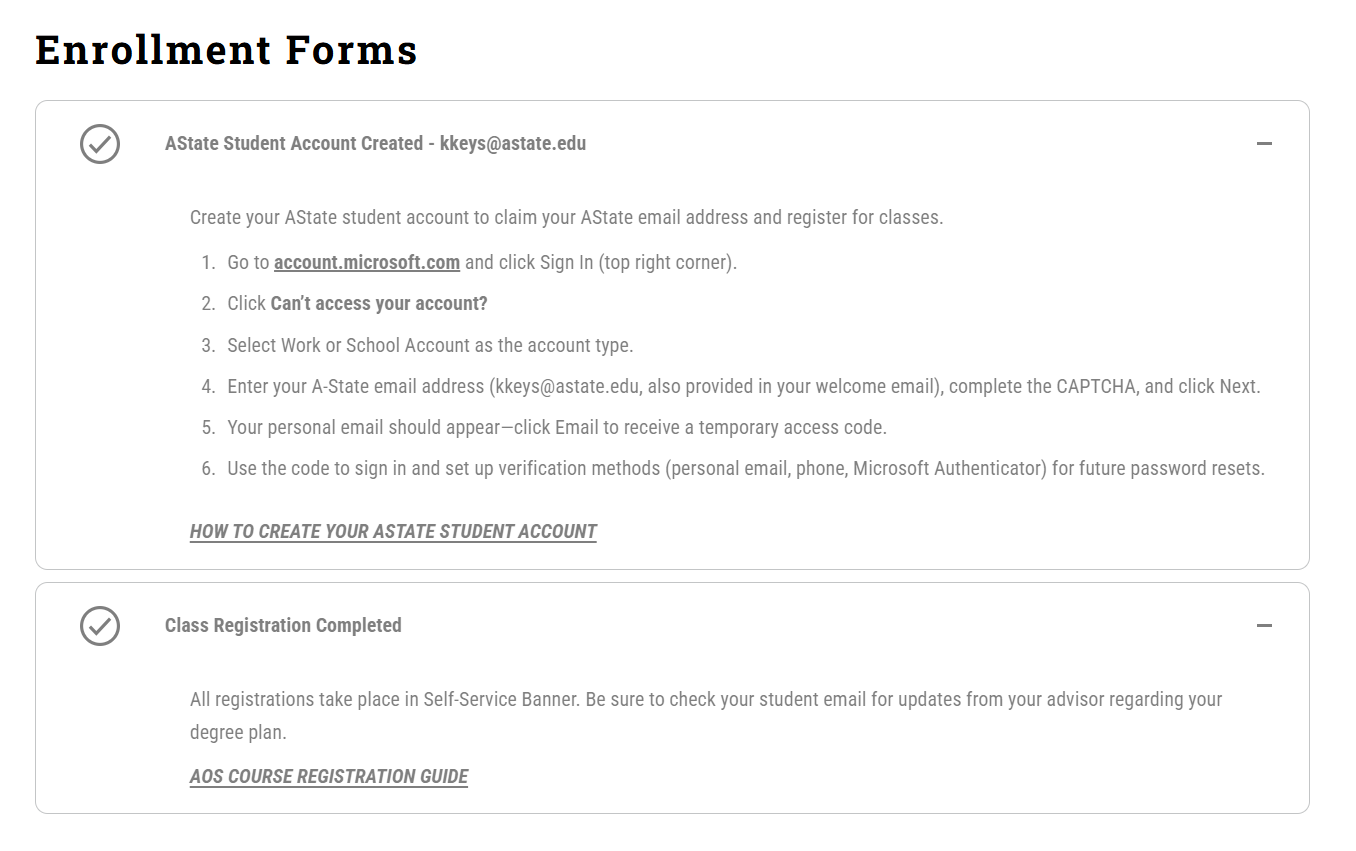
The Portal Tracker displays the different Checklist Items in collapsible elements. Items that can be completed are Checked Marked and greyed out when fulfilled.