
Bomgar (BeyondTrust Remote Support) iOS/Android Mobile Setup
- method will work for both mobile phones and tablets (either iOS or Android)
*Some devices may not be able toiOS devices are limited to "View Only", while Android devices can be "View Only" and "Full Control"
*You may have to change your devices permissions for the BeyondTrust app in your device's system settings*
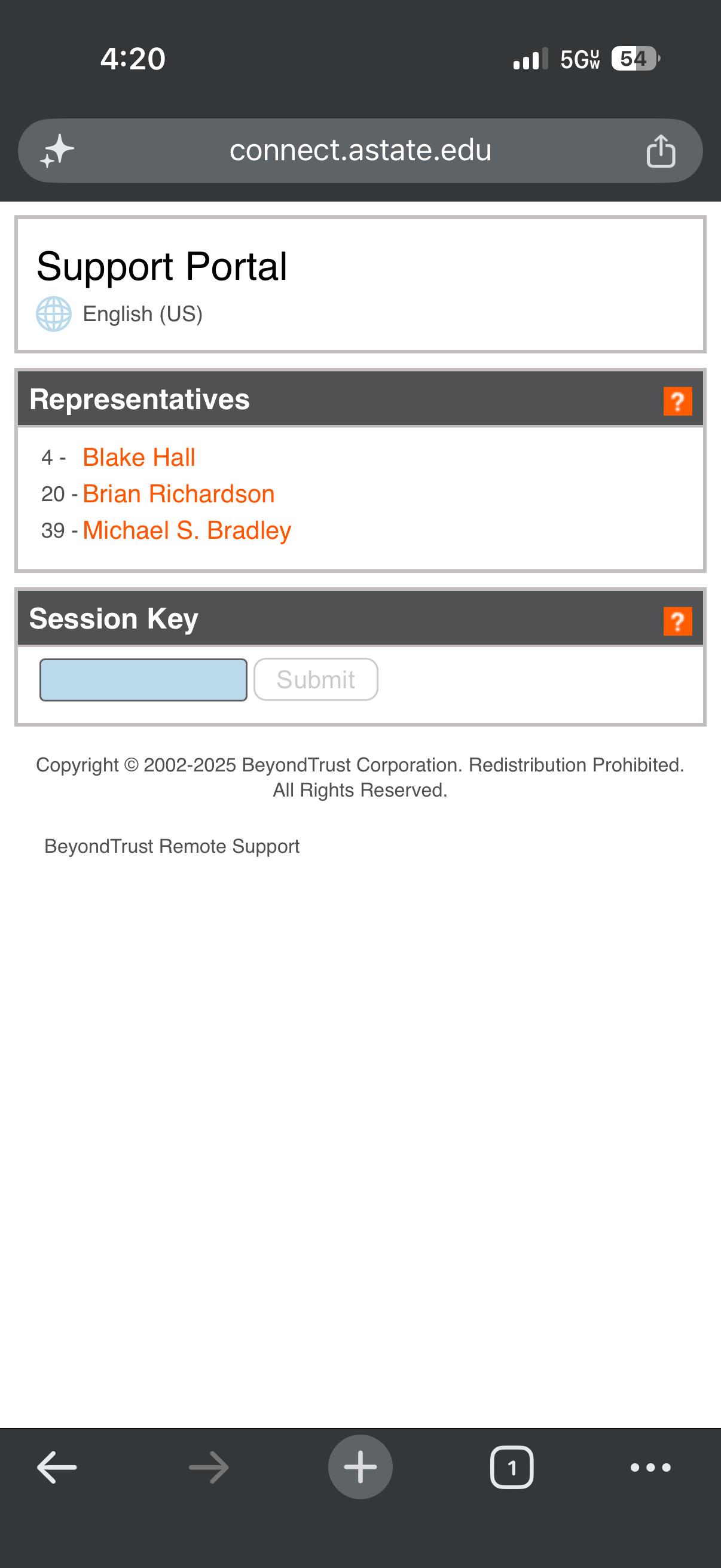
1. Open any web browser and go to connect.astate.edu , this will open the Support Portal and select the agent's name you are needing to remote into your device
This
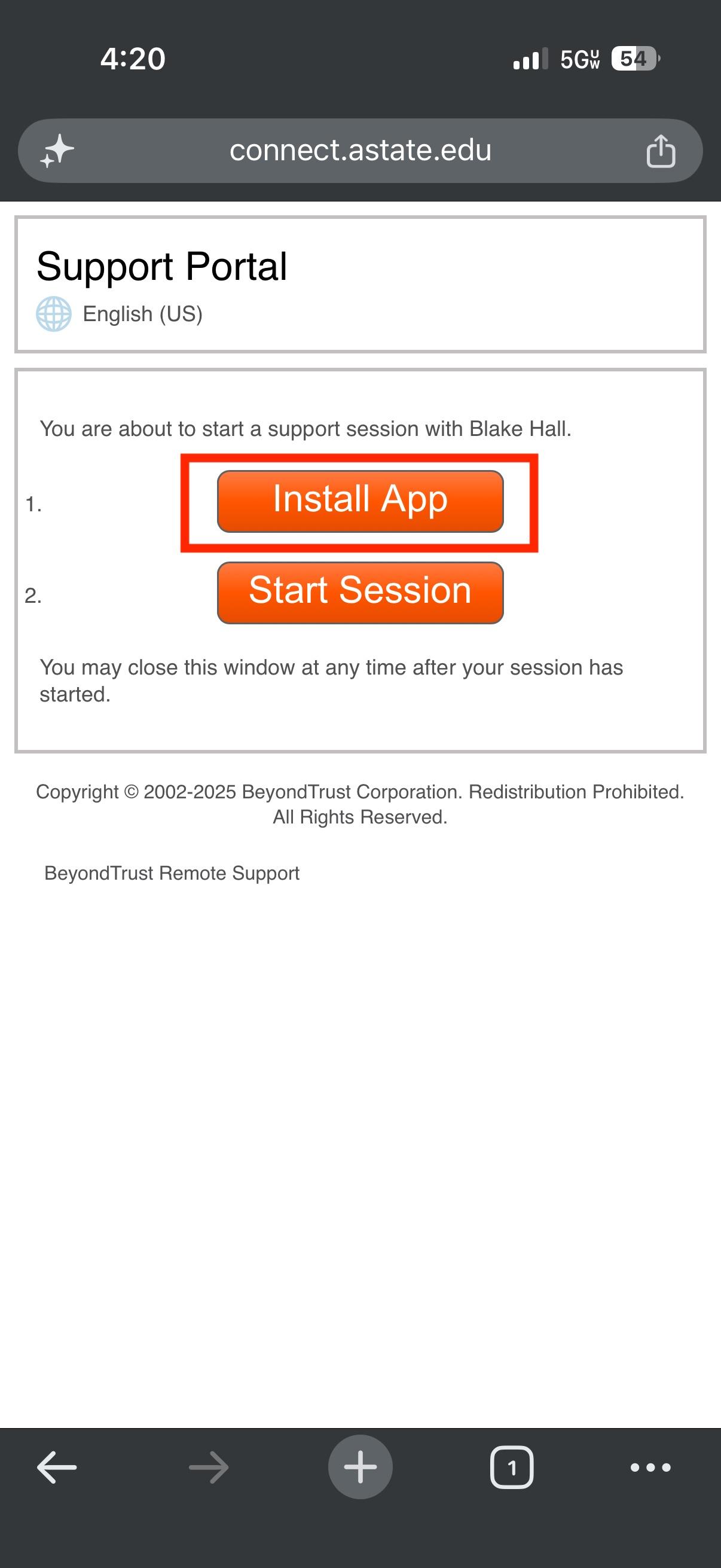
2. The next screen will prompt you to install the BeyondTrust Support application from your device's app store
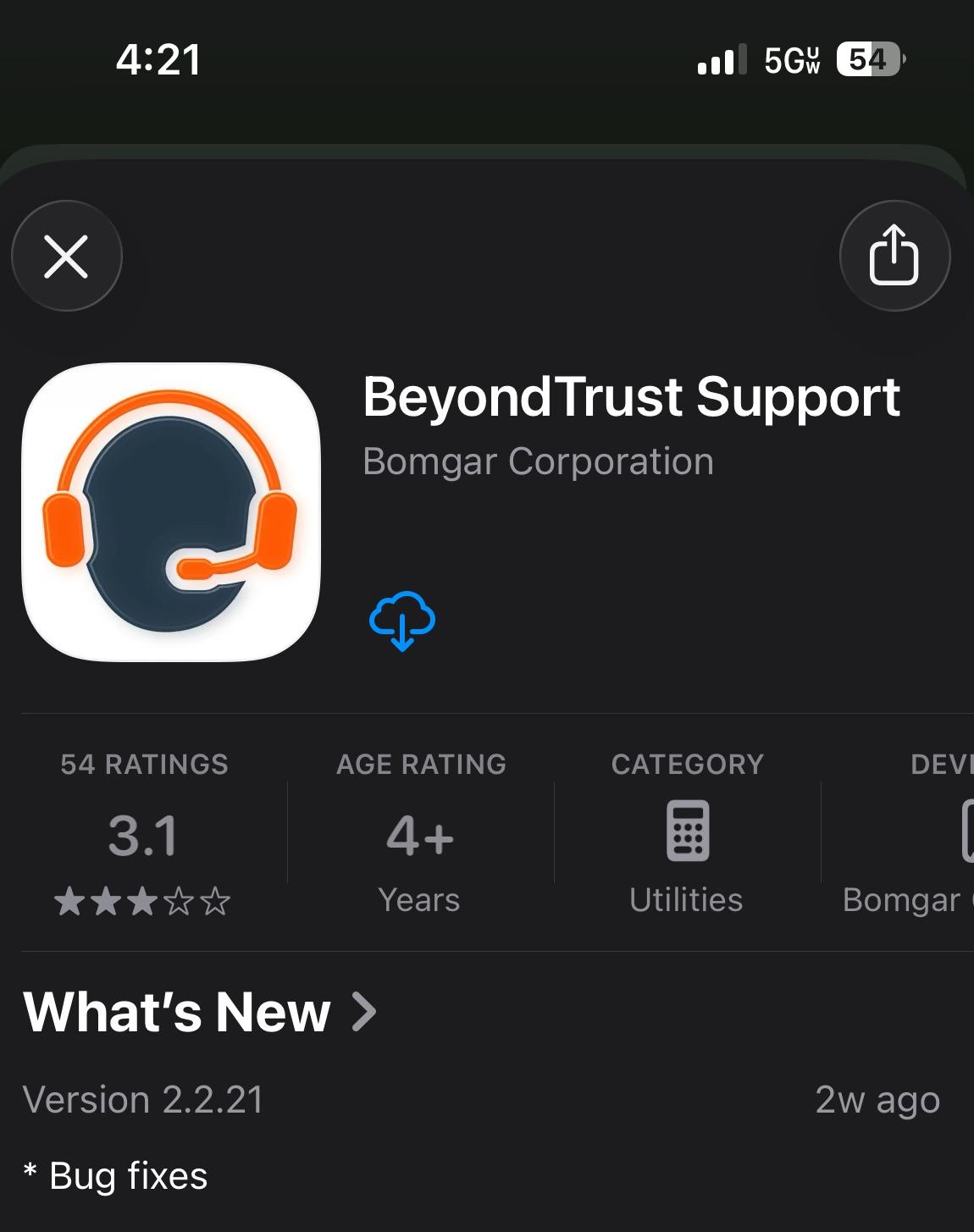
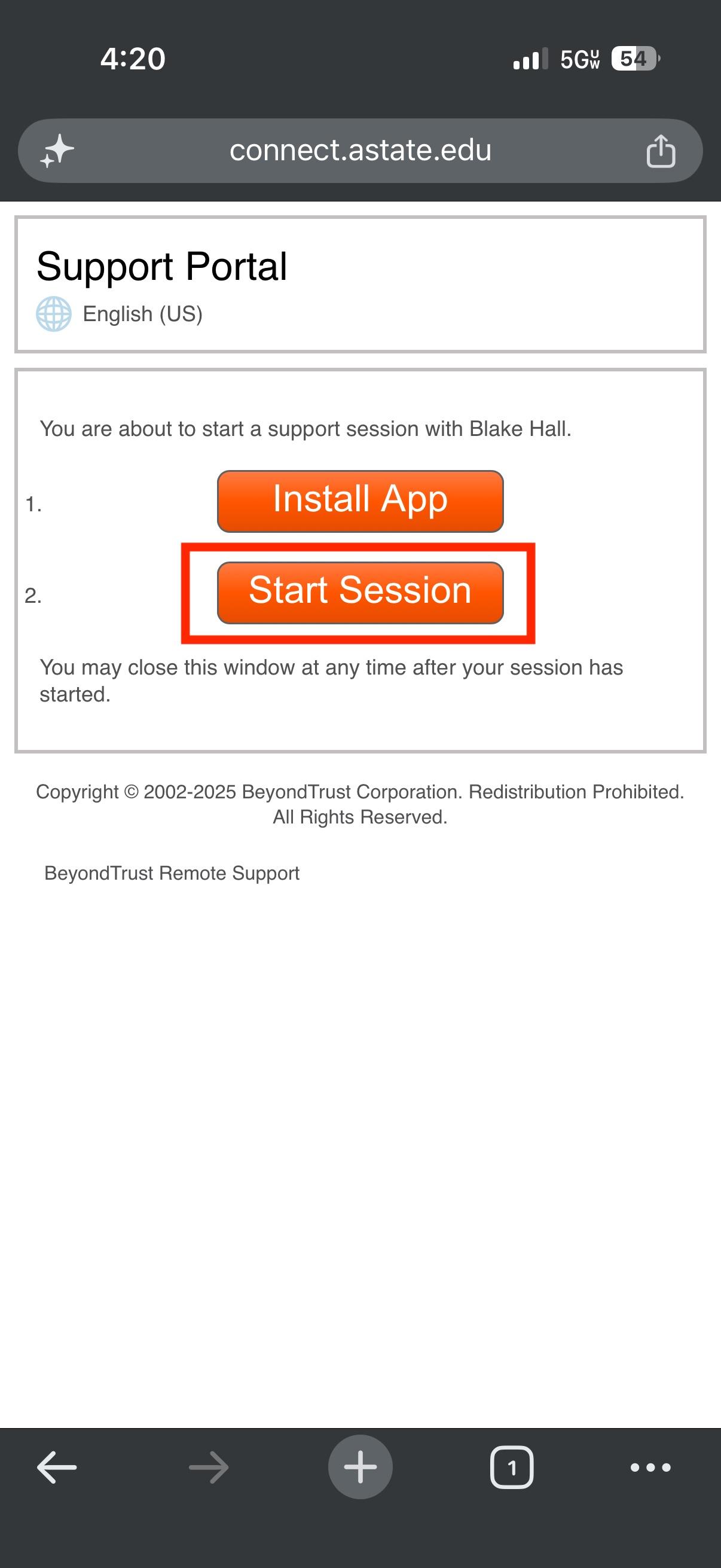
3. After installing the app on your mobile device, you can proceed with either of these methods:
- OPTION 1: Go back to the Support Portal page and select "Start
Session"Session" (select Allow when prompted) or - OPTION 2: Open the app itself and type connect.astate.edu in the
"SiteAddress"Address field and the A-State agent can provide you with the Session Key
Option 1: Option 2:
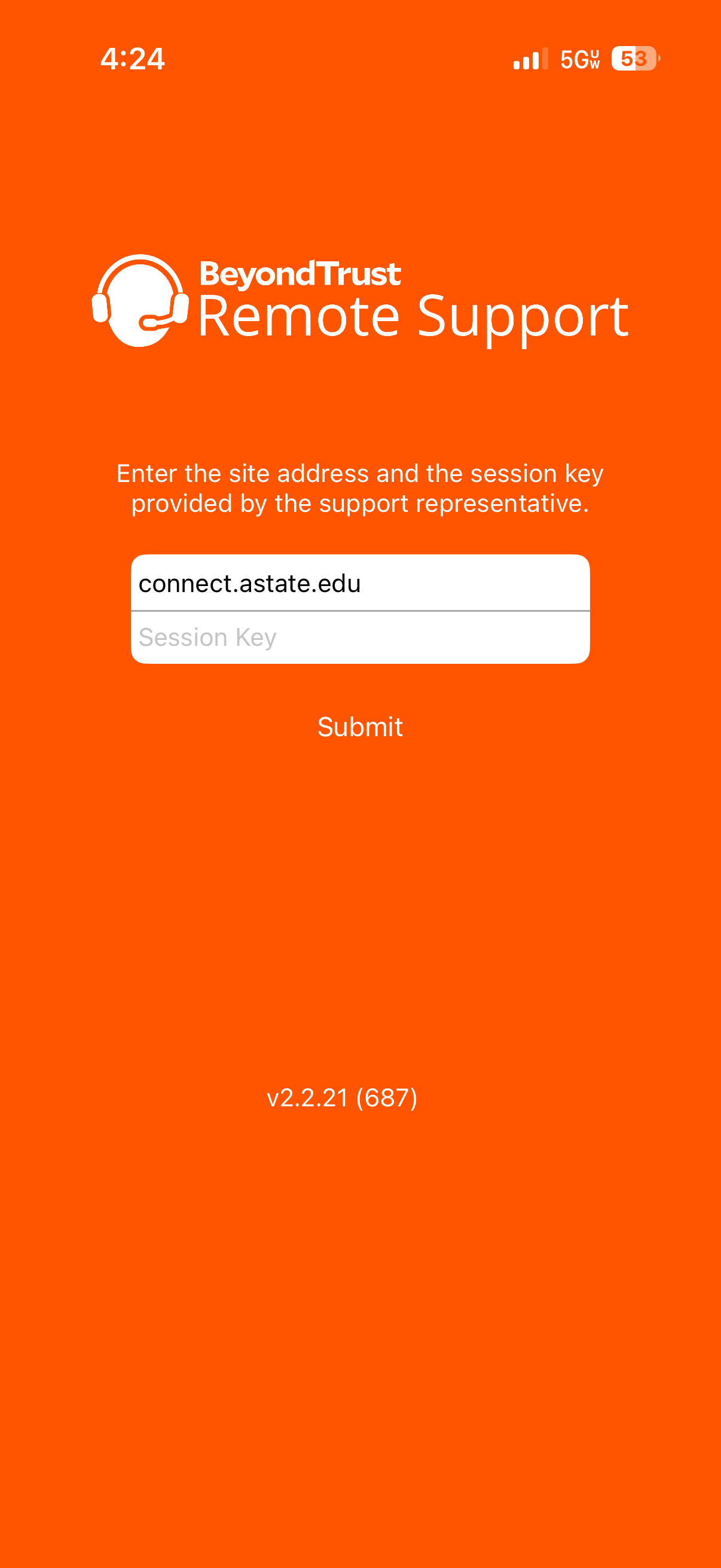
3. Either method will connect your device to the BeyondTrust portal,chat portal, where the agent can remote in and see this screen:
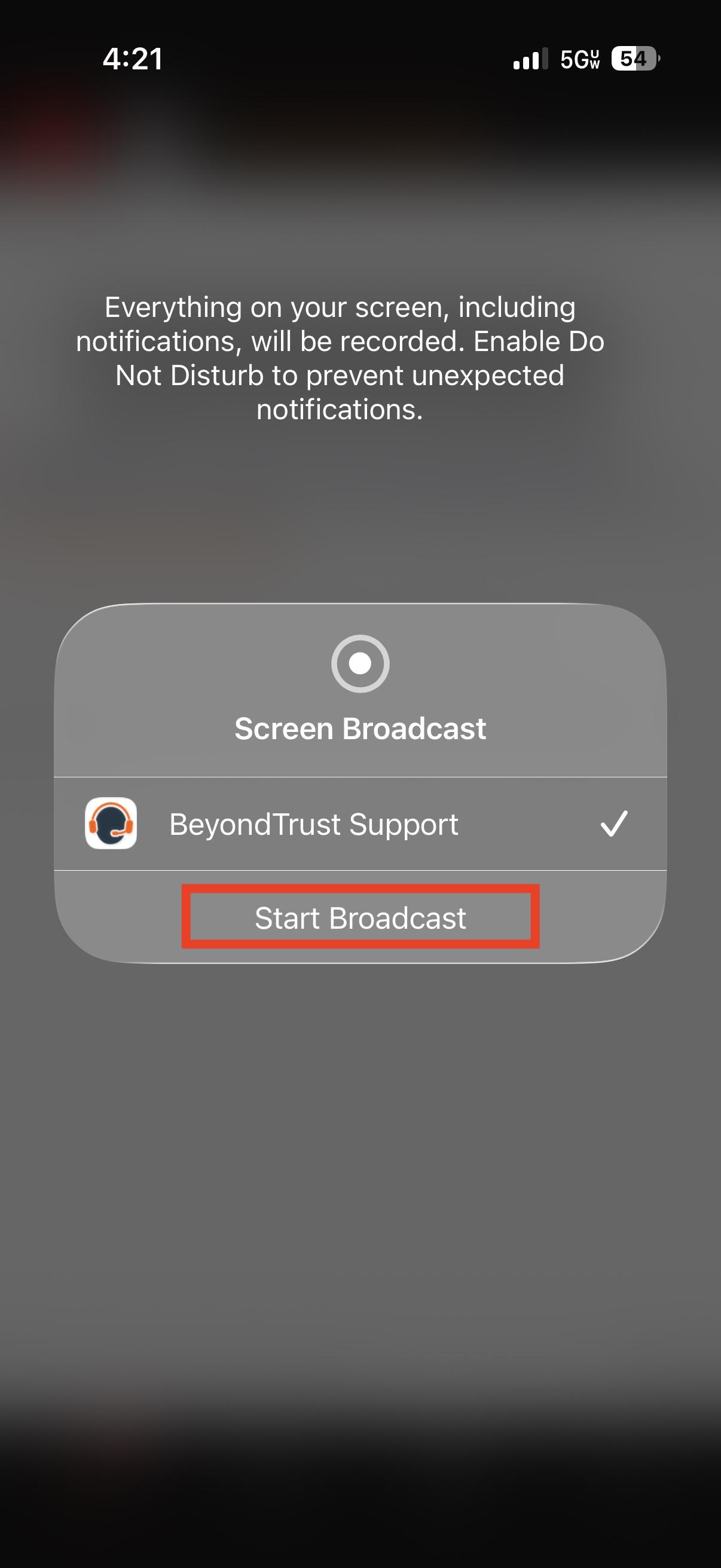
- Select the circle icon at the top of the screen and then select
"StartBroadcast"Broadcast- Please note, the agent will not be able to see anything other than the chat screen until you start the broadcast, if the circle icon is
RED,RED, the agent will be able to fully view your screen on your device
- Please note, the agent will not be able to see anything other than the chat screen until you start the broadcast, if the circle icon is
Not Sharing Sharing
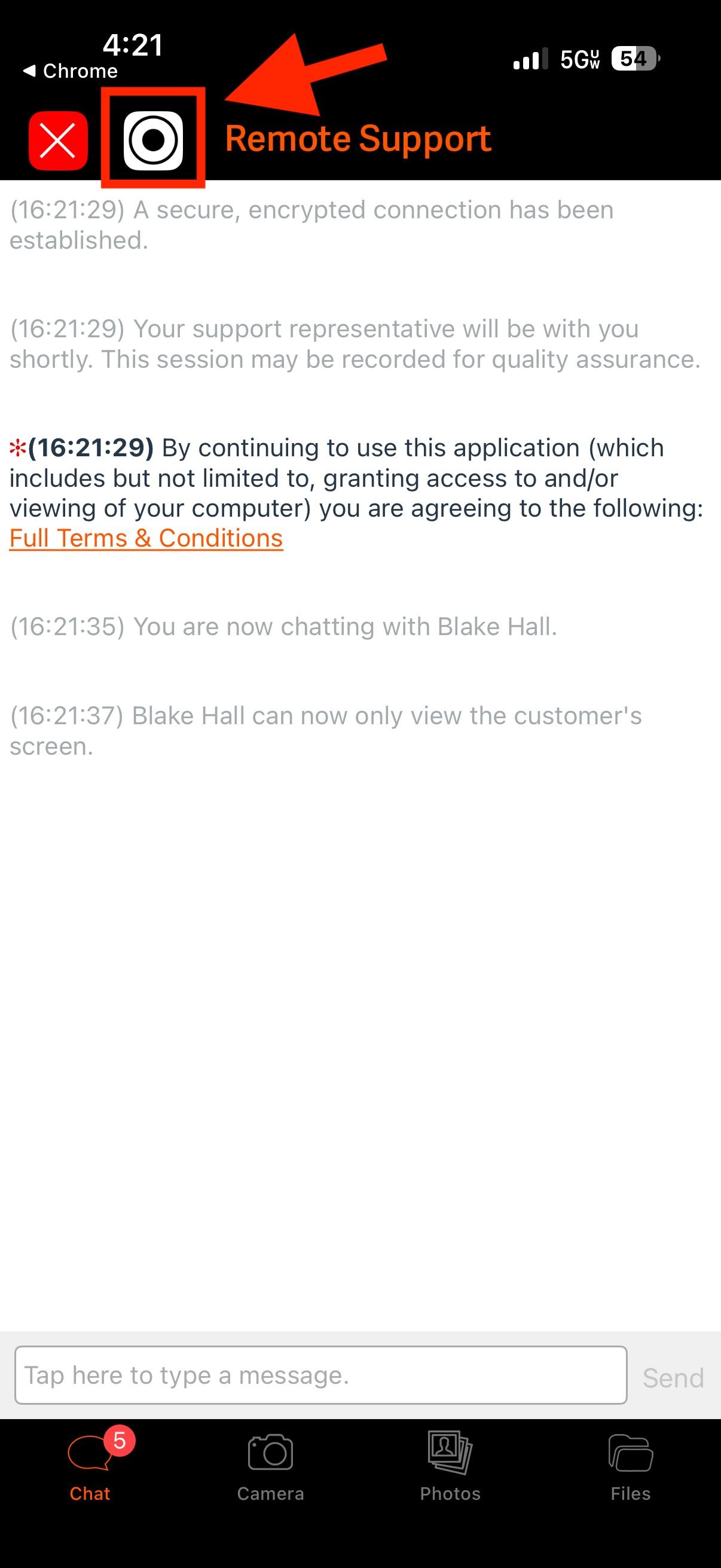
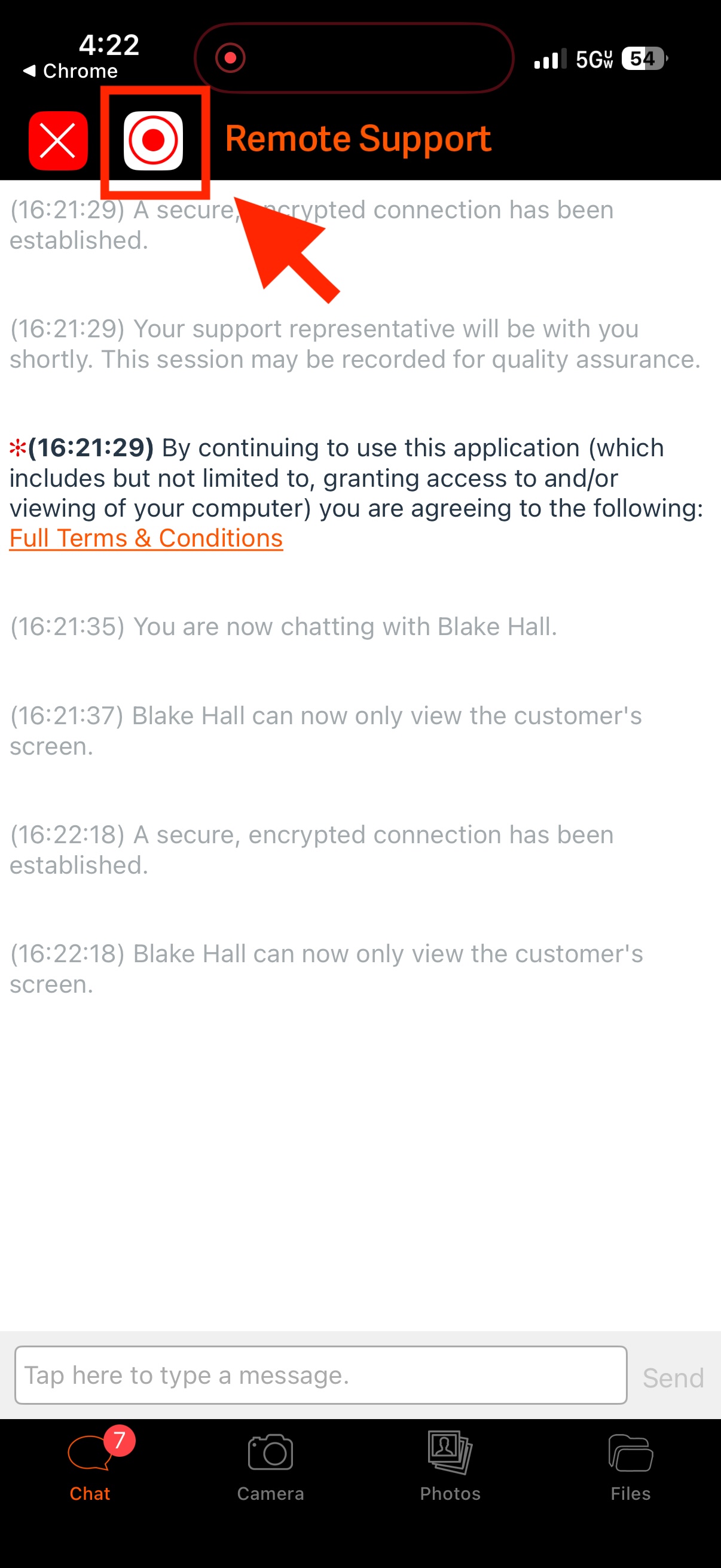
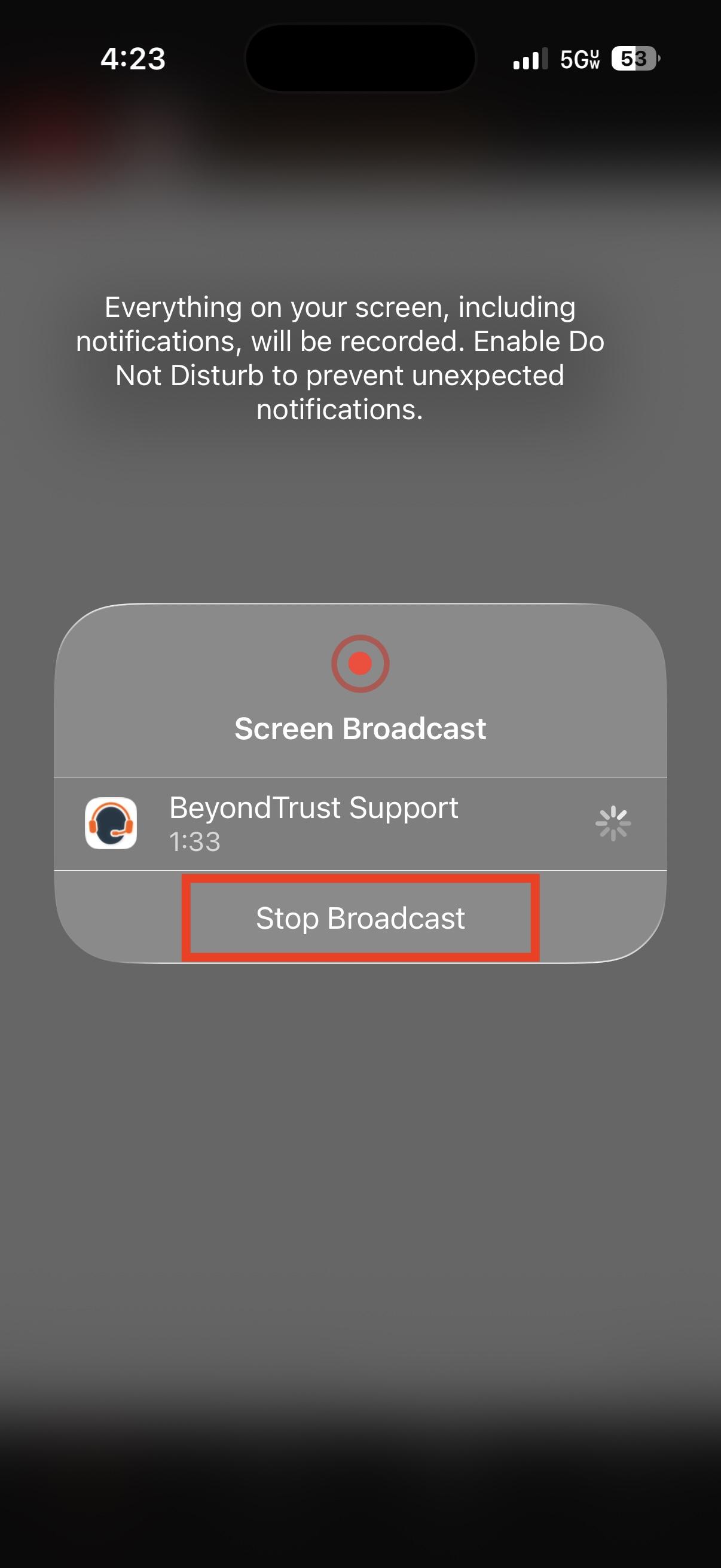
4. Once you are ready to end thescreen session,sharing, just tap the RED circle icon again and select "Stop Broadcast"Broadcast
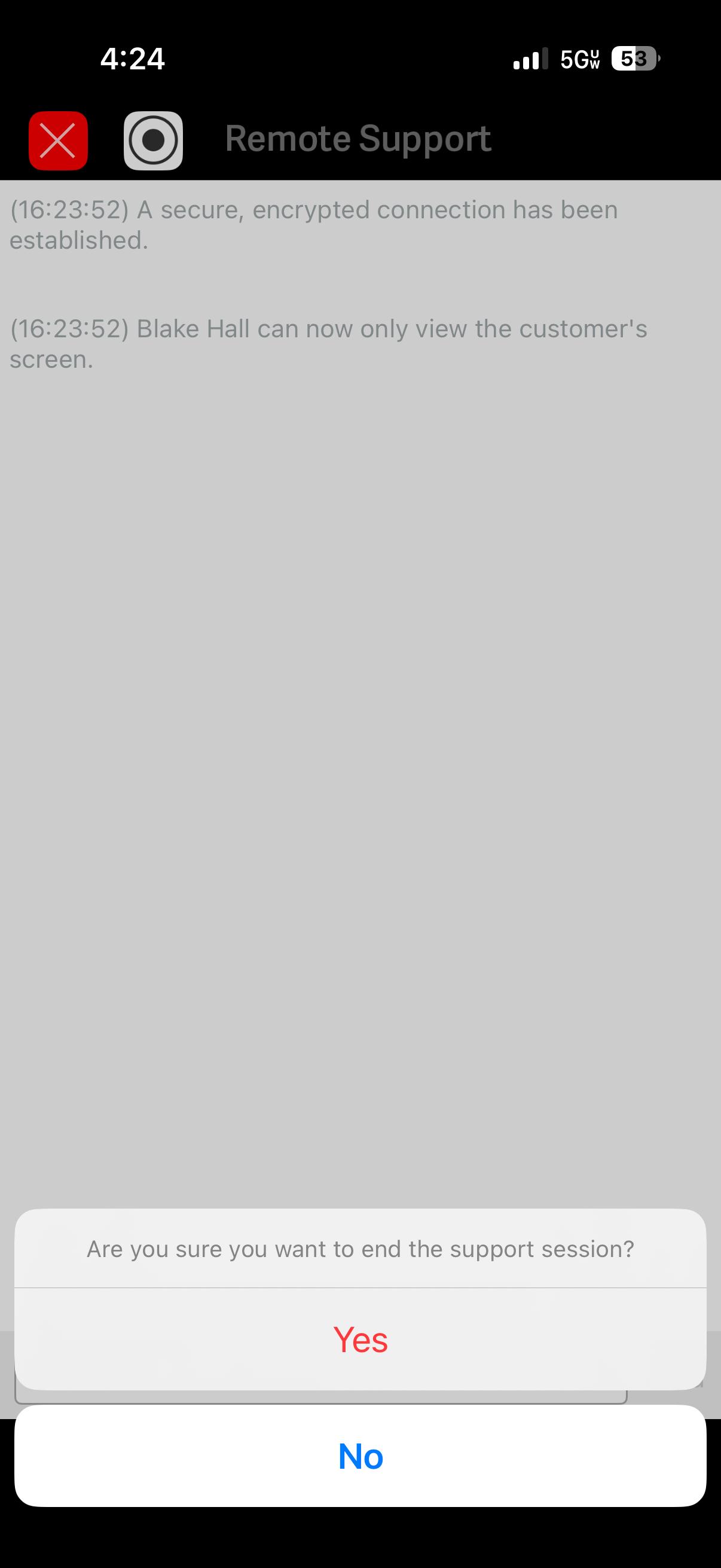
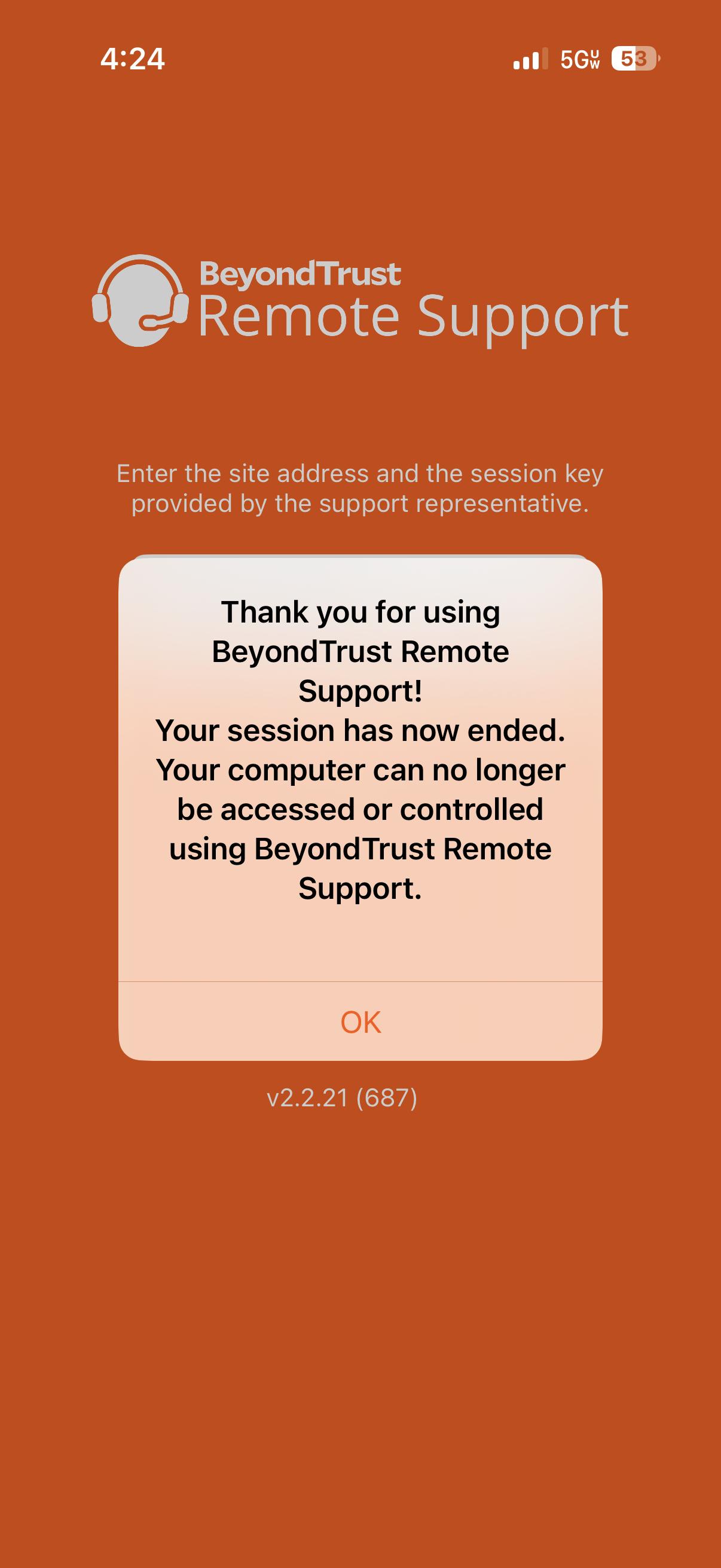
5. To completely end the session and remove access for the A-State agent, tap the "X"X" in the top left and select Yes,Yes, when it ask if you want to end the support session, you will receive a confirmation message when disconnected
For further assistance, contact the ITS Help Desk at 870-972-3933 or stop by IT Support Services (itsupportservices@astate.edu). It is located on the bottom floor of the Dean B. Ellis Library, Room 149.