
How To Setup an Authorized User
Students can give themselves and others (parents, employers, etc.) the ability to access their financial account information. In compliance with the Family Educational Rights and Privacy Act of 1974 (FERPA), your student financial records may not be shared with a third party without your written consent. Adding an authorized user, an individual may view your financial account information and make payments on your behalf.
1. Login to Pack Portal

2. Click on the myBill button within the myBill widget in your Dashboard

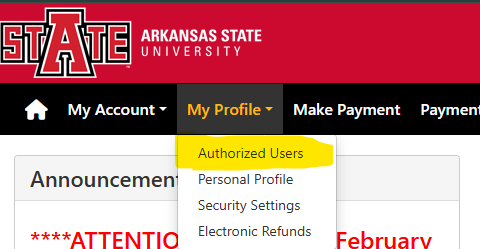 OR
OR 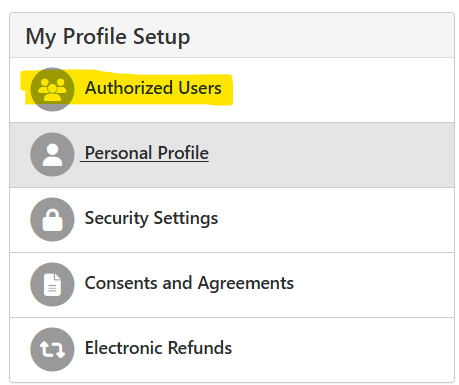
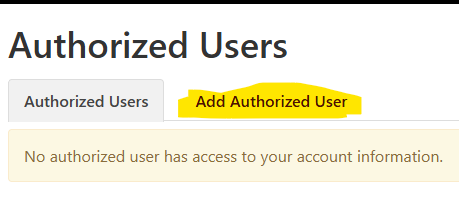
4. Click on Add Authorized User tab
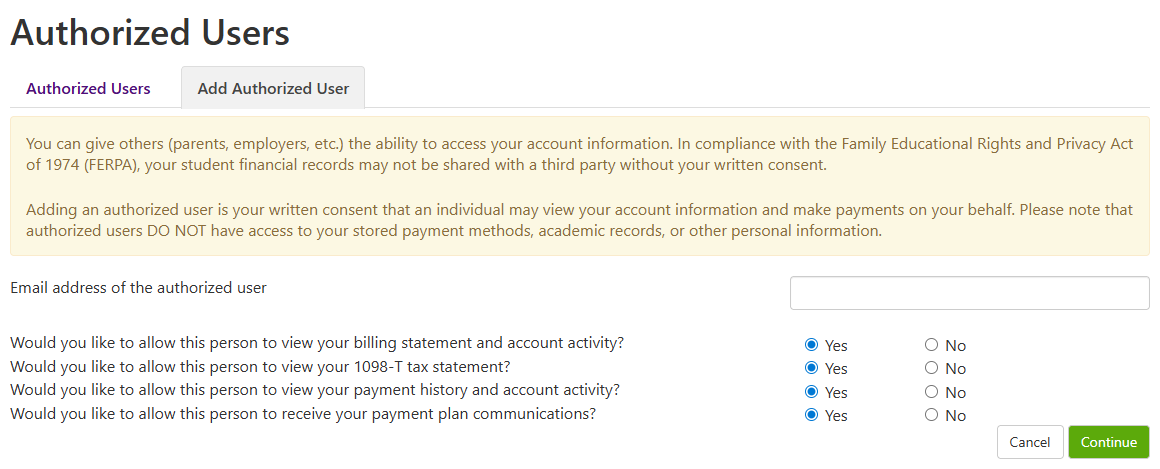
5. Enter your personal email or parent/guardian's email address, answer each question, and click Continue.
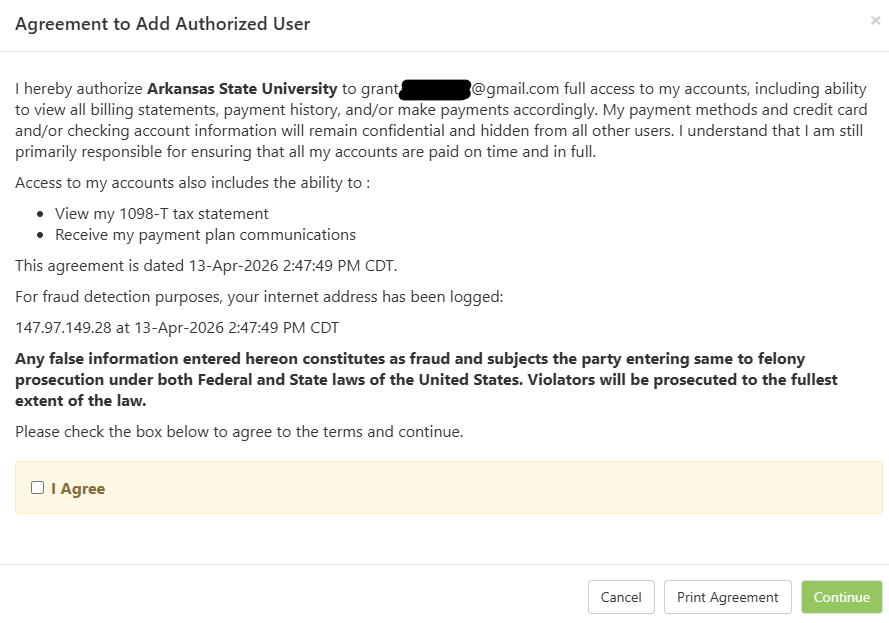
6. Read through the agreement, select Agree, and click Continue.
7. An email with a temporary password will go out to the email address you are setting up as an Authorized User. The email is temporary, so be sure to inform the Authorized User to go in and setup their password as the temporary will expire in 48hrs.
If you have any questions, please contact the Treasurer's Office at 870-972-2285 or sasbillpayment@astate.edu.