
Having Trouble Logging into AstateSecure?
If you are having trouble getting onto the university’s Wi-Fi on your apple devices, your device may be trying to push other passwords to sign in even if you’re using the correct A-State credentials. Therefore, you must un-sync your iCloud passwords to be able to sign into AstateSecure successfully.
First, make sure you aren’t connected to any other A-State Wi-Fi options. If you are, make sure to forget the network for those options. Once this has been done, follow the steps below to un-sync your passwords.
Steps:Step 1:
Open
Settingsthe settings app on youriPhone.apple device
Step 2: Tap your name at the top of the screen that shows your apple account,
iCloud+iCloud+, andmore.more.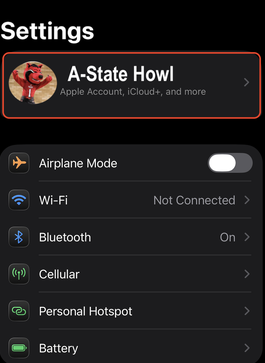
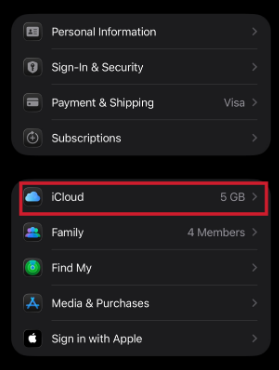
- 3: Tap the iCloud
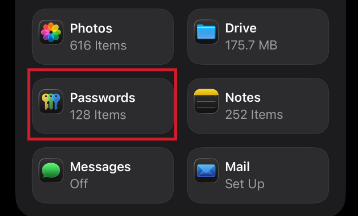
option.option. Step 4: Tap the Passwords section on the
screen.screen.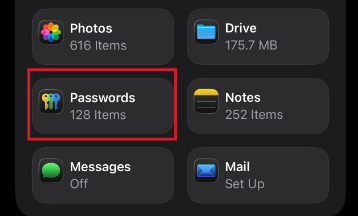
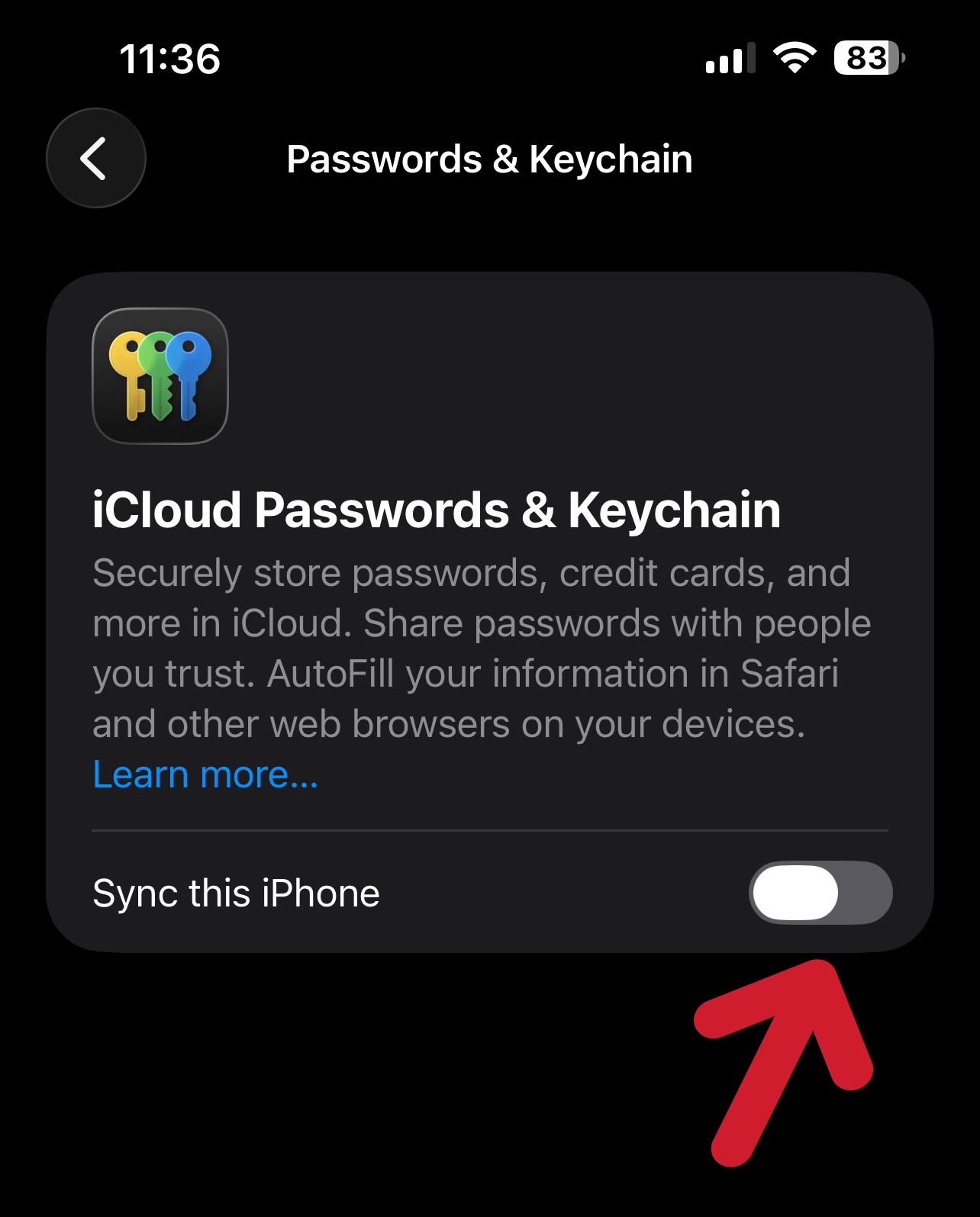
Step 5: Tap the toggle for
“"Sync thisiPhone”iPhone" to turn itoff.off.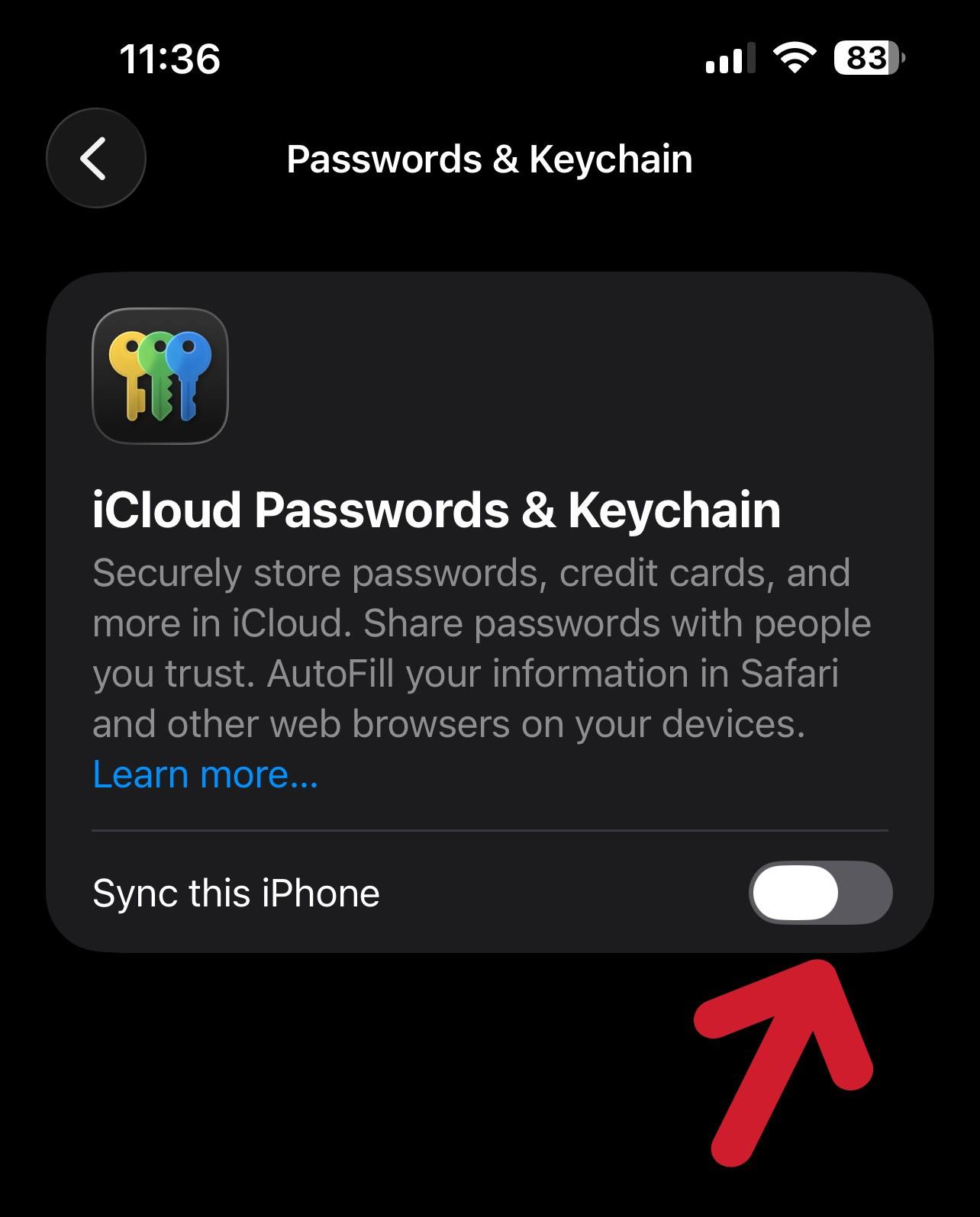
Step 6: Now go to the Wi-Fi settings on your apple device that you're using, and sign into AstateSecure using your A-State credentials.
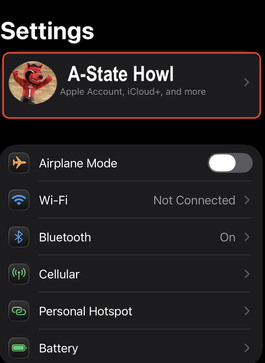
- 7: Once the device is connected, you may follow steps 1 - 5 to turn password sync back on.
Step
Step