Skip to main content
Variable credit course process
Please complete the following steps to create the section:
-
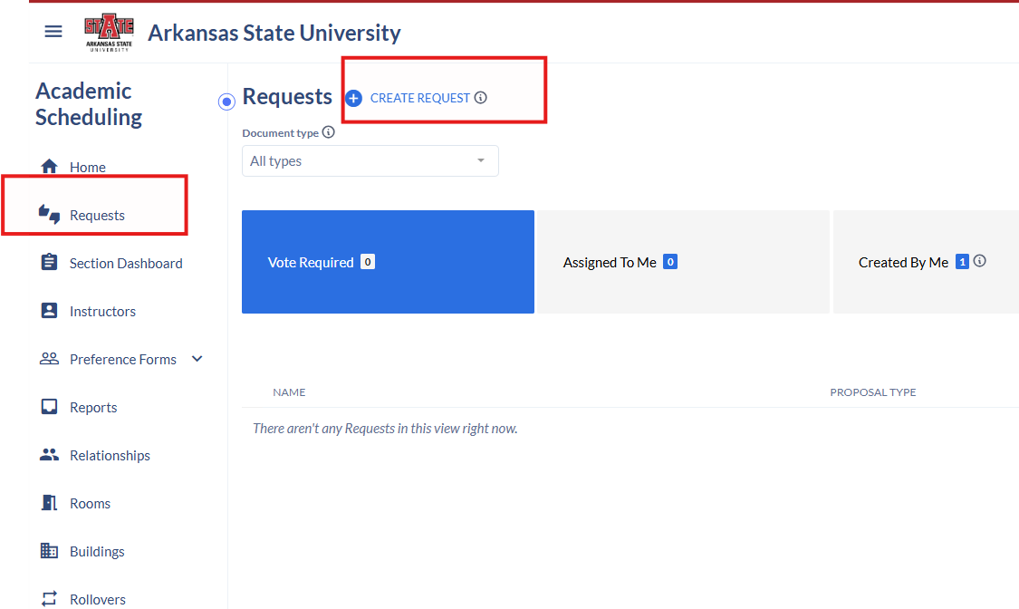
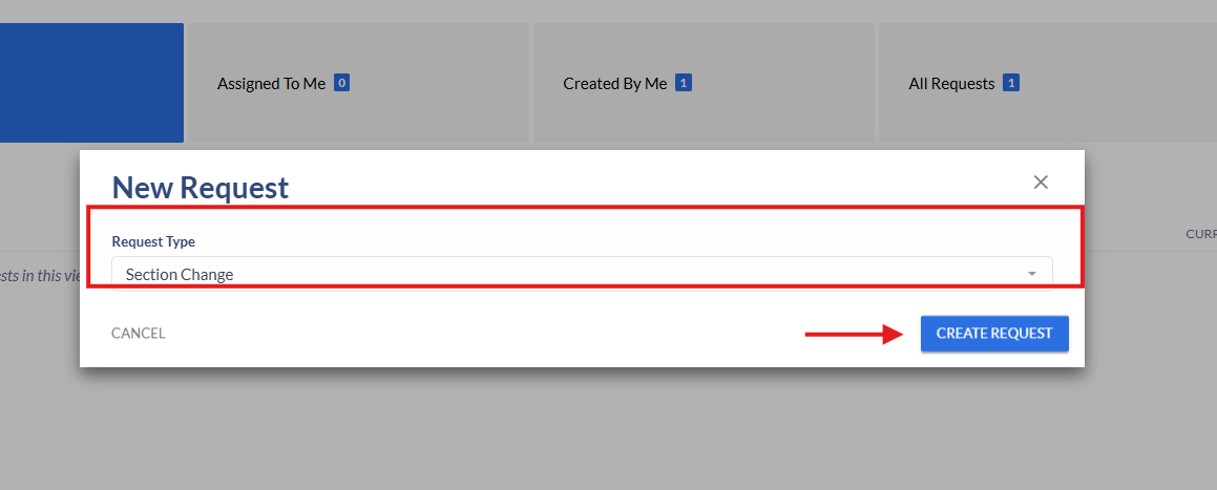
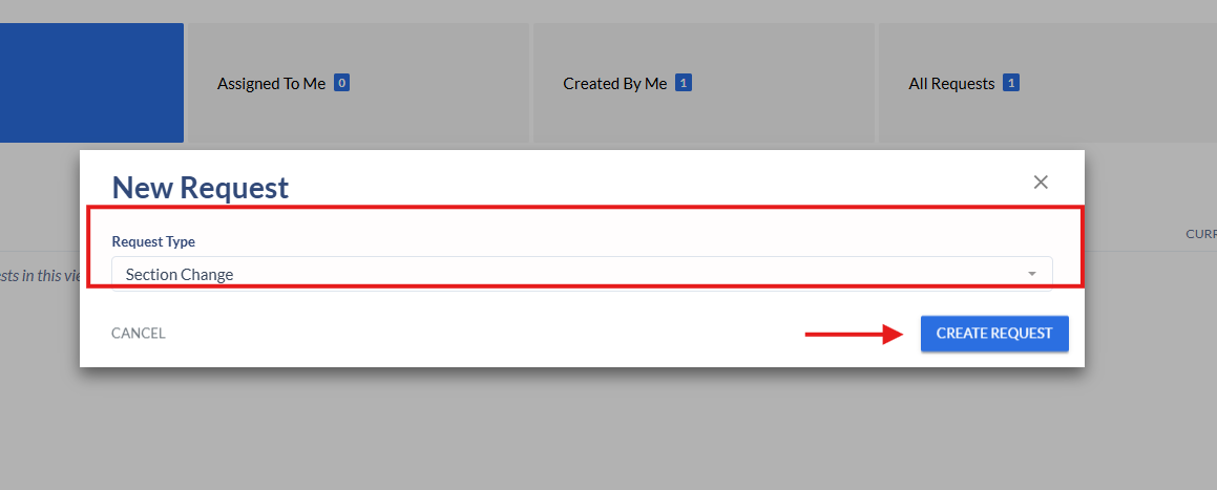
Select SectionRequests Change.→ Create Request.
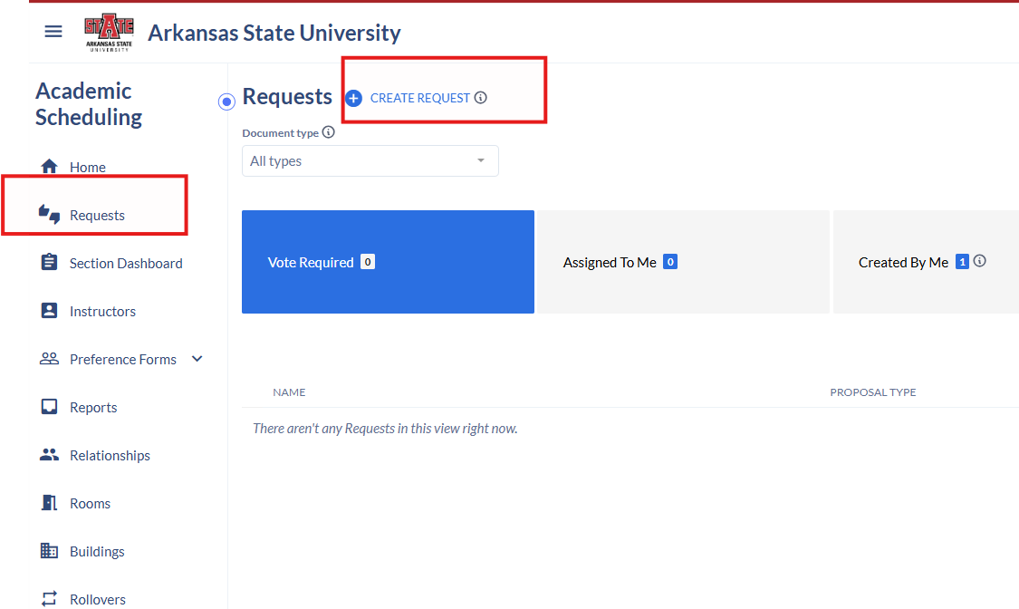
Choose Section Change and select Create Request.
Set the term to your desired semester.
-
Choose Add Section or Add section from Course InventoryInventory (if first time course is to be offered in desired semester).
-
Enter the course.
-
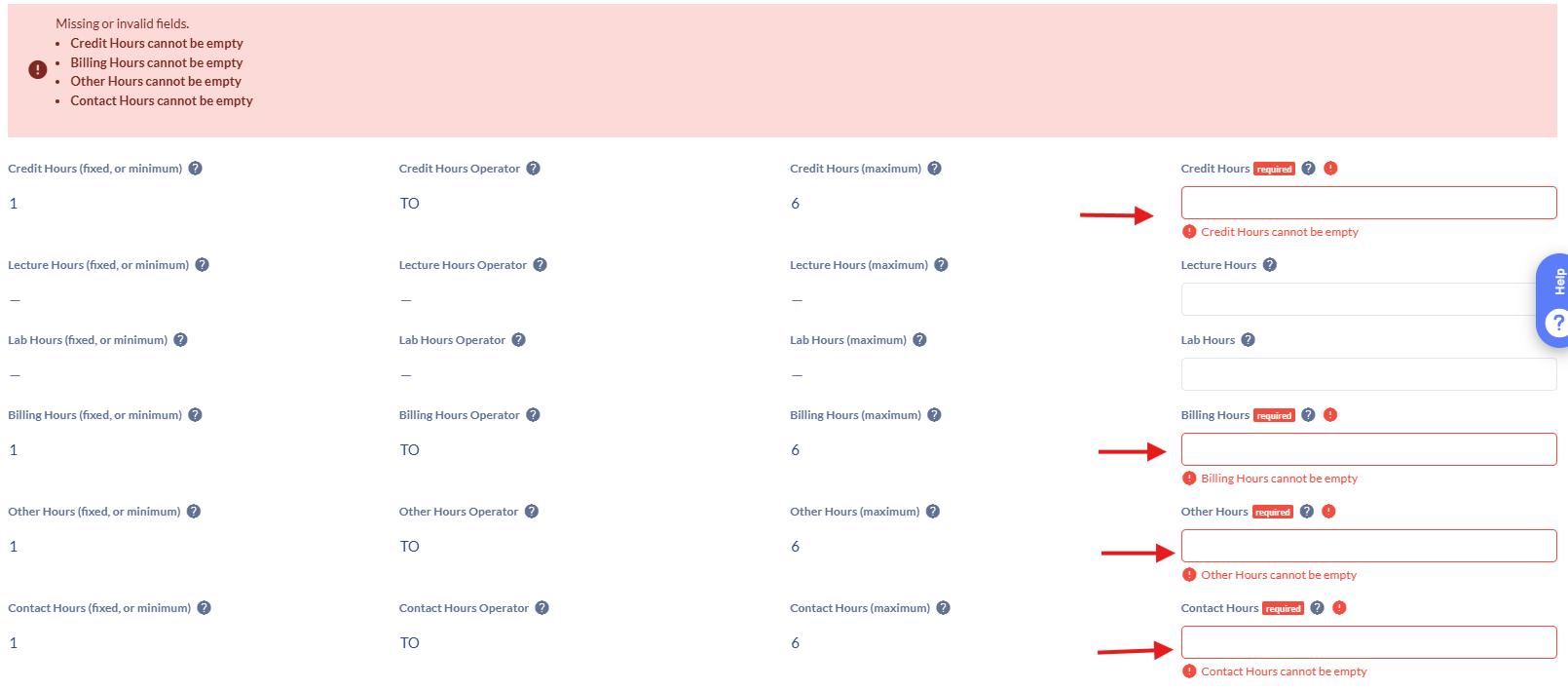
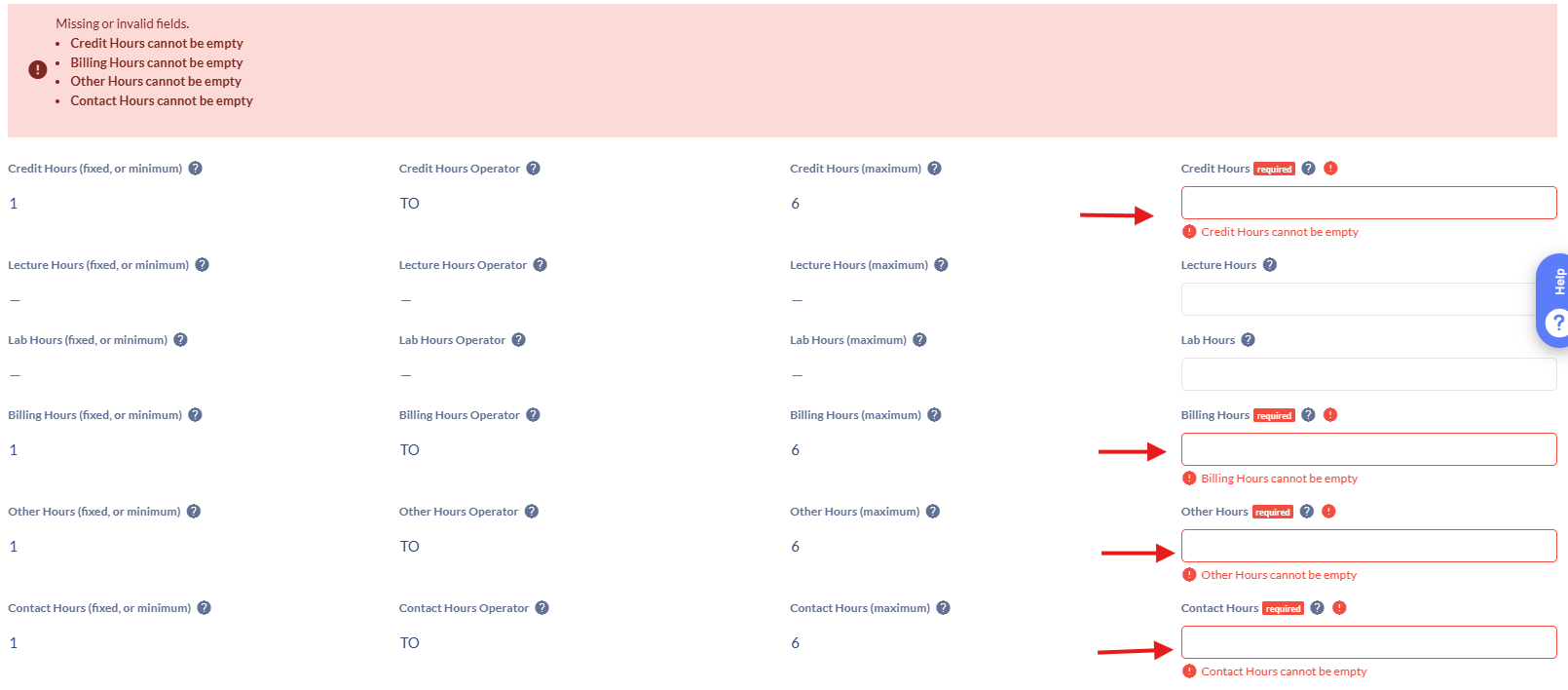
Complete all fields as usual (delivery method, instructor, and set the credit/contact hours to the desired number-4 text boxesboxes)).
-