
Manage files and folders in OneDrive
Select what to do with a file
-
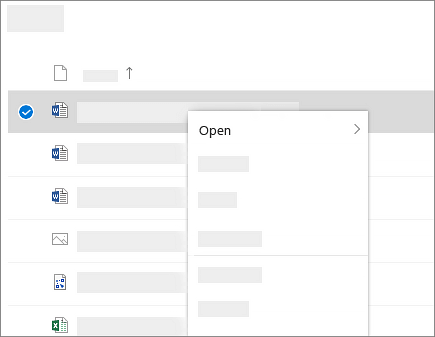
In OneDrive, right click the file.
-
Select a command.
Create a folder
-
Select New > Folder.
-
Type a name for the folder.
-
Select Create.

Search for files
Looking for an older doc? Search is a powerful tool to find all your online docs.
-
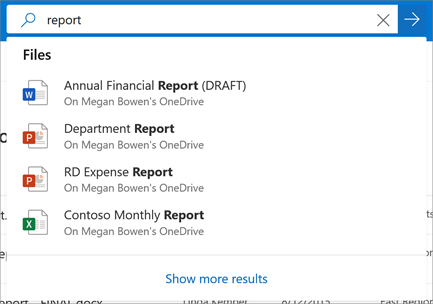
Type a word or phrase in the Search box.
-
Select a file, or press Enter.
Important PC Folders (auto backup)
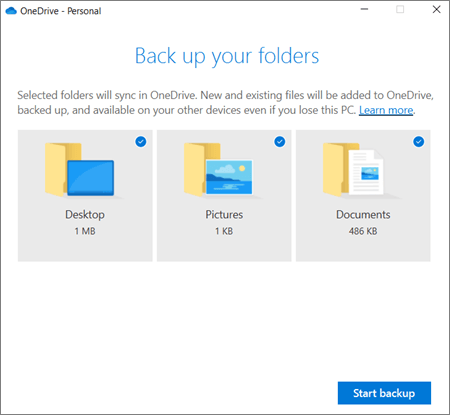
You can backup important computer files on OneDrive like your Desktop, Documents, and Pictures files.
-
Select the OneDrive cloud icon in the notification area (right side of the Windows Taskbar just before the clock).
-
Select Help & Settings > Settings.
-
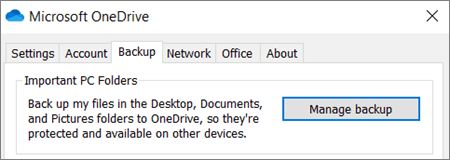
On the Backup tab, under Important PC Folders, select Manage backup and follow the instructions.

- In the Back up your folders dialog, make sure the folders that you want to back up are selected.
Set up Office apps and email on a mobile device
Download PDF: OneDrive Quick Start Guide