
Set up the Microsoft Outlook mobile app.
Set up anthe Outlook accountmobile app in theiOS.


Download Microsoft Outlook for iOS from the iOS App Store and then open it. The icon looks like this:


Tap
Note:Add See system requirements for your iOS devices Account.here
.

If it's your first time using Outlook for iOS, enter
Enter your full A-State email address,address thenand tap Add Account.
If not, open the Menu > tap Settings  >
Add Account > Add Email Account.
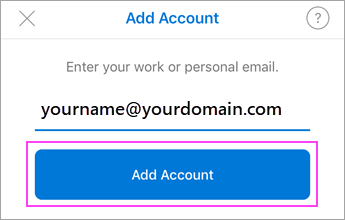


If you're asked to select your email provider, please contact your IT admin for support as there may be a misconfiguration.

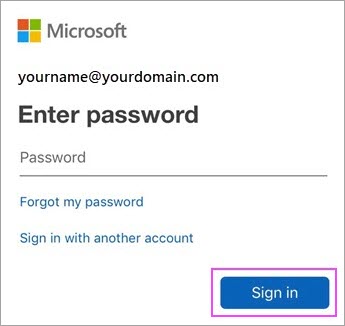
Enter your email account password and tap tap Sign In.


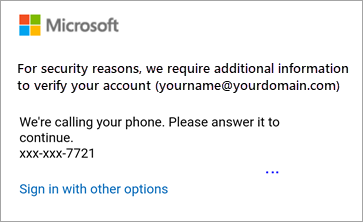
Tap Send Me a Push.
Note: If the Push notification doesn't appear, open up the DUO Mobile app and approve the push.

If multi-factor authentication is enabled, verify your identity. For more information, see Security info overview.
 If

If you maydesire receive.notifications, tap Turn On when given the following prompt.
Swipe
OptimizeSet up the Outlook mobile app
forin your phone or tablet
Set up an A-State Email Account in Android Outlook
Install the Microsoft Outlook app from the Google Play Store and then open it.

Tap Get Started if this is your first time.

Click Tap Add Account.
Enter your full A-State email address, then tap Continue.

Enter your email account password and tap Sign In or Next.
Note: The sign in screen may look different for you depending on your email provider.


If you desire notifications,

For further assistance, contact the ITS Help Desk at 870-972-3933 or stop by the IT Support Services. It is located on the bottom floor of the Dean B. Ellis Library, Room 149.