Skip to main content
Scheduling multiple sections in the same room
How to schedule multiple sections in the same room:
To override the room assignment and schedule multiple sections in the same room, please follow these steps:
-
Open the Section Dashboard for the course.
-
Click the Room field.
-
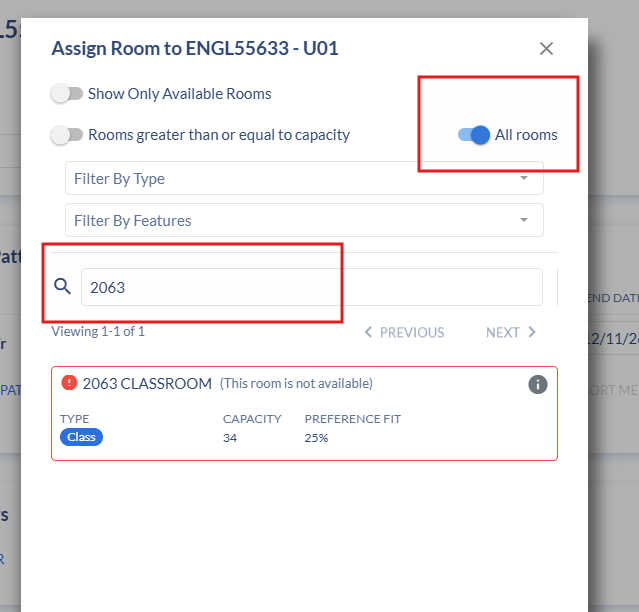
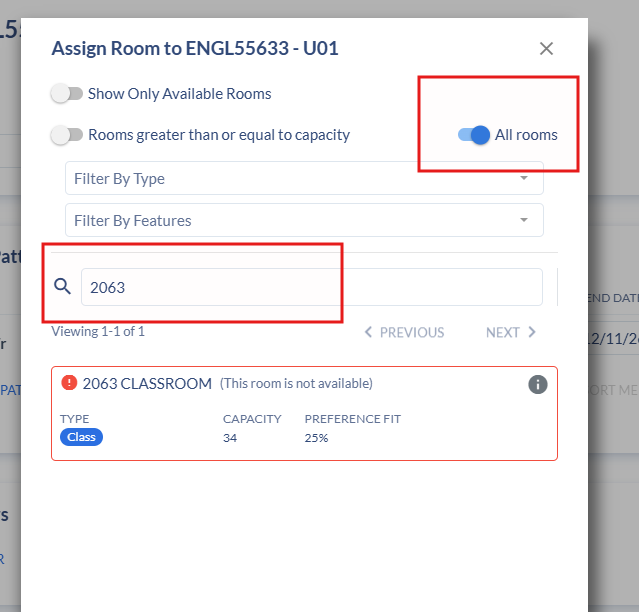
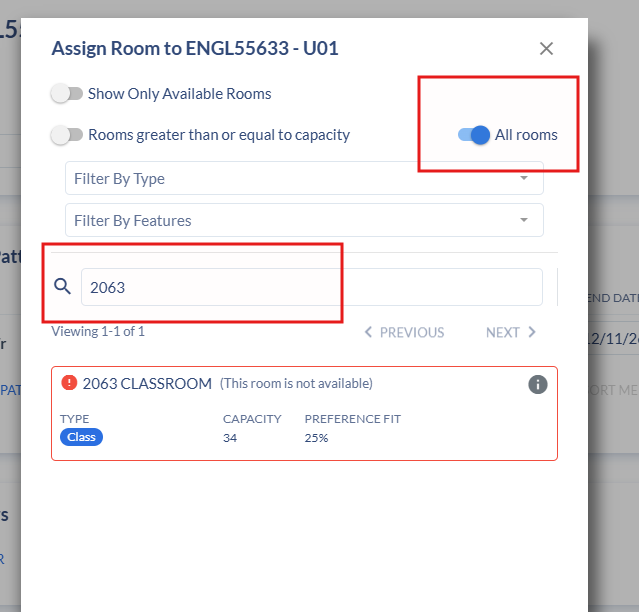
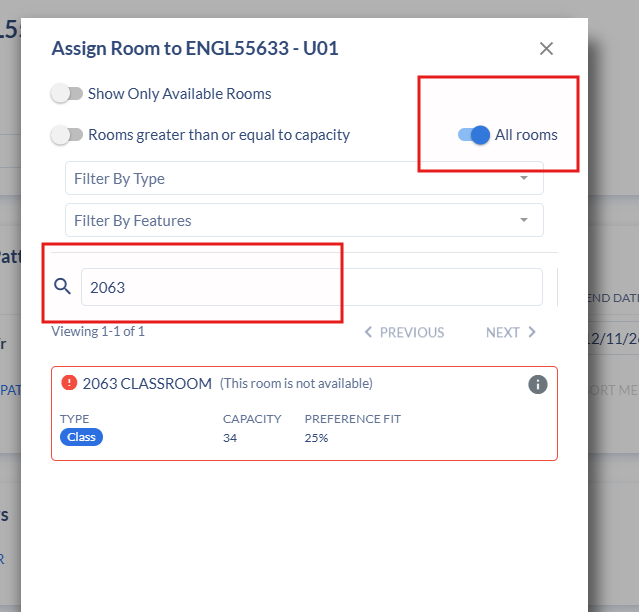
Disable Show only available rooms and Rooms greater than or equal to capacity.
-
Enable All Rooms, enter the desired room number, and select the room.
Next:
-
Click Set Details.
-
Change the Override Indicator to O. While R was previously recommended, with Coursedog we now recommend using O.
-
Close the dialog box and save the section.