
UPDATE PREFERRED FIRST NAME
To update your preferred first name in Self Service (which then adjusts your display name in Canvas):
1. Select the four-square menu button on the upper left, then select “Banner”

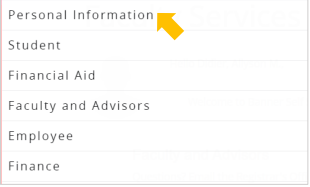
2. Select “Personal Information”
3. Your personal information will display. Under Personal Details select “Edit”

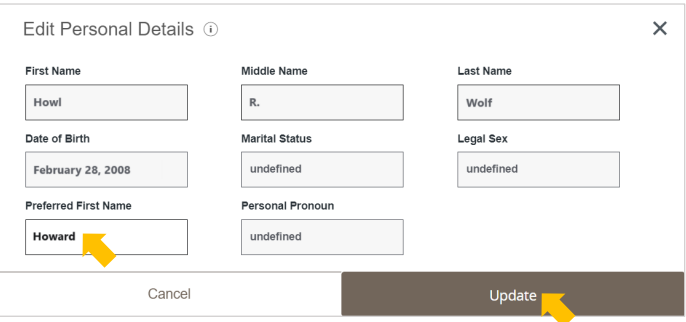
4. Enter your “Preferred First Name” and select “Update”
If you do not see your preferred first name adjusted as your display name in Canvas within 24hours,
please email AOS@AState.edu with your name and ID number for further assistance.