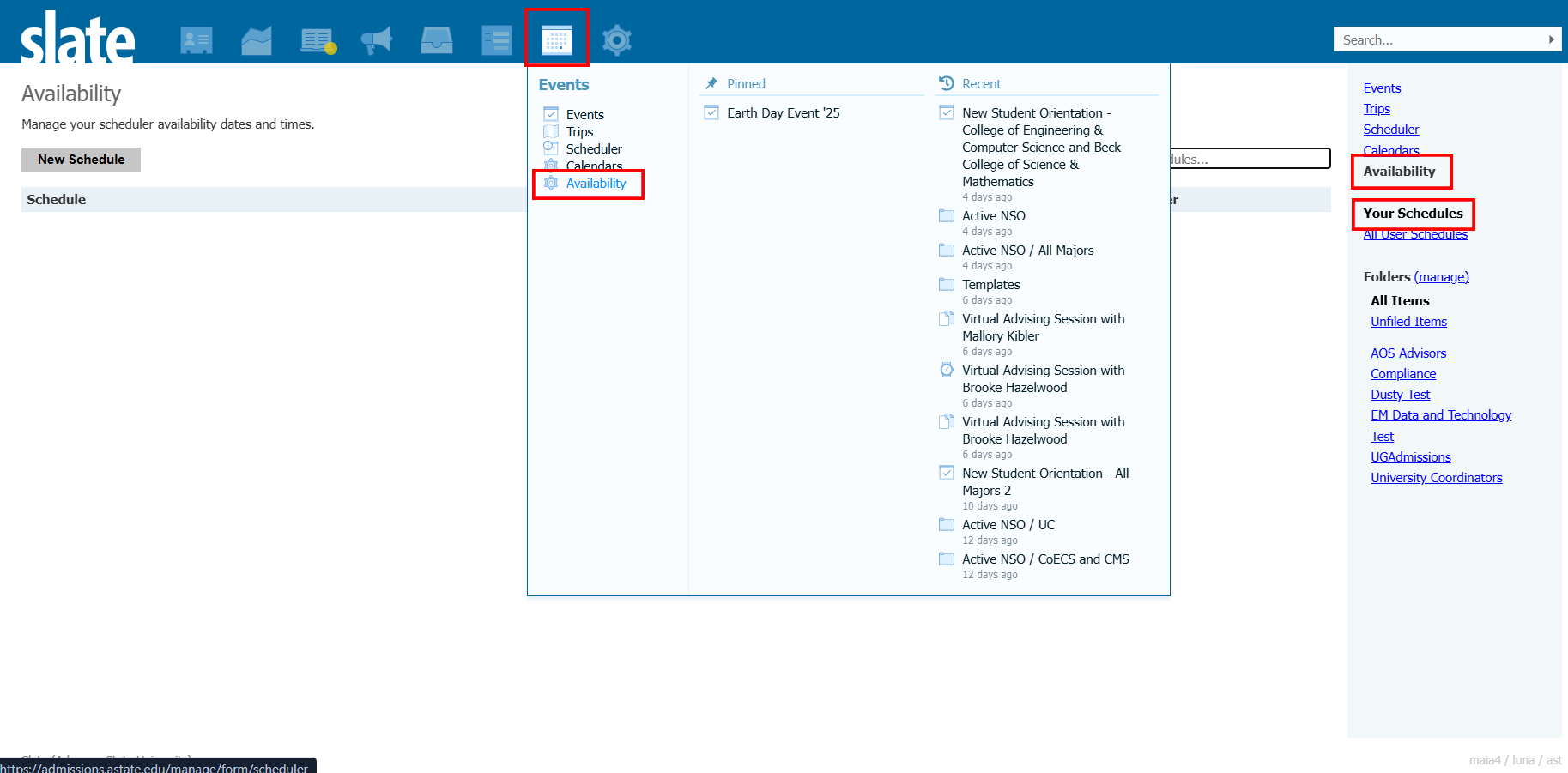
Slate - Advising PTO/Holiday Settings
There are a couple different ways you can control your time off and holidays for your Slate advising appointments.
Please note that University holidays and closing are not automatically applied to your appointments.
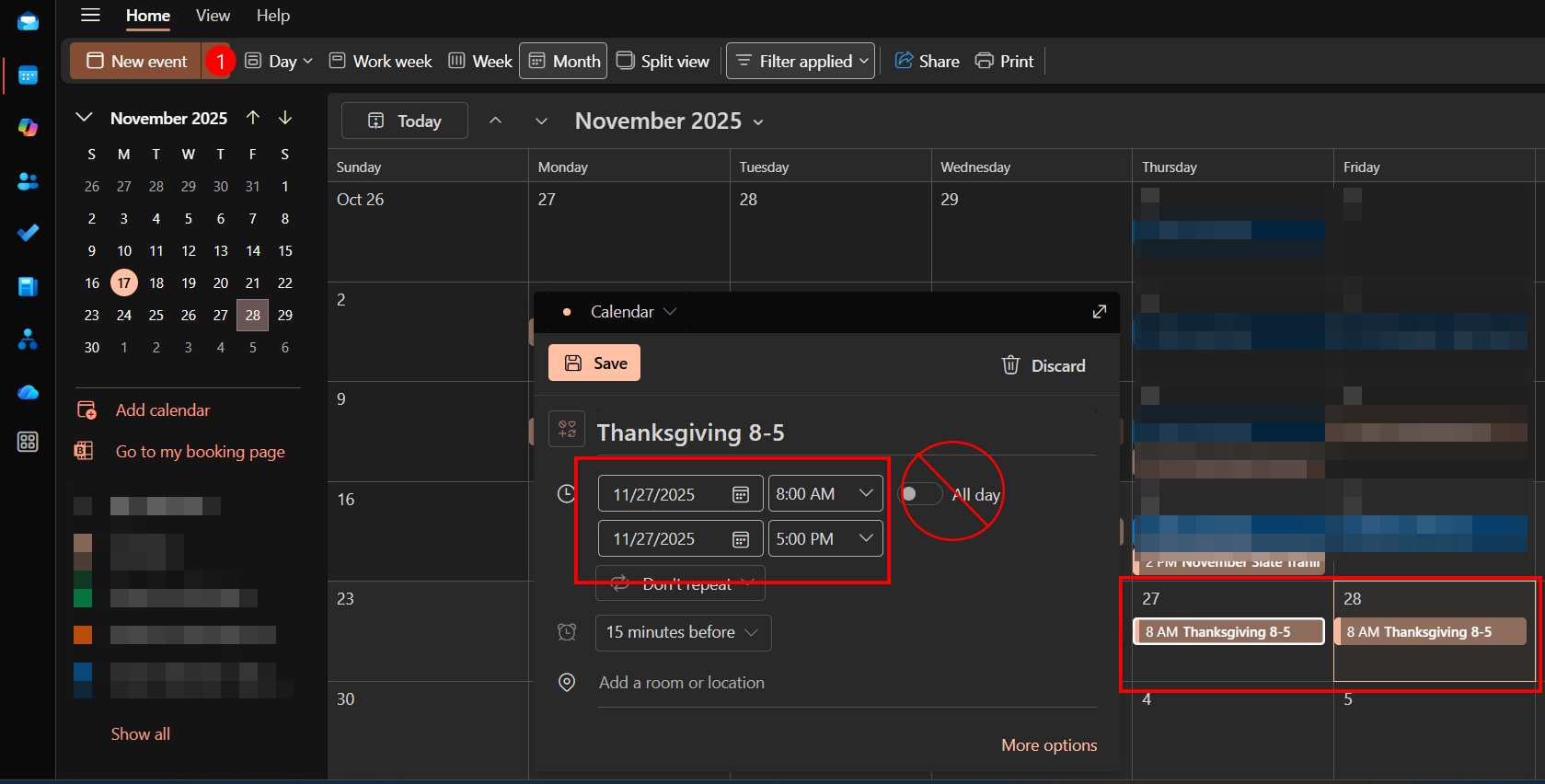
Option 1 - Setting your PTO and Holidays as Events in your Outlook Calendar. For example, Thanksgiving Thursday 8-5. This will block your calendar in Slate as well. You must enter the calendar event as a set time.
Selecting 'All Day' will not block out the time on your appointment calendar in Slate.
Open Outlook > Click on the day or 'New Event' > Set the time frame > Save. You must do this for each day your are not available.
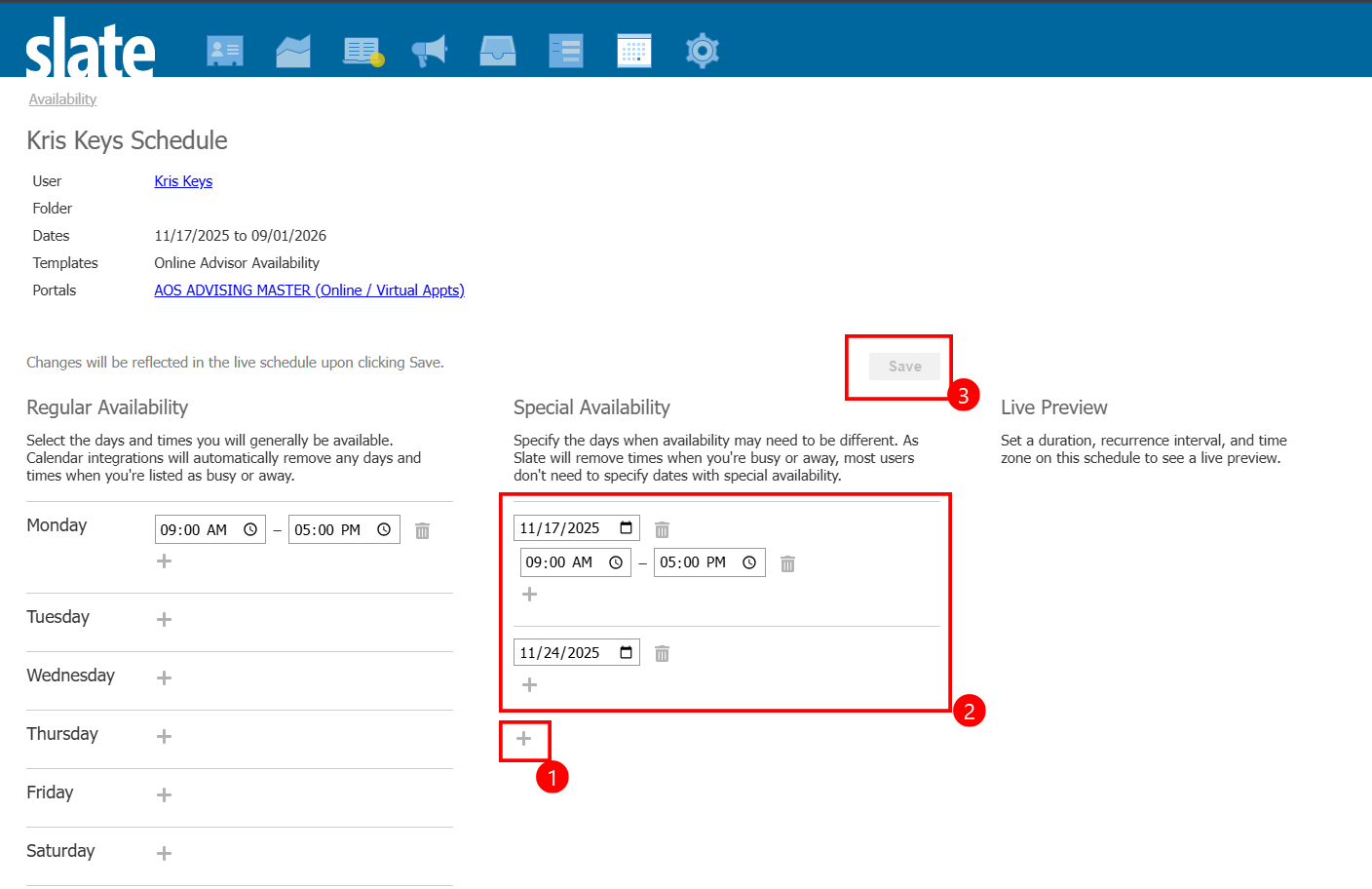
Option 2 - Setting alternative date availability within Slate.
You must click 'Save' for the changes to update.